Quick Answer
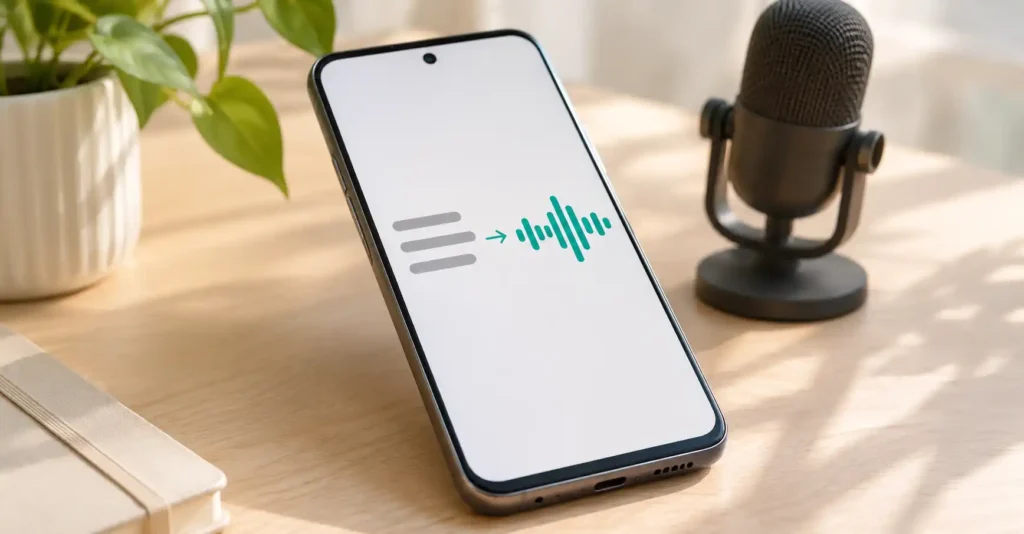
VoiceWave is an AI voice generator worth trying for short Android voiceovers if it can pronounce your script clearly and export audio into your video editor. Start with one 15-second clip and try exporting it before writing a full script or paying. If you need live effects in Discord or a game, test that separately on your exact phone. An in-app preview cannot confirm what another person hears in a live chat.
Choose the right tool for the job
VoiceWave by EaseUS lists text-to-speech, recorded voice effects, a soundboard and voice cloning. The three main workflows start with different inputs. Choose the one that fits how you want to make your audio.
| Your goal | What to try first |
|---|---|
| Turn a script into narration for Shorts or Reels | Try text-to-speech and import one exported clip into your editor. |
| Keep your delivery but change how it sounds | Record your own line and try a voice effect. Keep the original take for revisions. |
| Change your voice during a live game or chat | Run a private two-person test in that app. Ask the other person what they actually hear. |
| Read web pages or documents aloud | Try Android’s reading features first. They suit listening more than creating an audio file for editing. |
For a closer look at recording and editing your own voice, see the IND Shorts guide to how Android voice changers work.
The 15-second test to run before you pay
Use a line with the kinds of words your videos actually contain. For a local tutorial or announcement, try: “Welcome to Tiruchirappalli. The workshop starts at 8:30 a.m. Entry is ₹250. Bring your ID.” If you make Tamil-English or Hindi-English videos, include both languages in the same sample. A voice that handles each language separately may still stumble when they alternate in one sentence.
- Check pronunciation. Listen for names, times, prices and abbreviations. If the delivery sounds rushed, try splitting a long sentence or spelling out a number.
- Export and import the audio. Open the saved clip in the editor you actually use. Put it on the timeline under music at your usual volume. A voice that sounds clear on its own can become hard to understand in the finished mix.
- Revise one line. Change ₹250 to ₹300 and regenerate only the corrected line if the app allows it. Check whether its pace and tone match the first take and whether generating or exporting again costs anything. Small revisions matter when you make videos regularly.
Limitations
- Live voice changing needs a separate test. The developer advertises live use. Android Discord, games, calls and streaming apps can behave differently. Test what a listener hears with the headset you plan to use before depending on it during a stream.
- Export availability and pricing can affect the whole workflow. Google Play shows in-app purchases. Check whether your chosen voice, clip length, exports and retries are available on your plan before you build a project around them.
- Character-inspired voices have a specific use. They can suit an original sketch. For a tutorial, clear names and steady delivery usually matter more. The listing describes these voices as character-inspired. Check usage terms for the selected voice before using it in sponsored or monetized work.
If your main goal is changing audio during calls, see our guide to what call voice changers can actually do.
Things to know before installing
Install from the official VoiceWave Google Play listing. It identifies EaseUS as the developer and lists the app in Entertainment. The developer’s Data safety summary says the app may collect personal information and app activity, reports encryption in transit and lists no third-party data sharing. It also shows that data cannot be deleted. Review the current Data safety details and the developer’s policy before uploading a voice sample, especially if you need to remove it later.
Start with generic typed text. If Android asks for microphone permission during a text-only trial, you can deny it and see whether that workflow still works. If you later choose to record, review microphone access under Settings → Apps → VoiceWave → Permissions. Menu names may vary. See Google’s Android app permissions guide.
For a voice clone, use your own sample or get explicit permission from the speaker. Before sharing AI-generated audio that could make a real person appear to say something they never said, check your platform’s disclosure and impersonation rules. See YouTube’s AI disclosure guidance.
Who should use it?
Try it if you make short tutorials, social clips or original character sketches on Android and want to hear a script without recording several takes. It earns a place in your workflow if your usual language sounds clear and a corrected line can be exported and dropped into your edit without extra work.
Who should avoid it?
Choose another tool if you need confirmed offline processing, predictable batch exports, or guaranteed live compatibility before an event. If your scripts include client information or sensitive recordings, use a workflow with processing and deletion terms you can verify.
Alternatives worth trying first
- Your video editor’s built-in narration or text-to-speech. Good for quick timing changes inside the edit. Voice choices and export controls depend on the editor.
- Your phone recorder and your own voice. Good for local names, bilingual speech and delivery you can control. You’ll need somewhere quiet and time to record revisions.
- Android Select to Speak. Good when the goal is to hear on-screen text. For a voiceover file or character voice, use a tool built for audio creation. See Google’s Select to Speak guide.
Frequently asked questions
Is VoiceWave free on Android?
The Play listing advertises free features and shows in-app purchases. Check what your preferred voice costs to generate, correct and export before committing.
Can it read Tamil or Hindi with English words in the same sentence?
Check the language options for your selected voice and try a mixed-language line. IND Shorts has not verified language coverage or pronunciation quality for this app.
Can I use the audio in monetized YouTube Shorts?
Check the developer’s usage terms for that output and any voice, music or sound effects you add. Also check YouTube’s current AI disclosure requirements for how you present the audio.
Will the live effect work in Discord on my Android phone?
The listing advertises Discord support. Ask a trusted listener to confirm whether the effect reaches them in a private session with your exact phone and headset.
Can I use the AI generator offline?
Offline generation was not verified. If this matters to you, check the developer’s current documentation and test a fresh, generic line in airplane mode before relying on it.
How do I uninstall VoiceWave?
Save any exported files you need in a folder you can access first. Then go to Settings → Apps → VoiceWave → Uninstall. Check the developer’s policy for any data already sent to the service. If you subscribed through Google Play, manage or cancel the subscription in Google Play.
Editorial disclosure
IND Shorts used the published Google Play listing and official support documentation for this guide. We did not install or test the app. Features, pricing, permissions and availability may change.
Final recommendation
Use VoiceWave for a one-clip trial if you want an AI voice generator for short videos. Choose a neutral voice, try a script with one local name, and import the result into your editor. If pronunciation, revisions and export all work for you, it may save recording time. If your editor already reads the script clearly or you need reliable live audio, start with the option you can verify in the project you actually use.
Related Apps & Guides
Inernet Calling: What to Know Before Buying Credits
November 16, 2026 • Read MoreNokia to Android: How Dumb Mode Works
November 10, 2026 • Read MoreWhat Is Calculator Lock? PrimeHide Features and Risks
November 5, 2026 • Read MoreWhatsApp Inbox Wallpapers App: How to Use It on Android?
November 3, 2026 • Read MoreHow to Use Vault to Hide Videos and Audio?
October 28, 2026 • Read MoreHow Do Calling Apps Work? Play Store App Costs and Key Checks!
October 26, 2026 • Read More✍️ About the Author – M Raj
Every website article I write is for the benefit of users (viewers). I focus on fully meeting the needs of article visitors and ensuring they are satisfied. All articles are created following Google’s article policy (Publisher Center guidelines). To get in touch, email M Raj at mraj@indshorts.com.
🧾 Editorial Standards
For corrections or clarifications, contact M Raj: keyboardtamil17@gmail.com