Quick Answer
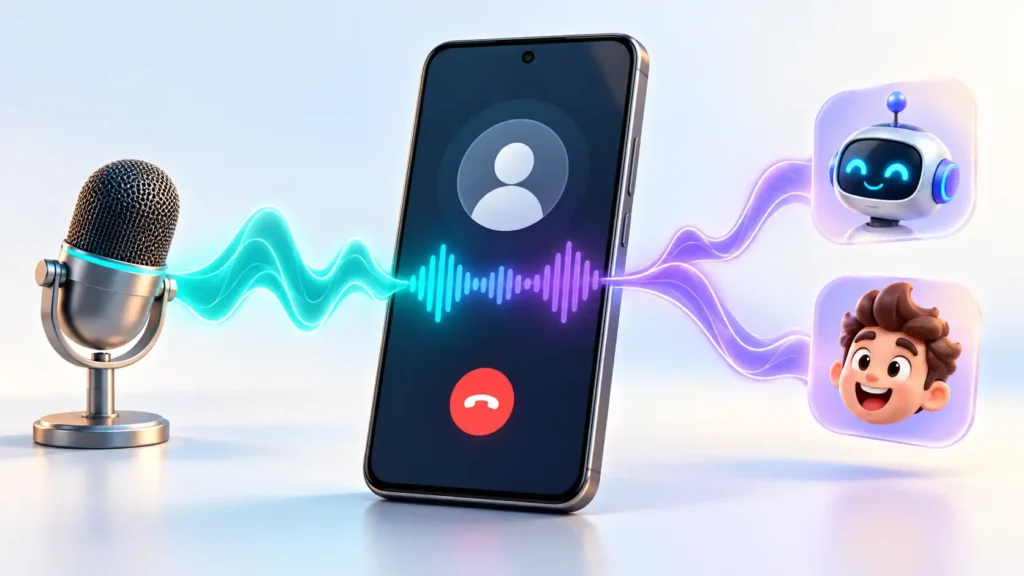
A calls voice changer modifies your voice during a conversation rather than editing a recording afterward. FunCall advertises this for calls started inside its Android app. Do not assume it changes ordinary dialler calls, WhatsApp calls, or game chat. Before paying, check supported destinations, whether calling minutes cost extra, and whether the recipient can clearly understand the effect.
What Is FunCall?
The linked Google Play app is FunCall – Voice Changer Calls by KEO Infotech. Its description advertises live effects such as robot, cartoon, deeper, and higher-pitched voices, with calls initiated through FunCall. These are advertised capabilities, not results from hands-on testing.
The important distinction is between changing audio inside a particular app and changing your phone’s microphone everywhere.
Installing a voice changer does not establish that other calling apps will receive its altered audio. If your goal is a specific service, confirm support for that service before subscribing.
Three Different Things Often Called a “Voice Changer”
| Type | What it does | Best fit |
|---|---|---|
| Recorded-audio editor | Adds effects to a saved recording | Short clips, character voices, and social posts |
| Live calling service | Applies effects during calls placed through that service | A planned conversation with a willing participant |
| Voice effects built into a game or chat platform | Processes audio within that supported environment | Conversations on that particular platform |
Choosing the wrong category is an easy way to pay for a feature that cannot solve your problem.
For example, if you only want a funny voice clip for a video, a recording editor avoids the need to place a call. If you want voice effects in multiplayer chat, look for explicit support within that gaming setup.
What Has Changed in the Listed Update?
The release notes reviewed mention a top-up screen crash fix involving subscription histories, alongside billing and stability improvements. They do not announce a new voice engine or a newly added calling platform.
That matters mainly to existing users who have had trouble opening the payment screen. After updating, check that your subscription status and balance display correctly before purchasing again.
New users should evaluate the calling features and payment terms rather than treating a maintenance update as a reason to install.
The Payment Question: Are You Buying Effects or Calling Time?
FunCall’s description mentions trial credits, subscriptions, and unlimited voice changing. It does not provide enough detail to establish that unlimited voice changing includes unlimited calling minutes.
Access to an effect and permission to place a call can be separate purchases.
Before confirming payment, look for answers to these questions:
- Does the subscription include minutes, voice effects, or both?
- Are destination countries charged differently?
- Do credits expire?
- When does charging begin: connection, answer, or another point?
- What happens to credits if a call fails?
- Is the payment recurring, and what is the renewal period?
These are questions to verify, not confirmed billing conditions for FunCall. If the checkout screen does not explain them, ask support before buying.
For subscriptions purchased through Google Play, uninstalling the app does not cancel renewal. Manage the subscription through Google Play’s subscription controls.
Test What the Other Person Hears
A convincing preview is useful, but the recipient’s experience is the real test.
Arrange a short call with someone who knows you are testing an effect. Ask them to assess three things:
- Clarity: Can they understand a complete sentence without asking you to repeat it?
- Delay: Can you take turns naturally without repeatedly speaking over each other?
- Consistency: Does the effect remain understandable when you speak softly, quickly, or laugh?
Also ask what caller identification appeared on their phone. Do not assume a changed voice hides your number or makes a call anonymous.
For character practice, intelligibility matters more than how dramatic the effect sounds. A strong effect that obscures every second word is less useful than a subtle one people can follow.
Privacy: Voice Processing Is Not the Same as Recording
The privacy policy linked from the listing says conversations and voice transmissions are not recorded or stored, and that effects are processed in real time. This is the developer’s statement, not an independently verified technical finding. It does not clearly establish where all audio processing occurs.
Consequently, do not infer that the app provides downloadable call recordings simply because its description mentions content creation. If you need an audio file for editing, verify an export feature first.
The same policy describes account verification, microphone access, optional contact access requests, device information, and diagnostic services including AdMob and Firebase. It also provides an account-deletion route through settings or support.
The Play listing declares potential data collection, encryption in transit, and deletion requests. These disclosures are not a guarantee of complete privacy.
Practical permission check: Microphone access fits a live voice feature. For contacts access, check whether entering a number manually meets your needs before granting access to your address book.
Limitations to Understand Before Installing
Destination support needs checking
The description advertises international calling, but that does not establish support for every country, carrier, or number type. Confirm your intended destination inside the app before paying.
Device compatibility is not universal proof
Check the Play Store on your own phone. A broad compatibility claim does not establish reliable performance on every Android version, headset, or network.
A voice effect is not identity protection
Someone may recognise your vocabulary, accent, conversational habits, or caller identification. Use the feature for an agreed activity, not as a privacy or anonymity tool.
Calling effects are not confirmed game-chat support
A mention of gaming in promotional material does not prove that FunCall processes another game’s microphone input. Confirm the exact workflow you need.
Similar names can lead to the wrong documentation
Use the developer and policy links attached to the exact listing. Instructions for another similarly named app may describe different payments, recordings, or platforms.
Who Is It Worth Trying For?
FunCall may interest people planning a short, consensual comedy call or practising a character voice in a live conversation. A small trial is more useful than buying a long subscription before checking audio quality.
It is a weaker fit if you need:
- Reliable business or other important calls.
- A guaranteed voice effect inside another app.
- Downloadable audio for editing without placing a call.
- Anonymous communication.
- A service with pricing details you cannot clearly establish.
For recorded content, consider a recording editor. For game chat, check the game or communication platform’s supported effects. Those approaches match the task more directly.
Frequently Asked Questions
Does FunCall change my voice during a normal mobile call?
Its description directs users to make calls from FunCall. Do not assume it modifies calls started in your phone’s regular dialler.
Does it work with WhatsApp or Telegram calls?
The reviewed sources do not confirm that integration. A live calling feature inside FunCall is not evidence of support inside another app.
Is FunCall free?
The description advertises trial credits and a subscription. Check the current offer, eligibility, and calling allowance on your device before relying on free usage.
Does “unlimited voice changing” mean unlimited calls?
Not necessarily. Verify whether your plan includes calling minutes and destination charges as well as effects.
Does FunCall save recordings?
Its linked policy says it does not record or store conversations. Do not purchase it expecting recording downloads unless current official documentation explicitly confirms that capability.
Is this same app available on iPhone?
This guide verifies the supplied Android listing. An iPhone app with a similar name should not be assumed to be the same product; check its developer and official links separately.
Should existing users update?
The listed changes address billing, a top-up crash, and stability. Updating through the official store is relevant if you encountered those issues, but the notes do not promise new voice features.
Editorial Disclosure
IndShorts.com publishes independent app news, update explainers, mobile technology guides, and informational content. It is not affiliated with Google Play, the App Store, Google, Apple, or any app developer unless stated. App names and trademarks belong to their respective owners.
This guide uses public official sources and editorial analysis; it is not a hands-on review or security audit. Features, pricing, availability, permissions, and policies can change. Verify important details through the official listing and developer before deciding.
Final Takeaway
FunCall deserves attention if you specifically want an entertaining live call and can confirm the destination and cost. Test one short call before committing to a subscription.
Choose a recording editor for saved clips or a platform-supported effect for game chat. For FunCall, the deciding factors are recipient-side clarity, understandable payment terms, and whether its calling workflow actually matches your goal.
Check FunCall – Voice Changer Calls on Google Play
Related Apps & Guides
Devotional Wallpapers and Ringtones for Android
October 20, 2026 • Read MoreWhat Is a Mobile Vault App? How Photo & Video Vaults Really Work
October 15, 2026 • Read MoreNavratri Vibe: What to Check Before Installing
October 13, 2026 • Read MoreBattery Charging Animation: 7 Checks for Android Users
October 9, 2026 • Read MoreWhat Are VoIP and SMS Services?
October 8, 2026 • Read MoreAndroid Car Launcher: SuperCar Launcher Explained
September 30, 2026 • Read More✍️ About the Author – M Raj
Every website article I write is for the benefit of users (viewers). I focus on fully meeting the needs of article visitors and ensuring they are satisfied. All articles are created following Google’s article policy (Publisher Center guidelines). To get in touch, email M Raj at mraj@indshorts.com.
🧾 Editorial Standards
For corrections or clarifications, contact M Raj: keyboardtamil17@gmail.com