Quick answer
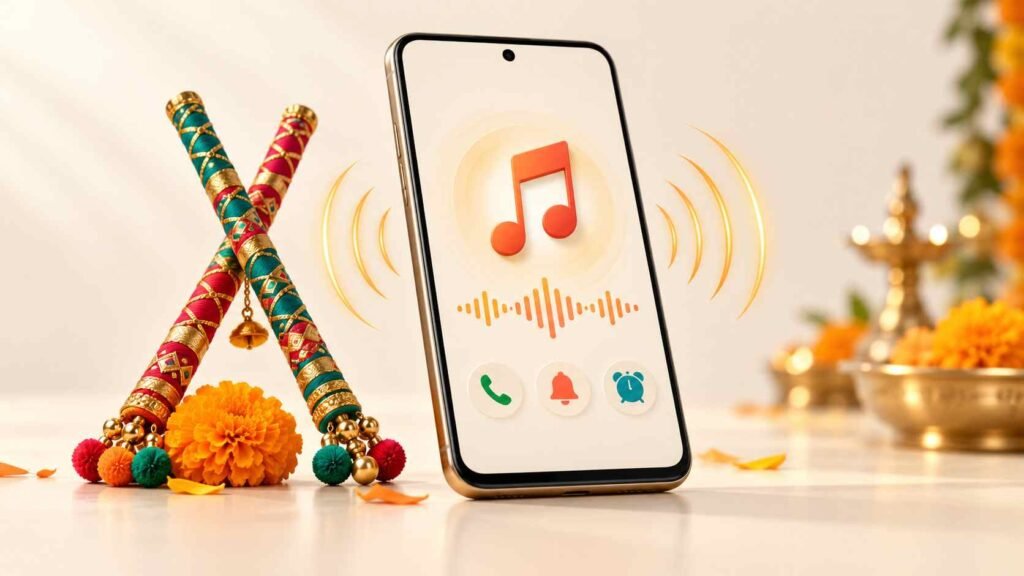
Navratri Ringtone by Musically Ringtone is an Android app whose Google Play description advertises free Garba-themed sounds for calls, notifications, contacts, and alarms. The listing also labels it as containing ads. It may interest people who want festive phone sounds, but offline operation and compatibility should be checked on your device. No new release or feature announcement was verified for this article.
Editorial note: This is a source-based guide, not a hands-on review. The retrieved listing may not reflect every recent change; confirm important details in Google Play before installing.
Start with the sound you actually need
Searching for “Navratri Ringtone Free” can mean several things: a Garba tune for incoming calls, a short festive message alert, or music for a morning alarm.
Choose the purpose before choosing the track. A clip that sounds enjoyable while browsing may become distracting when it repeats throughout the day.
| Intended use | What to listen for |
|---|---|
| Incoming calls | A recognisable opening without a long quiet introduction |
| Message alerts | A brief sound that remains comfortable when repeated |
| One person’s calls | A distinctive tune you can identify immediately |
| Morning alarm | An opening you can hear clearly at your normal alarm volume |
A useful first step is to change just one sound. Keep your usual alarm while trying a festive ringtone, so you can judge the change without disrupting your morning routine.
Table of Contents
Free, offline, and ad-free are different things
The developer describes the app as free and says an internet connection is not required. However, Google Play separately displays a “Contains ads” label. The available description does not establish which functions work offline or how often advertising appears.
Treat offline support as something to test, rather than assuming the entire app works without a connection.
After installing, try this:
- Preview your preferred sound while connected.
- Save or apply it, if that option is available.
- Turn off mobile data and Wi-Fi.
- Reopen the app and try the same sound.
- Check whether browsing, playback, and saving still work.
This separates three different questions: whether the app opens offline, whether a particular clip plays offline, and whether an already-selected ringtone works independently of the app.
Do not use airplane mode for an incoming-call test, because it can prevent the call from reaching your phone.
Test an actual call—not only the preview
One easy-to-miss Android detail is that media volume and ring volume are separate controls. A loud preview does not prove an incoming call will be equally audible. Alarm volume also has its own control.
Once you select a tone, close the app, lock your phone, and ask someone to call you. Listen with the phone where you normally keep it, such as in a pocket or bag.
Use that test to answer practical questions:
- Does the sound start quickly enough?
- Can you recognise it without looking at the screen?
- Is it comfortable at your usual volume?
- Does the beginning sound clipped or unexpectedly quiet?
For an alarm, create a temporary test alarm before relying on the new sound the next morning.
These checks are more useful than a general claim about “high-quality audio.” What matters is whether the clip performs its intended job on your phone.

You may be able to finish setup through Android settings
Google’s Android guidance explains how to select a ringtone through Settings → Sound & vibration → Ringtone. It also describes assigning a sound to an individual contact through the Contacts app. Menu wording varies by phone.
If an app’s apply button does not produce the expected result, check the phone’s ringtone selector to see whether the sound is available there.
Also, changing the default notification sound does not necessarily change every app’s alerts. Google notes that individual apps can have separate notification-sound settings.
This helps avoid a common misunderstanding: a ringtone may be selected correctly while a messaging app continues using its own sound.
Check privacy information alongside permission requests
The retrieved Play listing displays developer declarations of no data collection and no third-party sharing. Those statements are not an independent security assessment. Google explains that developers provide the information in the Data safety section.
The privacy-policy link could not be retrieved during research, so its details could not be independently compared with those declarations.
Before granting access, consider the action you are trying to complete:
- Read the permission prompt instead of approving it automatically.
- Ask whether the requested access makes sense for that action.
- If the reason is unclear, decline and check whether the function still works.
- Avoid granting additional access simply because a setup screen urges you to continue.
This guide does not establish the app’s exact permission behaviour. That requires checking the installed version on a device.
A simpler alternative if you already have a ringtone file
A dedicated collection app is most useful when you still need to find a sound.
If you already have a suitable audio file you are entitled to use, another app may be unnecessary. Google documents copying an MP3 from a computer into an Android phone’s Ringtones folder, then selecting it through the phone’s settings.
The trade-off is straightforward: a collection app helps with discovery, while using an existing file avoids installing another app just to select one sound.
Limitations worth keeping in mind
There is no verified hands-on evidence here for audio quality, advertising frequency, export reliability, or performance across Android versions. A matching official iOS release was not verified either.
Two practical details deserve attention after setup:
Check again before deleting the app or audio file. Whether a selected sound remains available depends on how it was saved. Make another test call after cleanup instead of assuming it will continue working.
Keep a note of your previous ringtone. A festive sound may be enjoyable for a few days, but switching back is easier when you remember the original selection.
Is it worth trying?
It is worth considering if you want to browse Navratri-themed sounds and are comfortable checking the app’s advertising, permissions, and setup behaviour yourself.
Start with one ringtone. Confirm that it works during a real call, then decide whether to change other sounds. If you already have a suitable file, try Android’s built-in ringtone settings first.
Frequently asked questions
Is Navratri Ringtone free?
The developer’s description says it is free, and the retrieved Google Play listing carries an ads label. Check the listing shown on your own device for current pricing information.
Is it available to install now?
A public Google Play listing was accessible during research. Whether you can install it on your particular phone should be confirmed by opening the official link on that device.
Does it work without internet?
The developer advertises offline use, but that behaviour was not independently tested. Check whether your chosen sound remains accessible after turning off Wi-Fi and mobile data.
Is the app safe?
This article cannot certify its safety. Review the current Data safety section, privacy policy, and permission prompts. Store descriptions alone do not establish how an installed app behaves.
Why does the preview play but my phone does not ring?
Check ring volume, silent mode, and Do Not Disturb settings. Preview playback and incoming calls can use different volume controls.
Can I use it on an iPhone?
The source checked for this guide is an Android listing. An official iPhone version was not verified, so do not assume an App Store app with a similar name is the same product.
Should I update it for new Navratri songs?
No specific new-song release was verified. Read the update notes available on your device before expecting additional tracks or changed features.
Official listing: View Navratri Ringtone on Google Play
Editorial disclosure: IndShorts.com publishes independent app news, update explainers, mobile technology guides, and informational content. It is not affiliated with Google Play, the App Store, Google, Apple, or any app developer unless clearly stated. App names, logos, trademarks, and brands belong to their respective owners. Content draws on publicly available information, official sources where accessible, and independent editorial analysis. Features, pricing, availability, permissions, and policies can change. Verify important details through official listings or developer sources before making decisions.
Related Apps & Guides
Battery Charging Animation: 7 Checks for Android Users
October 9, 2026 • Read MoreWhat Are VoIP and SMS Services?
October 8, 2026 • Read MoreAndroid Car Launcher: SuperCar Launcher Explained
September 30, 2026 • Read MoreWallpaper for Girls: Is a Dedicated Aesthetic Wallpaper App Actually Useful?
September 25, 2026 • Read MoreClock Vault Hide Photos, Video: What to Know Before Trusting It With Private Files
September 20, 2026 • Read MoreClone Space-Dual Space: What Android Users Should Know Before Running Two Accounts on One Phone
September 16, 2026 • Read More✍️ About the Author – M Raj
Every website article I write is for the benefit of users (viewers). I focus on fully meeting the needs of article visitors and ensuring they are satisfied. All articles are created following Google’s article policy (Publisher Center guidelines). To get in touch, email M Raj at mraj@indshorts.com.
🧾 Editorial Standards
For corrections or clarifications, contact M Raj: keyboardtamil17@gmail.com