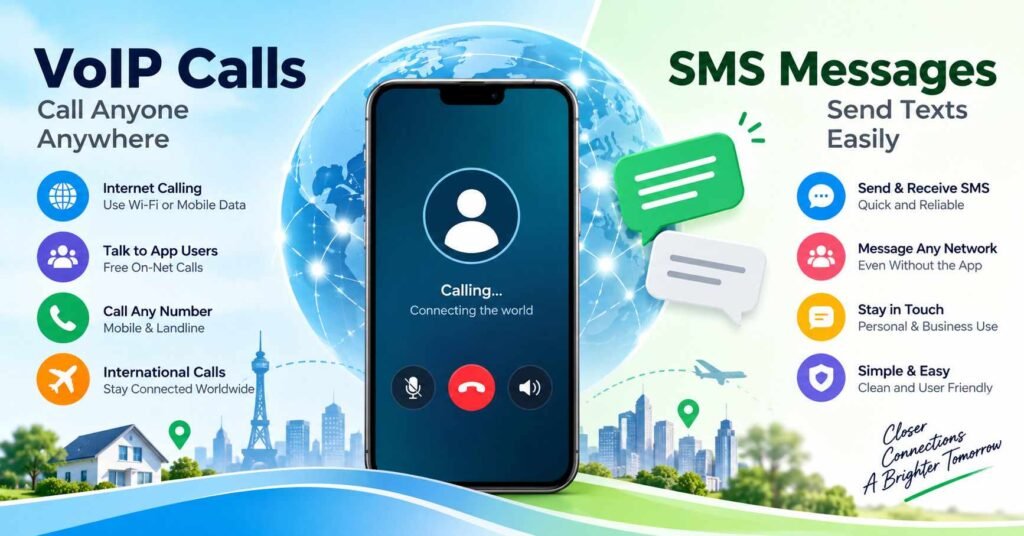
Making a phone call no longer means relying entirely on a mobile network’s traditional voice service. With internet calling technology, a smartphone can connect to people through Wi-Fi or mobile data. Some services can even reach ordinary mobile phones that do not have an internet connection.
This is where VoIP and SMS services become useful.
NuruTalk, a communication app from NuruNet Communications Limited, offers an example of how internet calling can connect with conventional telephone networks.
But before installing an app like NuruTalk, it is important to understand what VoIP actually does, how SMS fits into the service, and when calling charges may apply.
Quick Answer: What Are VoIP and SMS Services?
VoIP (Voice over Internet Protocol) is technology that allows voice calls to travel over an internet connection instead of relying entirely on traditional telephone voice networks.
SMS (Short Message Service) is a technology used to send short text messages between phone numbers.
Some communication apps combine both services, allowing users to make internet-based calls and send text messages through a single account.
NuruTalk is one such app. Its developer advertises calls between NuruTalk users and calls to ordinary mobile numbers, including people who do not have the app installed.
The important distinction is that a free app download does not automatically mean every call or message is free.
NuruTalk App: Quick Overview
| Feature | Details |
|---|---|
| App | NuruTalk |
| Developer | NuruNet Communications Limited |
| Platforms | Android and iOS |
| Main purpose | VoIP calling and SMS communication |
| Internet required | Yes, for using the app’s calling service |
| Calls to ordinary phones | Advertised by the developer |
| On-net calls | Advertised as free, subject to current terms |
| Off-net calls | Charges may apply |
| Registration | Account verification required |
| Main service focus | Communication with Kenyan telephone networks |
Official app links:
Table of Contents
How Does VoIP Calling Actually Work?
Imagine someone is travelling abroad and wants to call a family member in Kenya.
A traditional international mobile call may be billed according to the person’s mobile operator and international calling plan.
With a VoIP service, the caller can connect through Wi-Fi or mobile data instead.
The process generally works like this:
- The caller opens a VoIP app and dials a number.
- The app converts the caller’s voice into digital data.
- The voice data travels through the internet to the service provider.
- If the destination is a regular telephone number, the provider connects the call to the appropriate telephone network.
- The recipient answers using their ordinary phone.
The recipient does not necessarily need the same app.



This connection between an internet calling service and a conventional phone network is one of the most useful features of VoIP services that support off-net calls.
However, call completion still depends on the provider’s supported destinations, account eligibility, available credit and network conditions.
What Makes NuruTalk Different From a Regular Internet Calling App?
Many people already make internet calls through WhatsApp, Signal or other messaging platforms.
Those services are useful when both people have compatible apps and internet access.
NuruTalk’s advertised service addresses a different situation: calling someone who uses an ordinary phone number.
For example, a family member might have a basic keypad phone rather than an Android smartphone.
A compatible off-net VoIP service can connect the internet caller to that ordinary telephone.
NuruNet’s official FAQ also explains that registered users receive a separate NuruTalk number.
According to the developer, this is a unique 12-digit number that can appear as the caller’s number and be used by other people to contact the subscriber.
That distinction matters. Your NuruTalk number should not automatically be treated as identical to your regular SIM number.
On-Net vs Off-Net Calls: What Is the Difference?
These two terms help explain how VoIP calling services operate.
| Calling type | Meaning | What to expect |
|---|---|---|
| On-net | Calls between users within the same supported service network | May be free or discounted |
| Off-net | Calls from the service to numbers on other telephone networks | Usually subject to destination-specific charges |
| International | Calls to numbers in another country | Rates and availability depend on the provider |
NuruNet advertises free calling within the NuruTalk network and paid calling to other networks.
There is, however, an important detail worth checking.
An older NuruNet prepaid service terms document describes prepaid credit being used for on-net and off-net voice calls and SMS. This is not fully explained alongside the developer’s current free on-net marketing claims.
The document may reflect older terms or different charging arrangements.
Before assuming a particular call is free, check the tariff and actual balance behaviour in your NuruTalk account.
How Do SMS Services Work With VoIP Apps?
SMS and VoIP are related communication technologies, but they are not the same thing.
VoIP carries a voice conversation using internet data. SMS delivers text messages through a telecommunications messaging system.
A service that supports both can connect its app-based messaging interface to a telephone network through a messaging gateway.
For the user, that may mean sending a text to a conventional mobile number without opening the phone’s default SMS application.
NuruNet’s FAQ describes NuruTalk as supporting voice calls and SMS to and from other networks.
Nevertheless, users should check the exact messaging functions available to their accounts.
In particular, an app advertising SMS support does not automatically guarantee that it can receive every bank verification code, short-code message or authentication SMS.
Those capabilities may depend on the allocated number, sender restrictions, network support and applicable regulations.
For important banking and account verification, continue using a trusted mobile number unless compatibility with the VoIP service has been established.
Is NuruTalk Completely Free?
NuruTalk is listed as a free download on its official app-store pages, but the stores also identify in-app purchases.
There are three different costs to consider:
1. Internet data: VoIP calling consumes internet data. If you are using a limited mobile data plan, your network operator’s data charges still apply.
2. Telephone network charges: Calls to supported external mobile or landline numbers may use prepaid calling credit.
3. Destination and billing rules: International destinations, call-duration rounding, taxes and service-specific charges can affect the final price.
Consider a hypothetical calling plan that bills in complete one-minute units. A call lasting 90 seconds could be charged as two minutes. This illustrates why the billing increment matters; it is not a claim about NuruTalk’s actual charging method.
The lowest advertised per-minute price is not always the lowest total cost.
Before purchasing a large credit package, confirm the destination rate, billing increment, recharge method and any applicable account-validity rules.
An Important Registration Detail: NuruTalk Is Linked to Kenya
NuruTalk’s services are closely associated with Kenya, although its app pages can be viewed in other countries.
NuruNet’s official FAQ explains that registration involves SMS verification using an accessible mobile number.
It also states that users may need to submit a national ID or passport for Know Your Customer (KYC) requirements under Kenyan telecommunications regulations.
This creates an important distinction:
Being able to download an app in a country does not necessarily mean every resident of that country can complete registration or access every calling service.
For example, someone in India planning to use NuruTalk for international communication should confirm registration eligibility before adding credit.
The service’s official FAQ or support team is a better source for account-specific requirements than an app-store installation button.
Five Checks That Matter Before Using NuruTalk
1. Test the incoming number
After registration, confirm which NuruTalk number has been assigned. Ask a trusted contact to make a test call to it.
This helps establish how incoming calls work and whether the number can be reached from the network you need.
2. Check the price for your actual destination
Do not assume that a call to every network or country has the same tariff.
Check the exact number or country before recharging.
3. Test the connection
A VoIP app may work well on one Wi-Fi network and poorly on another.
Call quality depends on factors including network stability, latency, jitter and packet loss—not simply the advertised internet speed.
A steady connection can be more useful for conversation quality than a faster but unstable connection.
4. Check what happens if you reinstall
NuruNet’s FAQ says call logs are stored on the device and may be lost when the app is uninstalled.
The FAQ separately describes restoring an existing account, its assigned NuruTalk number and remaining airtime balance using the original registration number.
These are different forms of recovery. Restoring an account does not necessarily restore its local call history.
5. Understand prepaid account inactivity
Older published NuruNet prepaid terms describe a 180-day inactivity condition that may lead to account deactivation and number recycling.
Because service terms can change, users who keep a NuruTalk number for long-term contact should verify the current inactivity and number-retention policy with the provider.
This is particularly important for people who use the service only occasionally.
What About Privacy and Security?
Communication apps may process sensitive information such as phone numbers, contacts, account identifiers and calling-related data.
NuruTalk’s published disclosures deserve careful reading.
Its Google Play Data safety section identifies categories of information the app may collect, including location and personal information. It also states that data is encrypted in transit and includes a developer declaration about third-party sharing.
The Apple App Store displays a developer-provided statement indicating that the iOS app does not collect data.
Meanwhile, the linked NuruTalk privacy policy describes possible processing of registration details, location information, contacts and chat history.
These documents do not describe data handling in identical terms. That is a reason to seek clarification, not proof of improper conduct. Platform definitions, app versions and service features may differ.
Readers should also understand that encryption in transit is not automatically equivalent to end-to-end encryption for every voice call or SMS.
Before granting permissions, review what the app requests and whether each permission is needed for the feature being used.
On Android, permissions can normally be reviewed through Settings → Apps → NuruTalk → Permissions, although menu wording varies by device.
Limitations of VoIP and SMS Calling Services
Internet calling can be convenient, but it has practical limitations.
Connection dependence: A traditional telephone call may still work when mobile internet performance is poor. An app-based VoIP service requires a usable internet connection, including Wi-Fi when appropriate.
Recharge and connection problems: Some NuruTalk Google Play reviews report connection or recharge difficulties. These are individual user reports rather than a verified measure of how often such problems occur.
Emergency calling: Internet calling apps should not automatically be treated as replacements for conventional emergency telephone access. VoIP emergency routing and caller-location support can differ by country and provider. Keep a reliable way to contact local emergency services.
Number compatibility: Receiving ordinary calls on an assigned VoIP number does not guarantee support for every short code, authentication service or business SMS sender.
Pricing uncertainty: A free in-network calling claim does not eliminate the need to check current tariffs and account conditions.
When Is NuruTalk Worth Considering?
| Your main need | Practical decision |
|---|---|
| Calling ordinary numbers in Kenya using internet access | Worth investigating after verifying rates and eligibility |
| Calling friends who already use a free internet messaging app | Compare with your existing app first |
| Receiving bank OTPs and critical SMS | Do not rely on it without confirming compatibility |
| Maintaining a second calling number | Consider account verification, incoming-call support and number-retention rules |
| Making emergency calls | Retain an appropriate local emergency-calling option |
A useful approach is to complete registration, verify the intended destination, and perform a small test before committing significant prepaid credit.
For some users, a service that bridges internet calling to regular telephone networks may be valuable. For others, their existing mobile plan or messaging application may be simpler.
Frequently Asked Questions
1. What is VoIP in simple words?
VoIP is a technology that converts your voice into digital information and transmits it through an internet connection. It allows telephone conversations through compatible apps and services.
2. Is NuruTalk available for Android and iPhone?
NuruTalk has official listings on Google Play and the Apple App Store. Actual compatibility, installation availability and account eligibility should be checked for your device and location.
3. Can NuruTalk call someone without the app?
According to its developer, NuruTalk supports calls to ordinary mobile networks. This means the recipient may be able to answer through a regular phone, without installing NuruTalk.
4. Are all NuruTalk calls free?
No. The developer advertises free on-net calling, while off-net calls and certain services may require prepaid credit. Confirm the current price before calling.
5. Does NuruTalk work without a SIM card?
VoIP calls can technically operate through Wi-Fi, but NuruTalk registration uses mobile-number verification. Whether you can continue using a particular account without an active SIM depends on the provider’s login, verification and account rules.
6. Are VoIP calls better than normal mobile calls?
Not necessarily. VoIP may offer flexibility and useful calling options, particularly across networks or international destinations. Traditional mobile calling can be simpler when internet connectivity is unreliable.
7. Is NuruTalk safe to install?
NuruTalk is listed in official app stores, but an app-store listing is not a complete security or privacy guarantee. Review the developer’s privacy disclosures, requested permissions, registration requirements and account support before using it with sensitive information.
8. Should existing NuruTalk users update the app?
Check the official store listing for an available update and its release notes. Updates may address bugs or compatibility issues, but the benefit depends on the particular release. Do not rely on unverified claims about new functionality.
Final Takeaway
VoIP and SMS services provide different ways to connect people through voice and text communication.
The particularly useful feature of a service like NuruTalk is its advertised ability to connect internet-based callers with people on ordinary telephone networks.
But the value of that feature depends on more than internet access.
Registration eligibility, destination pricing, caller identification, message compatibility, privacy practices and account recovery rules all influence whether the service is practical.
The best reason to try NuruTalk is a specific calling need that your existing mobile plan or messaging app does not meet conveniently or affordably.
Verify that need with the provider’s current terms and a small real-world test before relying on the service.
Sources and Verification
This guide was researched using publicly available information, including:
- NuruTalk on Google Play
- NuruTalk on Apple App Store
- NuruNet Official FAQ
- NuruNet Service Terms
- NuruTalk Privacy Policy
- Google Play Data Safety Guide
- US 911.gov VoIP Guidance
Information reviewed: October 2026. Service availability, terms and prices may change.
Editorial Disclosure
IndShorts.com is an independent publisher of mobile application information, technology explainers and practical digital guides. We are not affiliated with NuruNet, Google or Apple. App names and trademarks belong to their respective owners.
This article is based on published sources and independent editorial analysis. It is not a hands-on performance or security audit of NuruTalk. Readers should verify account eligibility, prices and privacy terms directly with the provider before making purchase or installation decisions.
Related Apps & Guides
What Are Free Phone Call & Wi-Fi Calling Apps for Android in 2026? [FREE PHONE]
February 9, 2026 • Read More✍️ About the Author – M Raj
Every website article I write is for the benefit of users (viewers). I focus on fully meeting the needs of article visitors and ensuring they are satisfied. All articles are created following Google’s article policy (Publisher Center guidelines). To get in touch, email M Raj at mraj@indshorts.com.
🧾 Editorial Standards
For corrections or clarifications, contact M Raj: keyboardtamil17@gmail.com