Quick Answer
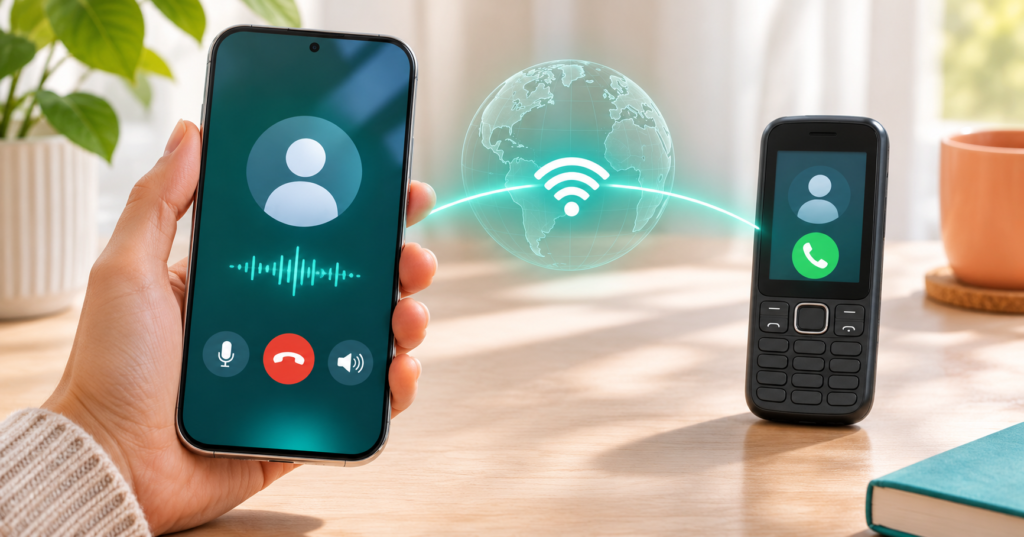
Voizly Internet Calling is an Android service that lets you place calls using an internet connection and purchased credits. The developer says it can reach ordinary phone numbers and display a system-generated caller ID instead of your personal number. Before paying, check destination rates, whether recipients can call you back, and how recordings are handled. It should not replace your emergency calling option.
What Is Voizly Internet Calling?
Voizly offers a way to contact someone through their regular phone number while using WiFi or mobile data on your side. Its developer website says recipients do not need to install the app. That makes the service potentially useful when the person you want to reach cannot use the same messaging app as you.
However, three questions matter more than the promise of worldwide calling: will your destination connect, what will the conversation cost, and will the recipient recognise or answer your call?
A temporary caller ID also introduces a practical trade-off. Keeping your personal number off another person’s screen may be useful, but an unfamiliar number can make an expected call harder to recognise. A missed call becomes less useful if the recipient cannot return it.
This guide focuses on those everyday decisions. It is based on the official listing, developer website, and linked privacy policy, rather than hands-on call testing.
Quick Overview
| Detail | What to know |
|---|---|
| App | Voizly – Internet Calling |
| Listed developer | Komal Kukadiya |
| Android availability | Listed on Google Play |
| Payment model | Calling credits and in-app purchases |
| Advertised features | Internet calls, temporary caller ID, recording, and call history |
| Main checks | Destination support, credit deductions, callback behaviour, and privacy |
| Emergency use | The developer’s policy says not to use the service for emergency calls |
The store listing confirms the app identity and advertised features. Its linked policy expressly excludes emergency calling.
What Does “No SIM Needed” Actually Mean?
For a phone without an active SIM, the practical route is WiFi. Mobile data still needs a working connection, whether it comes from that device or another device’s hotspot.
“No SIM” should not be interpreted as “no connection required.” It also does not establish that registration will never involve verification. Check the onboarding requirements before relying on a spare phone for an important call.
Think of Voizly as an additional calling service. Before depending on it, test the complete process—from opening the app to successfully speaking with the intended recipient.
Calling Credits: Compare Minutes, Not Just Pack Prices
The developer website advertises credit packs with different estimated calling durations for different destinations. A credit therefore should not automatically be treated as one minute everywhere.
Before buying, look for answers to these questions:
- What is the rate for the exact destination?
- Does the rate differ between mobile and landline numbers?
- Are partial minutes rounded up?
- Does billing begin when the call is answered?
- What happens to credits after a failed connection?
- Are taxes or other charges shown before payment?
The information reviewed did not establish all these details.
A useful comparison is:
Pack price ÷ expected calling minutes to your destination = approximate cost per minute
For example, a hypothetical ₹100 pack providing 20 minutes works out at ₹5 per minute. This is an illustration, not a Voizly quotation.


If you decide to try the service, begin with the smallest suitable purchase. Make one short call and compare the balance before and after. This gives you a clearer basis for deciding whether a larger purchase makes sense.
What Number Will the Other Person See?
The listing describes a temporary, system-generated caller ID. It does not establish that you can choose any number you want, own that number, or receive return calls through it.
Before making an important call, ask a trusted contact to help test:
- Which number appears on their screen.
- Whether the call arrives normally.
- Whether returning the call reaches you.
- Whether a second call displays the same number.
These checks matter for practical situations such as arranging a delivery or contacting accommodation while travelling. If the other person needs to reach you later, an outgoing-only conversation may not be enough.
Where possible, tell the recipient beforehand that an unfamiliar number may appear. Introduce yourself clearly when they answer.
Hiding Your Number Is Different From Protecting Your Data
Caller ID controls what the recipient sees. It does not, by itself, explain what the service provider collects or how the conversation is protected.
Google Play’s developer-provided Data safety section says the app may collect financial information and device identifiers, declares no third-party sharing, and states that data is not encrypted.
The linked privacy policy is broader. It discusses possible collection of IP addresses, usage information, consent-based location information, and information spoken during calls. It also describes advertising-related sharing. Meanwhile, the developer website advertises encrypted calls. These statements need clarification and do not establish end-to-end encryption.
This does not prove that every call is exposed. It means the public information is insufficient for a confident privacy assurance.
For sensitive conversations, ask the developer what protection applies to call audio, recordings, and account data before choosing the service.
Call Recording: Check Storage Before Using It
Voizly advertises recording playback and export from call history.
Recording can be useful for an agreed interview or remembering instructions, but first establish:
- Whether recordings remain on the device or are stored remotely.
- How long they are retained.
- Whether deleting a recording removes every stored copy.
- Whether recording starts automatically.
- How exported files are protected.
These details were not clearly established by the sources reviewed.
Ask everyone involved before recording, and check applicable requirements for the locations involved. Permission to record should not be treated as permission to publish or forward the recording.
Once exported, an audio file may also exist outside the app. Deleting the call-history entry should not be assumed to remove copies saved elsewhere.
A Short Test Before an Important Call
Use a low-stakes conversation to check the service.
| Test | Why it matters |
|---|---|
| Call the intended destination country | Broad coverage claims do not confirm your particular route |
| Speak in both directions | Connecting successfully does not establish usable audio |
| Check the displayed caller ID | The recipient needs to know who is calling |
| Compare credits before and after | Confirms the deduction for your test |
| Try a callback with permission | Establishes whether two-way contact is practical |
| Test an automated menu if needed | Support lines may require keypad input |
Avoid discovering these limitations during a time-sensitive conversation.
Limitations to Keep in Mind
Call quality, destination availability, callback support, and detailed billing behaviour were not independently tested for this guide.
Internet access alone also does not guarantee a successful call. If a call fails, check the connection, destination format, available balance, and any error message before repeatedly trying again.
The developer’s policy explicitly says the service should not be used for emergency calling. Keep a separate, established way to contact emergency services.
Who Should Consider It?
Voizly may deserve a small trial if you need to reach an ordinary phone number over WiFi and can verify the price and connection beforehand.
It is a weaker fit if you need a permanent callback number, dependable emergency access, or clearly documented privacy protections for sensitive discussions.
| Your situation | Sensible next step |
|---|---|
| The recipient cannot use your preferred messaging app | Test a small credit purchase after checking rates |
| Both people already share a calling app | Compare that existing option first |
| You need people to call you back reliably | Confirm incoming-call support or use an established number |
| Your conversation involves sensitive information | Resolve the privacy questions first |
| You need emergency calling | Use an appropriate established emergency calling method |
Before You Uninstall
Check your remaining balance and any account-deletion options before removing the app. Do not assume uninstalling automatically refunds credits or deletes server-held information.
If you have recordings you are entitled to retain, confirm where they are stored. Remove unwanted exported copies separately.
To uninstall on Android, open Settings → Apps → Voizly → Uninstall. Menu names may differ by phone.
Frequently Asked Questions
Can Voizly work without a SIM card?
The developer advertises SIM-free calling. A phone without mobile service still needs a working internet connection, such as WiFi. Check any registration requirements separately.
Does the recipient need Voizly?
The developer website says recipients receive calls on their regular phone numbers without installing the app. Test your intended destination before relying on it.
Is installation the same as free calling?
No. The app uses calling credits. Check the current purchase screen and destination rate rather than assuming that an install button means free conversations.
Can people call the temporary number back?
Callback behaviour was not established by the reviewed information. Do not treat the displayed number as your own permanent incoming number.
Does a temporary caller ID make calls anonymous?
It does not establish anonymity from the service provider. The displayed number and the provider’s data handling are separate issues.
Is Voizly suitable for emergency calls?
No. Its policy explicitly excludes emergency calling.
Final Recommendation
Voizly Internet Calling may be useful for occasional calls to regular phone numbers when you have internet access. Its value depends on the actual destination rate, successful connections, and whether the recipient can recognise and return your call.
Before buying a larger credit pack, make a short test call and inspect the deduction. For sensitive conversations, seek clarification about the inconsistent privacy and encryption information first.
View Voizly – Internet Calling on Google Play
Editorial disclosure: IndShorts.com publishes independent app guides and mobile technology explainers. This article uses publicly available official information and editorial analysis; it is not a hands-on review or security audit. IndShorts is not affiliated with the developer. Features, pricing, availability, and policies may change.
Related Apps & Guides
Nokia to Android: How Dumb Mode Works
November 10, 2026 • Read MoreWhat Is Calculator Lock? PrimeHide Features and Risks
November 5, 2026 • Read MoreWhatsApp Inbox Wallpapers App: How to Use It on Android?
November 3, 2026 • Read MoreHow to Use Vault to Hide Videos and Audio?
October 28, 2026 • Read MoreHow Do Calling Apps Work? Play Store App Costs and Key Checks!
October 26, 2026 • Read MoreCalls Voice Changer: How Works and What to Check Before Paying
October 22, 2026 • Read More✍️ About the Author – M Raj
Every website article I write is for the benefit of users (viewers). I focus on fully meeting the needs of article visitors and ensuring they are satisfied. All articles are created following Google’s article policy (Publisher Center guidelines). To get in touch, email M Raj at mraj@indshorts.com.
🧾 Editorial Standards
For corrections or clarifications, contact M Raj: keyboardtamil17@gmail.com