Quick Answer
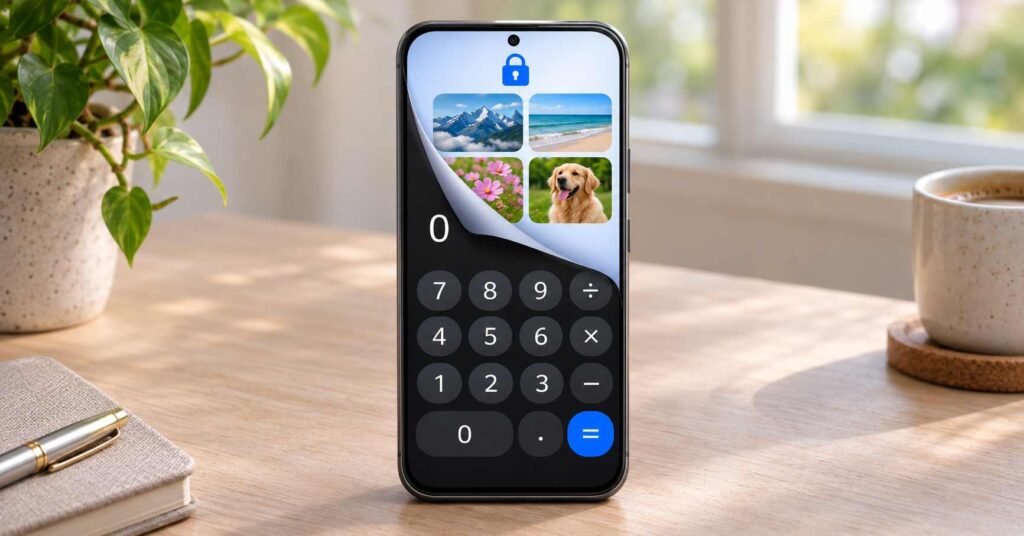
A calculator lock is a private file vault disguised as a calculator. PrimeHide :- Calculator Lock, by Lakshmi Khillare, advertises hidden media storage, encryption, AppLock and optional Google Drive backup. It may help keep selected files away from casual gallery browsing. Before importing anything important, test how to export it, understand recovery, and keep another protected copy. A calculator icon alone does not establish security.
Handing someone your unlocked phone can reveal more than the app you intended them to use. They might open a gallery while choosing a picture, or see a document when browsing recent files. A calculator-style vault is designed to keep selected content behind another access step.
That can be useful for ordinary personal privacy. You may want to separate personal photographs from screenshots used at work, keep a private journal out of a shared gallery, or organise documents somewhere less exposed during everyday phone use. The important question is whether the app handles those files in a way you understand.
PrimeHide combines several functions under one interface: file storage, controls for opening other apps, a browser and backup options. Each solves a different problem. Enabling every advertised feature can also mean managing more permissions and more recovery questions than you expected from something labelled a calculator.
This guide explains what calculator lock means, uses PrimeHide as a specific example, and focuses on the decisions to make before trusting it with a large collection. You will learn what its features could help with, what the public privacy information says, and how to evaluate a vault without experimenting on your only copies. The ability to get your files back matters throughout the process.
Quick Overview
| Part of the app | What it is meant to do | What to check |
|---|---|---|
| Calculator disguise | Give the vault an ordinary-looking entrance. | Appearance does not prove that the installation is undetectable. |
| File vault | Keep selected media and documents behind app access controls. | Import, opening, export and recovery. |
| AppLock | Present an access check for selected installed apps. | Accessibility access and actual behaviour. |
| Cloud backup | Keep a remote copy through the advertised Drive feature. | The account used, backup completion and restoration requirements. |
What Does PrimeHide Actually Offer?
Photos, Videos and Documents in One Place
The description advertises storage for pictures, videos, audio, documents, contacts and notes. Folders and sorting may help someone separate a small personal collection from ordinary phone content.
A built-in photo viewer and video player could make access more convenient because you would not need to export a file merely to view it. However, support for a file type should be checked with a sample. Importing a video successfully is only useful if you can also play and retrieve it.
AppLock for Other Apps
The advertised AppLock is a separate function from storing files. It is intended to add an access prompt when opening selected apps, with PIN, pattern or fingerprint options described by the developer.
That does not establish that it creates isolated copies of those apps or hides their installation. Keep the phone’s own screen lock and any sensitive app’s built-in authentication enabled.
Quick Closing and Optional Extras
Shake-to-lock and face-down closing are advertised as ways to close the vault quickly. Check that the vault genuinely requires authentication when reopened; an animation or a return to the calculator screen is not enough to demonstrate that.
The description also includes alternate icons and a camera alert following a wrong PIN. These are additional features to evaluate, rather than reasons to assume the underlying storage is protected. We have not tested their operation.
For the wider category, see our mobile vault explainer.
Try the Exit Before Importing Your Library
Start with copies of files you can afford to lose. A spare landscape photo, a short video and a sample document are enough for an initial check.
- Keep the originals elsewhere. Do not use your only copy for this trial.
- Complete the app’s access setup. Read its current PIN and recovery instructions before importing files. Exact controls may vary.
- Import the samples. Note whether the app copies or moves them and whether it asks to remove the originals.
- Lock and reopen the vault. Confirm the photo opens, the video plays and the document remains usable.
- Export or unhide the samples. Find the resulting files outside the vault and open them with an ordinary viewer. Check the full video and document pages.
These are suggested checks, not results from an IndShorts installation test. If you cannot find a clear export route, stop before importing a larger collection.
Export also changes where privacy depends on your settings: a restored gallery copy may be included in normal photo backup if that destination is configured for backup.

Hiding One Copy Does Not Remove Every Copy
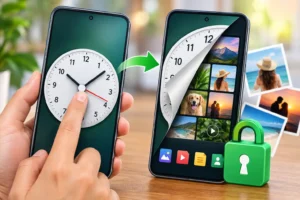
A picture may exist in the camera folder, a messaging download, an edited version and an existing cloud backup. Moving one local file into a vault does not establish that the other versions have been removed.
Check the places you already use, including cloud photo libraries and shared albums. A copy saved by another person is outside the control of a vault on your phone.
For comparison, even Google’s Locked Folder documentation explains that related copies and edited versions are not automatically moved with an item. Review copies deliberately while preserving a protected backup of anything irreplaceable.
Encryption Claims and Privacy Disclosures Need Separate Checks
The developer advertises AES encryption. We have not audited the implementation, key handling or recovery design. The algorithm name alone cannot verify the security of the finished product.
In section 15 of the linked PrimeHide privacy policy, the developer says vaulted content is encrypted in a local hidden folder, is not uploaded to its own servers, and that the decryption PIN or pattern is not stored on a server. Optional backup is described as going directly to the user’s Google Drive.
Separately, the Play Data safety declaration says app information and performance data, plus device or other identifiers, may be collected and shared. It reports encryption in transit and offers a deletion-request option. These are developer declarations, not independent verification.
Local file storage and app data collection can coexist. The policy also discusses device and usage information. It would be inaccurate to describe the whole app as collecting no data simply because the developer says private files remain local.
Things to Know Before Installing
Accessibility Is Linked to AppLock
The listing explicitly says AppLock uses Android’s Accessibility Service API to detect protected apps being opened. The developer says this service is not used to collect, store or share personal or sensitive data.
Nevertheless, this is substantial access. Google explains that accessibility services can read screen content and interact with apps on your behalf in its restricted-settings guidance.
If you only need file storage, check whether you can leave AppLock disabled. Do not assume that activating every available service is necessary for your particular use.
Match Permissions to Your Chosen Features
Photo or file access relates to selecting content. Camera access may relate to the advertised camera features; contacts access relates to private-contact functions. These explanations do not confirm every permission requested by the current build.
Review the prompts you actually receive and question access that has no clear purpose. You can revisit ordinary permissions through Settings → Apps → PrimeHide → Permissions, allowing for device differences. Google provides permission-management instructions.
Check Ads, Costs and Compatibility
Google Play marks the app as containing ads. We have not measured advertising frequency or verified the current free-versus-paid feature breakdown. Read any offer before approving it.
The supplied store details specify Android 10 or later and a 78 MB download for one compatible device. That device-specific size does not describe total storage after importing videos or creating backups.
Google Drive Backup: Ask How Restoration Works
A backup option is useful only when you can recover the files it creates. Before depending on PrimeHide’s advertised Drive feature, check:
- Which Google Account receives the backup.
- Whether the latest files finished uploading.
- What app version and credentials restoration requires.
- Whether a forgotten vault PIN can prevent restoration even when you can access Drive.
Being able to sign in to Google does not, by itself, demonstrate that you can decrypt a vault backup. We have not verified PrimeHide’s restore process or password-recovery behaviour.
Test restoration with spare files using the developer’s supported procedure. Avoid uninstalling or clearing a working vault containing your only copies just to run that test.
Review the Google consent screen when connecting backup. Google explains how to inspect and manage third-party account connections. Our cloud-storage guide also covers checks to make before relying on a remote copy.
A Private Browser Is Another Feature to Evaluate
The developer advertises private browsing and downloads inside the vault. That description does not establish anonymity from websites or your network provider.
Google’s Incognito explanation illustrates the distinction between limiting local history and hiding online activity. This is a general caution about private-browsing claims, not a test of PrimeHide’s browser.
Similarly, a notes area that can hold passwords has not been evaluated here as a dedicated password manager.
Limitations
- The disguise has limits: An ordinary-looking icon does not prove that the app cannot be found through Android settings.
- Security remains unverified: This guide includes no independent encryption audit or AppLock bypass testing.
- Recovery needs investigation: We have not confirmed what happens after a forgotten PIN, failed restore or reinstall.
- File copies need separate attention: Other local, shared or cloud versions may remain outside the vault.
- Storage can grow: Media imports, cache and backup files can require more space than the initial download.
Who Should Use It?
PrimeHide may interest someone who wants a calculator-style entrance and several privacy features in one app. It is worth evaluating for a modest collection when you can manage the access requests, understand recovery and maintain another protected copy.
Who Should Avoid It?
Skip it if you need independently validated protection for highly sensitive material, cannot establish a reliable export route, or would be storing the only copy of important files.
Also consider a simpler tool if you only need one private photo folder and do not want AppLock, a browser or additional services.
Alternatives for Different Needs
- Google Photos Locked Folder: Suits photos and videos within an app you may already use, with optional backup. Its Android folder uses the device screen lock, so someone who knows that lock can also open it. Review backup settings; unbacked items can be lost after app-data deletion or device loss.
- Files by Google Safe folder: Suits mixed files protected by a separate PIN or pattern on supported Android devices. It does not provide the same calculator disguise, and sharing or direct Drive backup is unavailable inside Safe folder. Forgetting the lock can mean losing access.
- Android Private Space: Suits separating apps and their data on supported Android 15-and-later devices. Availability depends on device and account conditions. Apps stop running when the space is locked, and its local data is not included in normal device backup.
Choose according to the content you need to protect and the recovery arrangement you can maintain. None removes the need to understand backup and access controls.
Should You Install PrimeHide?
| Your situation | Suggested decision |
|---|---|
| You want a calculator-style vault and understand its access requests. | Try it with disposable copies and verify export first. |
| You only need to separate a few photos from your gallery. | Compare the photo tools already available on your phone. |
| You cannot confirm recovery or backup restoration. | Keep important originals elsewhere and postpone a larger import. |
| You need protection with independently verified security properties. | Look for a tool with documented, independently assessed security and recovery. |
Bonus App Card
| Detail | Information |
|---|---|
| App name | PrimeHide :- Calculator Lock |
| Developer | Lakshmi Khillare |
| Official listing | PrimeHide on Google Play |
| Platform and category | Android; Tools |
| Official purpose | A calculator-style vault for selected media and files, with additional privacy features. |
| Rating* | 4.4/5 from 21 reviews in the supplied screenshot. |
| Downloads* | 5,000+ in the supplied store view. |
| Version and update* | 1.0.7; 22 October 2026. |
| Released* | 4 April 2026. |
| Android requirement* | Android 10 or later. |
| Download size* | 78 MB for the supplied compatible-device view. |
| Monetisation | Contains ads; current paid options and limits have not been verified. |
| Privacy | Review the local-vault claims alongside Play’s collection and sharing declarations. |
| Support | help.developers.ak@gmail.com |
Reviewed on 4 November 2026. Asterisked figures come from the supplied Play Store screenshot and details. The public page retrieved showed older update and download information; confirm the current version, regional rating and compatibility in your own Play Store.
How to Uninstall Without Leaving Files Trapped
Unhide or export your files before uninstalling the vault. Do this while the app still opens normally.
- Unlock PrimeHide and export the photos, videos, documents and other content you want to keep.
- Locate the exported copies outside the app and open them. Confirm that notes or contacts you need have also been preserved through a supported method.
- Keep a separate protected backup and confirm any cloud restoration you intend to rely on.
- Disable AppLock and its accessibility service if enabled, then uninstall through Android’s app settings.
Android removes files kept in app-specific storage when an app is uninstalled, as its storage documentation explains. PrimeHide’s policy describes a persistent hidden folder, but we have not verified its storage and key locations. A remaining folder alone would not prove that a reinstall can recover readable files.
If you already forgot the PIN, use the developer’s official recovery guidance or contact support before resetting anything. Do not treat clearing app storage as a harmless troubleshooting step.
Frequently Asked Questions
Is Calculator Lock the Same as a Normal Calculator?
A calculator vault combines a calculator-looking interface with private storage functions. PrimeHide is advertised as this type of app. Other calculator apps may only perform calculations, so check the specific product rather than assuming all calculators contain a vault.
Does It Hide Installed Apps as Well as Files?
PrimeHide advertises AppLock for controlling access to selected apps. That is different from confirming that those apps disappear from Android settings or run in a separate private space. Do not assume those additional behaviours.
Will a Hidden Photo Disappear from Google Photos Backups?
Moving a local copy into PrimeHide does not establish removal of an existing cloud copy. Check the backup service separately, including related versions and shared copies, while retaining a protected backup you control.
Can I Recover Everything After Uninstalling and Reinstalling?
Recovery is not guaranteed. Export files first and verify backups before removal. We have not tested whether a new installation can recognise PrimeHide’s previous files or restore their encryption access.
Does Google Drive Backup Recover a Forgotten Vault PIN?
Not necessarily. Access to the backup account and the credentials needed to unlock encrypted content are separate questions. Ask support which credentials restoration requires before depending on the feature.
Does Encryption Mean the App Collects No Information?
No. Encryption of stored files and collection of app-related information are different practices. PrimeHide’s Play declaration lists possible collection and sharing of app performance information and device identifiers.
Editorial Disclosure
IndShorts publishes independent app guides and educational content based on public sources and practical analysis. This article uses the official listing, linked privacy policy, supplied store capture and Google documentation. We have not installed PrimeHide or audited its encryption, AppLock, backup or recovery. Verify current features and disclosures before deciding.
Final Recommendation
A calculator lock can be useful for keeping selected files away from casual browsing, provided you understand how to retrieve them. PrimeHide’s advertised viewers, folders, AppLock and backup offer flexibility, but also introduce access and recovery decisions. Begin with spare files, test export, keep Android’s own lock enabled and maintain a protected backup. If you only need a private photo folder, compare the simpler alternatives before installing.
Related Apps & Guides
WhatsApp Inbox Wallpapers App: How to Use It on Android?
November 3, 2026 • Read MoreHow to Use Vault to Hide Videos and Audio?
October 28, 2026 • Read MoreHow Do Calling Apps Work? Play Store App Costs and Key Checks!
October 26, 2026 • Read MoreCalls Voice Changer: How Works and What to Check Before Paying
October 22, 2026 • Read MoreDevotional Wallpapers and Ringtones for Android
October 20, 2026 • Read MoreWhat Is a Mobile Vault App? How Photo & Video Vaults Really Work
October 15, 2026 • Read More✍️ About the Author – M Raj
Every website article I write is for the benefit of users (viewers). I focus on fully meeting the needs of article visitors and ensuring they are satisfied. All articles are created following Google’s article policy (Publisher Center guidelines). To get in touch, email M Raj at mraj@indshorts.com.
🧾 Editorial Standards
For corrections or clarifications, contact M Raj: keyboardtamil17@gmail.com