Quick Answer
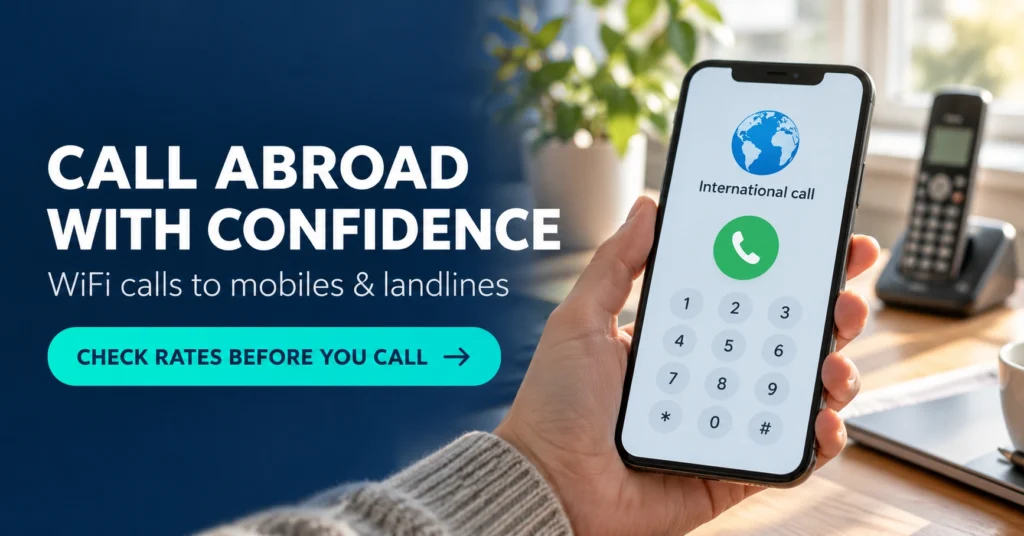
Calling apps do not all work the same way. Some connect two people using the same internet service. Others, including CallSky, connect your internet connection to an ordinary mobile or landline number.
CallSky sells prepaid calling credit, so the person receiving your call does not need to install the app. Before paying, check the price for the exact number you want to call—not just the advertised starting rate. The developer offers Android, iOS and web access.
How does an internet app ring a normal phone?
With CallSky, your voice travels over the internet to a calling service, which routes the call through telecommunications carriers to the destination phone. Its terms describe this as VoIP calling to mobile and landline numbers.
This explains why a WiFi call can still cost money: the service connects an internet call to a telephone network.
It also explains why “calling app” is too broad a description when choosing what to install.
Table of Contents
| Calling method | What you need to check |
|---|---|
| App-to-app internet calling | Whether both people can use the same service |
| App-to-phone calling | Whether the destination number is supported and what it costs |
| Your mobile carrier’s WiFi Calling | Whether your carrier supports it and how your plan bills calls |
Installing CallSky is separate from enabling your mobile operator’s WiFi Calling setting. Do not assume that your SIM’s included calling minutes cover calls placed through a separately funded app.
What has changed in CallSky?
The Google Play release notes checked for this article describe clearer low-credit feedback: remaining minutes, a final-minute countdown, and a message with an option to add credit when the balance runs out.
These changes matter during longer conversations. A visible countdown gives you an opportunity to finish the discussion or arrange another call before the connection ends. They do not make the calls free.
This article is a guide based on official documentation, not a hands-on call-quality review.
Why you should not rely on the advertised rate table
There is a mismatch between CallSky’s public descriptions:
- Google Play advertises rates beginning at $0.01 per minute and describes Economy and Premium options.
- The official website advertises a $0.02-per-minute starting price.
- The iOS version history says Economy calling was retired in favour of a single Premium network.
These sources do not establish that every Android installation has identical routing options. They do establish that the public descriptions are not fully aligned.
Check the quote displayed for your exact destination before starting a call. If the app and website disagree, clarify the price with support before purchasing a larger balance.
For Indian readers, another distinction matters: a price listed for calling India describes the destination. It does not establish the price for someone in India calling a different country.
The billing detail that can change your real cost
CallSky’s terms state that billing intervals depend on the carrier route, are typically 60 seconds, and round partial intervals upward.
Here is an illustrative calculation, not a current CallSky price quote:

| Example at $0.10 per minute with 60-second rounding | Billable time | Cost |
|---|---|---|
| One call lasting 20 seconds | 1 minute | $0.10 |
| One call lasting 61 seconds | 2 minutes | $0.20 |
| Ten separate calls lasting 20 seconds each | 10 minutes | $1.00 |
Those ten short calls contain only three minutes and 20 seconds of conversation. However, each call rounds separately in this example.
This makes your calling pattern relevant. Someone making many short calls should compare billing increments as carefully as the advertised per-minute price.
When comparing services, also check:
- The final checkout amount and currency.
- Any applicable payment or currency-conversion charges.
- Your internet or roaming-data costs.
- How connected calls to voicemail or automated menus are billed.
Do not budget only for the minutes spent speaking to a person.
A practical first-call checklist
Before adding a large balance, use a small purchase to test the situation you actually need.
- Check the developer. The Google Play listing identifies Venus Cloud Ltd.
- Enter the complete international number. Check the country code and number carefully.
- Read the displayed rate. Avoid estimating from a different destination.
- Review the microphone permission. Voice calling needs microphone access; assess other requests against the feature you are using.
- Call someone you know. Ask whether they hear you clearly and what caller ID appears.
- Check the balance afterwards. Compare the deduction with the displayed rate and billing interval.
Use the official Google Play listing rather than an APK download page.
If your main purpose is calling a hotel, airline or office, test the in-call keypad too. Hearing the recorded greeting is only part of the task; you may also need to select menu options or enter an extension.
Caller ID is not the same as receiving calls
CallSky’s iOS description advertises verified caller ID but also explicitly describes the service as outgoing-only.
These are different capabilities. Displaying a number when you make a call does not automatically give you an incoming line inside the app.
Before using it for work, establish:
- Which number the recipient sees.
- Where a return call to that number would go.
- Whether that arrangement suits your customers.
Do not assume that purchasing calling credit provides SMS reception, verification-code delivery or a new permanent phone number.
Privacy: deleting the app is not deleting the account
CallSky’s privacy policy describes collecting usage information, installation identifiers and call records.
More significantly, it says an account-deletion request starts a two-year recovery period. Personal information is removed after that period, while call records have identifying details removed. Logging back in during the recovery period can reactivate the account.
That is worth understanding before signing up. Uninstalling an app removes it from your device; it does not substitute for the service’s account-deletion process.
Also, the term “call records” does not by itself mean audio recordings. Avoid assuming either that conversations are recorded or that no call-related information is retained.
For privacy-sensitive use, read the official privacy policy and ask support about any handling or retention detail that remains unclear.
Limitations to check before relying on it
Emergency calls: CallSky’s terms explicitly exclude emergency calling. Keep access to an appropriate local emergency-calling method.
Connection quality: The service relies on both your internet connection and external carriers. Strong WiFi alone cannot guarantee a successful call to every destination.
Refunds: The terms describe unused credit as generally non-refundable, subject to applicable law. However, the payment and refund wording specifically references Apple purchases, so Android users should confirm the process applicable to their purchase before paying.
Destination restrictions: The Android release notes describe a Spain-specific calling window and an exception process for personal calls. Ask support about current restrictions if Spain is an important destination for you. Treat this as the app’s published service condition, rather than a general explanation of Spanish law.
Who is CallSky worth considering for?
CallSky is worth considering when you need to reach an ordinary phone number: a relative’s landline, an accommodation provider or a business that cannot answer through your preferred messaging service.
If both people already use a suitable internet-calling service, first compare whether buying telephone-call credit adds anything useful.
For frequent calls, compare the expected monthly cost against your carrier’s international options. For occasional calls, consider how much prepaid money you are comfortable leaving unused.
A useful decision is based on your destination, your call lengths and a successful test, rather than a worldwide starting-price claim.
Frequently Asked Questions
Does the person I call need CallSky?
No. The developer says recipients can answer on their ordinary landline or mobile phone without installing CallSky.
Are CallSky calls free over WiFi?
No. WiFi supplies your internet connection. CallSky uses purchased credit for calls to telephone numbers. Internet access and calling credit are separate costs.
Does CallSky work without a SIM card?
The official website says a SIM is not required and supports calling over WiFi or mobile data. That does not remove account requirements or any verification needed for a particular feature.
Do unused credits expire?
The developer says credits do not expire. However, non-expiring credit is not a promise of permanently fixed rates or automatic refunds.
Is CallSky safe to install?
An official listing and published privacy policy help you assess the service, but they do not establish that an app is risk-free. Check the developer, requested permissions, payment details and retention policy. This article does not include an independent security audit.
Should existing users update?
The documented Android low-balance improvements may be useful if you make longer calls. Update through Google Play, then recheck your destination price and calling settings before an important conversation.
Can I receive calls or OTP messages through CallSky?
Its iOS listing describes outgoing calls only. Do not buy credit expecting an incoming number or OTP reception unless the developer explicitly confirms the required feature for your platform.
Editorial disclosure: IndShorts.com publishes independent app news, update explainers, mobile technology guides and informational content. It is not affiliated with Google Play, the App Store, Google, Apple or any app developer unless clearly stated. App names, logos and trademarks belong to their respective owners.
This article is based on publicly available official sources checked on October 25, 2026, and independent editorial analysis. Features, pricing, availability, permissions and policies may change. Verify important details through the official listing or developer before installing or purchasing credit.
Related Apps & Guides
Calls Voice Changer: How Works and What to Check Before Paying
October 22, 2026 • Read MoreDevotional Wallpapers and Ringtones for Android
October 20, 2026 • Read MoreWhat Is a Mobile Vault App? How Photo & Video Vaults Really Work
October 15, 2026 • Read MoreNavratri Vibe: What to Check Before Installing
October 13, 2026 • Read MoreBattery Charging Animation: 7 Checks for Android Users
October 9, 2026 • Read MoreWhat Are VoIP and SMS Services?
October 8, 2026 • Read More✍️ About the Author – M Raj
Every website article I write is for the benefit of users (viewers). I focus on fully meeting the needs of article visitors and ensuring they are satisfied. All articles are created following Google’s article policy (Publisher Center guidelines). To get in touch, email M Raj at mraj@indshorts.com.
🧾 Editorial Standards
For corrections or clarifications, contact M Raj: keyboardtamil17@gmail.com