Quick Summary
Clone Space-Dual Space is an Android utility designed for people who need more than one account for the same app on a single phone. Instead of repeatedly signing out and signing back in, it creates a separate environment where another instance of a supported app can run.
The current Google Play listing describes support for social, messaging, gaming and other apps, with no root access required. The listing currently shows the app as containing ads and having more than 1,000 downloads. Google Play says the listing was updated on September 2, 2026, while the visible “What’s new” note simply says “fix bugs.”
The more important story, however, is not simply that another Android cloning app exists.
There is an important privacy detail prospective users should notice: the short promotional description says Clone Space does not collect or upload chat history, credentials, files or personal data, but Google Play’s Data safety section currently says the app may collect Location and Personal info. The developer’s linked privacy policy also describes several categories of information that may be collected or requested.
That distinction deserves attention before installation.
Table of Contents
What Exactly Does Clone Space Do?
Android users increasingly maintain separate digital identities on the same device: a personal account, work account, business social profile, secondary gaming account or another service login.
Clone Space attempts to handle this without requiring a second physical phone.
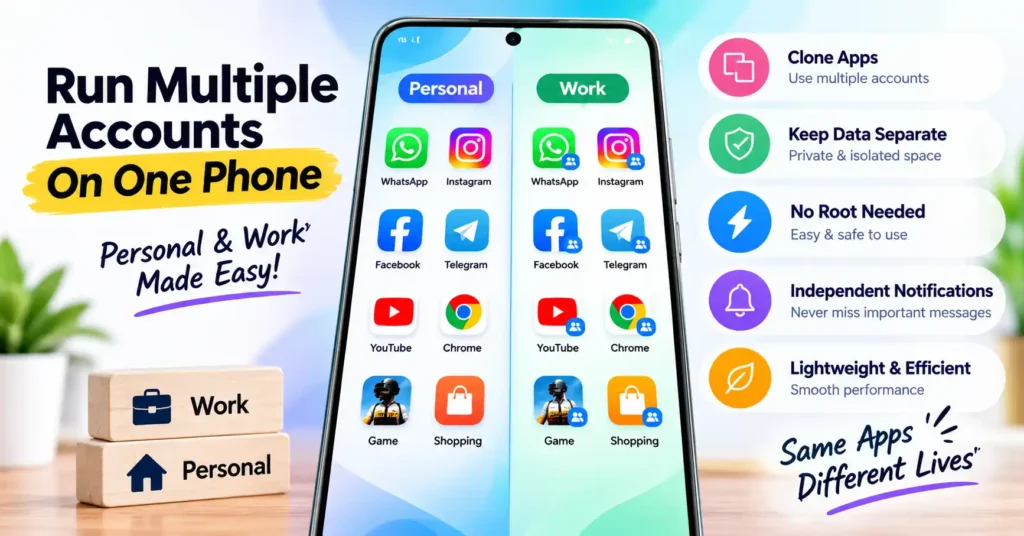
According to its Google Play description, it creates independent parallel spaces and supports multiple instances of apps such as WhatsApp, Instagram, Facebook, TikTok, WeChat and games. The developer also says root access is not required and that users can switch between original and cloned instances while receiving independent notifications.
A useful way to understand the concept is:
Original app → Account A
Clone Space environment → Account B
The practical advantage isn’t merely having two icons. The important feature is keeping two app sessions operational without repeatedly replacing the login state of the original application.
That can be particularly useful when a service itself doesn’t provide convenient native multi-account switching.
Why This App Is More Interesting Than the “Clone Apps” Label Suggests
A dual-space utility effectively adds another software layer between the user and the application being cloned.
That creates benefits, but also considerations that ordinary app descriptions often overlook.
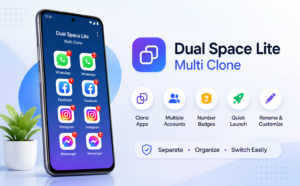
For example, when you install WhatsApp directly, Android manages that installed application normally. When another utility hosts or virtualizes an additional instance, successful operation can also depend on the cloning environment.
That means users should think about more than whether an app successfully opens twice.
They should check whether notifications arrive reliably, whether background processes continue running, whether files and cameras work correctly inside the cloned instance, and whether authentication survives a phone restart.
These details can matter much more in daily use than the initial ability to launch two accounts.
A Useful Feature for Phones Without Good Native Dual-App Support
One overlooked question is whether you need a third-party cloning utility at all.
Some Android manufacturers already provide their own dual-app functionality under names such as Dual Apps, App Twin, Dual Messenger, Clone Apps or Parallel Apps.
If your phone already supports the particular app you want to duplicate, the built-in implementation may be worth checking first because it is integrated directly with the device software.
Third-party tools become more interesting when the phone’s built-in feature is unavailable or doesn’t support the particular application a user wants to duplicate.
So before installing Clone Space, search your phone’s Settings for terms such as Dual Apps, Clone Apps, App Twin or Dual Messenger.
That simple check may save you from installing an additional utility unnecessarily.
Where Clone Space Could Actually Be Useful
There are several practical scenarios where parallel accounts make sense.
A small-business owner might keep a personal social account separate from a business account. Someone managing two legitimate messaging identities may prefer not to carry two phones. A gamer may have multiple game profiles. A content creator might maintain personal and creator accounts.
The attraction in all these situations is separation.
However, Clone Space should not automatically be interpreted as permission to operate multiple accounts on every service. Individual apps and games can have their own rules concerning multiple accounts, cloned environments or simultaneous sessions.
Users should therefore check the rules of the service they intend to clone, particularly for games, financial services and other account-sensitive applications.
The Privacy Detail Users Should Not Skip
This is the area where the current listing deserves closer reading.
The app description states that Clone Space creates a local isolated workspace and says it does not collect, store or upload users’ chat history, account credentials, files or personal data.
But farther down the same Google Play page, the developer-provided Data safety disclosure currently says:
- no data is shared with third parties;
- the app may collect Location and Personal info;
- data is encrypted in transit; and
- Google Play currently displays “Data can’t be deleted.”
There is another layer worth examining.
The privacy policy linked directly from Google Play says the application may collect usage-related information including an IP address, pages visited, time spent in the application and mobile operating system information. It says precise device location is not gathered.
The policy additionally says the provider may require certain information including a device identifier, IMEI, serial number, IMSI, installed-app list, device model, system version, CPU information, network information, Bluetooth information and Advertising ID. It also identifies Google Play Services, AdMob, Google Analytics for Firebase and Firebase Crashlytics as third-party services used by the application.
This does not by itself establish that all of those data points are collected from every user, but it is considerably more detailed than the simple privacy assurance in the promotional description.
For an app whose purpose involves hosting other account sessions, this is information worth reading before deciding to install it.
What About the “Shares Location” Label?
Google Play currently displays a “Shares Location” notice near the listing. At the same time, its Data safety section says no data is shared with third parties and lists Location and Personal info among data types the app may collect.
Those visible statements can understandably be confusing to a reader.
Rather than assuming what each label means in this particular implementation, users concerned about location or personal information should open Google Play’s full Data safety details and the linked privacy policy before installation.
This is especially important because Google notes that Data safety information is supplied by developers and may change over time.
What Users Should Check Before Installing
The first question should be whether your phone already provides a native cloning feature. If not, and Clone Space solves a genuine multi-account need, inspect the Play Store Data safety section and privacy policy rather than relying only on the marketing description.
After installation, also review the Android permissions actually requested. A permission may be necessary because a cloned application needs access to a particular function, but that does not mean every permission should automatically be accepted without understanding why it is needed.
Pay particular attention if you intend to clone apps containing sensitive information.
Banking, payment, authentication, password-management and corporate security apps are very different from running a second social-media profile. Some security-sensitive apps may also detect or restrict virtualized environments.
For important accounts, native app support or Android’s manufacturer-provided account separation features may be preferable where available.
Notifications Could Be the Real Test
One of the most important tests for any cloning utility happens after you close it.
Modern Android versions aggressively manage background activity to preserve battery life. A cloned messaging account is not very useful if messages arrive only after the cloning app is manually reopened.
The developer says Clone Space supports independent notifications.
Users who depend on a secondary account for work should nevertheless test notification delivery before relying on it for anything time-sensitive.
Try locking the phone for a while, receiving a message on the secondary account and checking whether the notification arrives normally. Also test again after restarting the device.
That real-world test provides more useful information than simply confirming that two accounts can initially log in.
Battery and Storage Can Change as You Add Clones
The Play Store description characterizes Clone Space as lightweight and says it has minimal battery impact.
Users should distinguish the size of the cloning utility itself from the resources consumed by everything running inside it.
A second active social or messaging account can create its own cache, network activity, notifications and background processing. Multiple game accounts can require considerably more storage.
Therefore, the practical resource cost may depend heavily on what you clone and how actively you use it, rather than only on the base size of Clone Space.
Checking Android’s Battery and Storage settings after several days of normal use is more informative than judging efficiency immediately after installation.
Another Overlooked Question: What Happens When You Remove It?
Before using any parallel-space application for important data, users should understand what happens to information belonging to the cloned instance if the host utility is uninstalled, its storage is cleared or the phone is reset.
Do not assume that data inside a cloned environment is equivalent to data belonging to the original installed app.
For services whose information is synchronized to an online account, signing back in may restore much of it. Locally stored files or application state can be a different matter.
Before uninstalling a cloning utility, verify that anything important is backed up or synchronized through the relevant service.
Current Update: Don’t Read Too Much Into “Fix Bugs”
Google Play currently lists September 2, 2026 as the app’s updated date, but the published change note contains only the brief phrase “fix bugs.”
That isn’t enough information to determine which bugs were corrected or whether notification, compatibility, battery or cloning behavior changed.
Users therefore shouldn’t interpret this release note as evidence of a particular improvement unless the developer publishes more detailed information.
This is a good example of why an app’s updated date alone tells readers very little about the practical significance of an update.
Limitations and Concerns
Clone Space’s concept is useful, but there are several variables.
Not every Android application is guaranteed to behave correctly in a parallel environment. Apps can change their authentication or security mechanisms after updates. Background restrictions can interfere with notifications. Running several active accounts may consume additional resources. Some services may restrict cloned or multiple-account use.
There is also the privacy disclosure issue discussed above. The current Play Store Data safety information and linked privacy policy contain details that prospective users should review rather than relying solely on the short privacy statement in the app description.
Is Clone Space-Dual Space Worth Trying?
Clone Space-Dual Space addresses a legitimate Android problem: using separate accounts on one device when an app or phone doesn’t already provide adequate multi-account support.
The best use case is relatively straightforward — someone genuinely needs a second instance of a supported app and their phone’s built-in cloning options aren’t sufficient.
For users who only need one account, there is little reason to add another application layer.
For users dealing with highly sensitive accounts, the decision deserves additional care. Check the service’s own multi-account rules, the permissions requested by Clone Space, Google Play’s latest Data safety disclosure and the current privacy policy before relying on it.
FAQs
Is Clone Space-Dual Space currently available on Android?
Yes. At the time this article was checked in September 2026, Clone Space-Dual Space was listed on Google Play under the package name com.parallel.workspace.
Can Clone Space run two accounts for the same app?
That is its primary purpose. The developer says users can create parallel app instances for multiple social, messaging, gaming and other accounts. Compatibility can still vary by app and device.
Does Clone Space require root access?
The developer states that root access is not required.
Is Clone Space completely private?
It would be better not to make that blanket assumption. The app description makes strong statements about local isolation and not uploading chats, credentials or files, while Google Play’s Data safety disclosure says Location and Personal info may be collected. The linked privacy policy describes additional device and usage information that may be collected or requested. Users should read both disclosures.
Does Clone Space contain advertisements?
Yes. Google Play currently labels the application as containing ads.
Can I use it for banking or payment apps?
Compatibility should not be assumed. Financial and security-sensitive applications may have restrictions around cloned or virtual environments. For sensitive accounts, use the app provider’s officially supported account features wherever possible.
Should I use Clone Space if my phone already has Dual Apps?
Check the built-in feature first. If your phone can already clone the application you need, an additional third-party cloning utility may be unnecessary. Clone Space becomes more relevant when native functionality doesn’t cover your use case.
What should I do before uninstalling Clone Space?
Check whether important information belonging to cloned applications has been synchronized or backed up. Do not assume that clearing or uninstalling the parallel environment will preserve locally stored cloned-app data.
Final Takeaway
Clone Space-Dual Space is more interesting as a multi-account management tool than simply as another “app cloner.”
Its usefulness depends on a specific question: does your Android phone already provide a safe and reliable way to run the second account you need?
If it doesn’t, Clone Space provides an option worth investigating. But users should test background notifications, watch battery and storage consumption, check individual services’ multi-account rules and understand what happens to cloned data before making it part of an important workflow.
Most importantly, privacy-conscious users should read beyond the app’s short description. The current Google Play Data safety information and the developer’s linked privacy policy contain disclosures that provide a more complete picture of the application’s data practices.
Official listing: Clone Space-Dual Space on Google Play
Editorial Disclosure
IndShorts.com publishes independent app news, update explainers, mobile technology guides, and informational content.
IndShorts.com is not affiliated with Google Play, the App Store, Google, Apple, Clone Space, or its developer unless clearly stated. App names, logos, trademarks, and brand names belong to their respective owners.
This article is based on publicly available information, the official Google Play listing and the privacy policy linked from that listing, checked in September 2026, together with independent editorial analysis. App functionality, permissions, privacy disclosures, availability and policies can change. Readers should verify important details through the official listing before installing or updating an app.
Related Apps & Guides
How to Use Vault to Hide Videos and Audio?
October 28, 2026 • Read MoreHow Do Calling Apps Work? Play Store App Costs and Key Checks!
October 26, 2026 • Read MoreCalls Voice Changer: How Works and What to Check Before Paying
October 22, 2026 • Read MoreDevotional Wallpapers and Ringtones for Android
October 20, 2026 • Read MoreWhat Is a Mobile Vault App? How Photo & Video Vaults Really Work
October 15, 2026 • Read MoreNavratri Vibe: What to Check Before Installing
October 13, 2026 • Read More✍️ About the Author – M Raj
Every website article I write is for the benefit of users (viewers). I focus on fully meeting the needs of article visitors and ensuring they are satisfied. All articles are created following Google’s article policy (Publisher Center guidelines). To get in touch, email M Raj at mraj@indshorts.com.
🧾 Editorial Standards
For corrections or clarifications, contact M Raj: keyboardtamil17@gmail.com