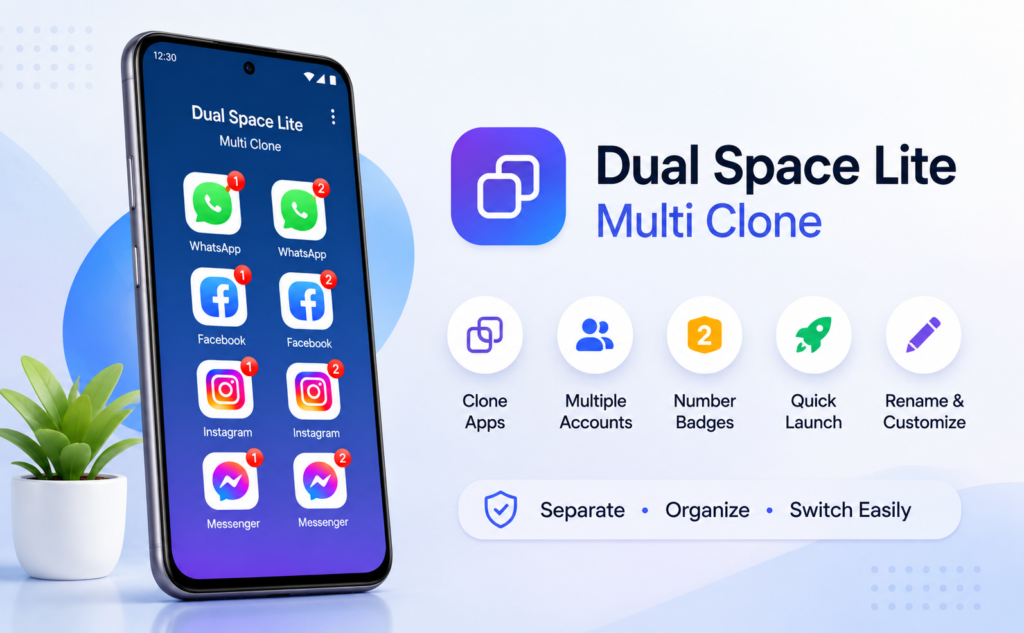
Many Android users eventually run into the same problem: one app, but two accounts. Whether it’s keeping work and personal messaging separate, managing multiple social media profiles, or testing apps without constantly logging in and out, switching accounts can quickly become frustrating.
Dual Space Lite: Multi Clone aims to solve that problem by creating a separate workspace where supported apps can be cloned and managed independently. Instead of repeatedly signing in and out of the same application, users can launch different copies from one organized space.
This guide looks beyond the feature list to explain when the app is genuinely useful, where it has limitations, and what users should know before installing it.
Quick Summary
Dual Space Lite: Multi Clone is an Android utility that creates separate copies of supported apps so users can manage multiple accounts on the same device. It’s useful for separating work and personal accounts or handling multiple social profiles, but compatibility, notifications, and background behavior may vary depending on the app and Android version.
Table of Contents
What Does Dual Space Lite Actually Do?
Rather than modifying existing apps, Dual Space Lite creates a separate workspace where supported applications can run as independent copies.
That means users can launch cloned versions of supported apps while keeping the original installation untouched.
The app also organizes cloned apps into a dedicated home screen, making it easier to identify different account copies.
This approach reduces confusion when several accounts need to remain active throughout the day.
The Real Advantage Isn’t Just Cloning Apps
Most articles focus on app cloning itself.
The bigger advantage is reducing account friction.
Think about how often people accidentally:
- Send work messages from a personal account
- Upload photos to the wrong profile
- Reply using the incorrect social account
- Forget which account is currently signed in
Keeping accounts visually separated can help reduce these everyday mistakes.
That’s a practical benefit that often receives little attention.
Features That Can Improve Everyday Organization
According to the official information, the app includes several tools designed to make account management easier.
Separate Workspace
Instead of mixing cloned apps with your normal launcher, the app groups them inside its own workspace.
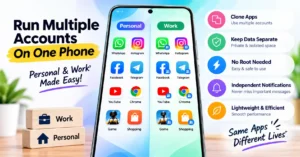

This creates a cleaner environment for managing multiple accounts.
Number Badges
Number badges help identify cloned app copies quickly.
This small visual detail becomes useful once several versions of the same application are installed.
Custom Names and Icons
Users can rename cloned apps or adjust icons to make them easier to recognize.
For example, one copy can represent work while another represents personal use.
Quick Shortcuts
Frequently used cloned apps can be launched directly through shortcuts, reducing the number of taps required.
Who May Benefit Most?
Dual Space Lite may be particularly useful for:
- Freelancers managing client accounts
- Small business owners
- Social media managers
- Content creators
- Developers testing multiple accounts
- Users who separate work and personal communication
For someone with only one account per app, the software may provide little additional value.
What You Should Check Before Installing
Before installing any app cloning solution, there are several practical considerations.
App Compatibility
Not every Android application behaves the same way inside a virtual workspace.
Some apps may work perfectly, while others may limit certain functions.
Notifications
Some cloned apps may not deliver notifications consistently depending on Android battery optimization settings and device manufacturers.
Users who rely on instant alerts should test this after installation.
Background Activity
Android increasingly restricts background processes to improve battery life.
This can affect cloned applications differently across devices.
Storage Usage
Each cloned application may require additional storage for its separate account data.
Heavy users should monitor available device storage.
Privacy
Although the app provides a separate workspace, users should still review requested permissions before installation and download only from official app stores.
One Detail Many People Don’t Consider
Managing multiple accounts isn’t just about convenience.
It can also improve digital organization.
For example:
A business owner might keep customer conversations completely separate from family chats.
A student can separate academic accounts from personal ones.
Developers can test applications without repeatedly clearing app data.
Over time, these small improvements reduce confusion and make daily workflows smoother.
Limitations You Should Know
The official information also highlights several important limitations.
Some third-party apps may restrict:
- Login methods
- Push notifications
- Background activity
- Certain security features
Performance can also vary depending on:
- Android version
- Device manufacturer
- System optimization policies
- The individual app being cloned
These limitations come from how certain apps detect virtual or cloned environments rather than from Dual Space Lite itself.
Is It Worth Installing?
If you regularly manage two or more accounts for the same application, Dual Space Lite can help simplify your daily routine by providing a dedicated workspace.
However, users expecting every application to behave exactly like its original installation should understand that compatibility depends largely on the app being cloned and Android’s system restrictions.
For many users, the biggest benefit is not cloning itself—it’s reducing account mix-ups and making account switching faster.
Alternatives You May Consider
Depending on your phone and requirements, alternatives include:
- Built-in Dual Apps features available on some Android devices
- Manufacturer-specific app cloning tools
- Android Work Profile solutions
- Other parallel space applications
The best option depends on whether you prioritize compatibility, performance, or simplicity.
Final Takeaway
Dual Space Lite: Multi Clone focuses on a common Android challenge: managing multiple accounts without constantly signing in and out.
Its lightweight workspace, account organization tools, and app cloning capabilities make it particularly useful for users who juggle work, personal, or testing accounts on a single device.
Before installing, users should understand that cloned app behavior varies depending on Android restrictions and the individual apps involved. Checking compatibility, notifications, and permissions after setup will help ensure the app meets your needs.
Frequently Asked Questions
Is Dual Space Lite available for Android?
Yes. It is available through the Google Play Store for Android devices.
Can I use two accounts for the same app?
The app is designed to let users create separate copies of supported apps so different accounts can be managed independently.
Does every app support cloning?
No. Compatibility varies by app, Android version, and device settings.
Will cloned apps receive notifications?
Some apps may have notification or background limitations depending on Android’s system behavior and battery optimization settings.
Does Dual Space Lite modify original apps?
No. According to the official description, it creates a separate workspace for supported apps rather than modifying the original applications.
Is it useful for work and personal accounts?
Yes. Separating work and personal accounts is one of its intended use cases.
Should I review permissions before installing?
Yes. As with any Android utility app, reviewing requested permissions and installing only from the official Google Play Store is recommended.
Editorial Disclosure
IndShorts.com publishes independent app news, update explainers, mobile technology guides, and informational content.
IndShorts.com is not affiliated with Google Play, the App Store, Google, Apple, or any app developer unless clearly stated.
App names, logos, trademarks, and brand names belong to their respective owners.
This article is based on publicly available information and independent editorial analysis. App features, compatibility, permissions, and availability may change over time. Readers should verify important details through the official Google Play listing or the developer before making installation decisions.
Related Apps & Guides
WhatsApp Inbox Wallpapers App: How to Use It on Android?
November 3, 2026 • Read MoreHow to Use Vault to Hide Videos and Audio?
October 28, 2026 • Read MoreHow Do Calling Apps Work? Play Store App Costs and Key Checks!
October 26, 2026 • Read MoreCalls Voice Changer: How Works and What to Check Before Paying
October 22, 2026 • Read MoreDevotional Wallpapers and Ringtones for Android
October 20, 2026 • Read MoreWhat Is a Mobile Vault App? How Photo & Video Vaults Really Work
October 15, 2026 • Read More✍️ About the Author – M Raj
Every website article I write is for the benefit of users (viewers). I focus on fully meeting the needs of article visitors and ensuring they are satisfied. All articles are created following Google’s article policy (Publisher Center guidelines). To get in touch, email M Raj at mraj@indshorts.com.
🧾 Editorial Standards
For corrections or clarifications, contact M Raj: keyboardtamil17@gmail.com