Quick Summary
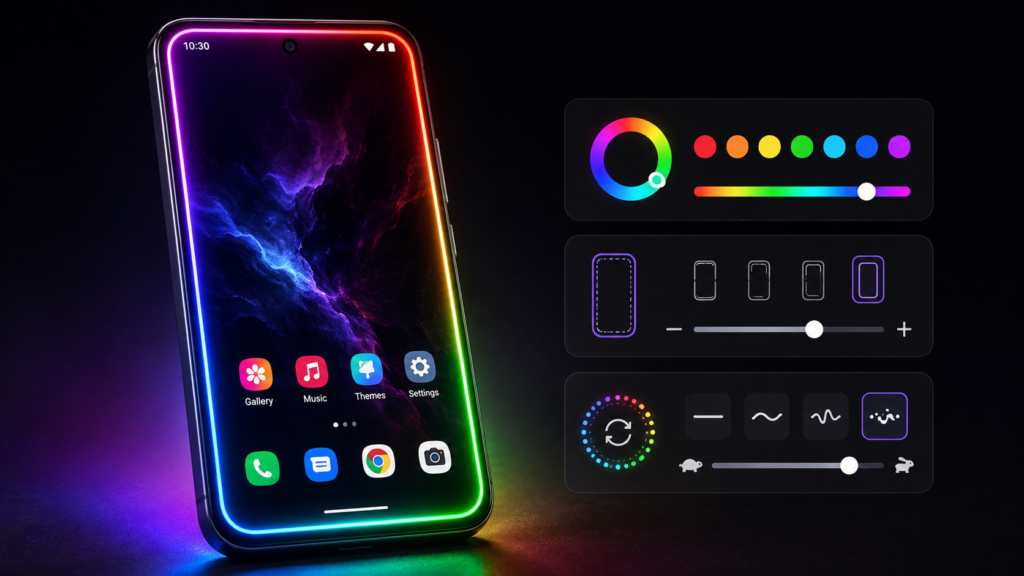
Edge Lighting Color wallpapers is an Android customization app that creates animated RGB-style borders around the edges of your screen and combines them with live or custom wallpapers.
The important detail is what users should not assume: this is primarily a visual wallpaper effect. It does not turn the physical edge of your phone into new LED hardware, and users should not automatically treat it as a replacement for the notification lighting features built into some phones.
The app offers controls for border colors, animation speed, width, corner shape and wallpaper backgrounds. The official Google Play listing also says it supports different screen designs, including notched displays.
Before installing, however, there are a few less-obvious things worth checking: how the animation looks around your particular camera cutout, whether continuous motion affects battery use on your phone, how the effect behaves on the lock screen, and the app’s Google Play Data safety information.
For users who mainly want their Android home screen to look more colorful or distinctive, it can be worth experimenting with. Users looking for functional notification lighting should understand the distinction before installing.
Table of Contents
What Is Edge Lighting Color Wallpapers?
Edge Lighting Color wallpapers is listed on Google Play under the developer name DictionaryAndTranslator, with QUANTUM EDGE LTD shown in the developer information.
The current listing places it in the Productivity category and indicates that it contains in-app purchases. Google Play currently shows more than 1 million downloads, although download figures can change over time.
Its central idea is straightforward: instead of replacing the entire appearance of Android with a launcher or theme, it creates an animated decorative border around the display.
Users can adjust elements including:
- RGB border colors
- Border thickness
- Animation speed
- Curve radius and shapes
- Lighting animation styles
- Wallpaper backgrounds
- Custom images
The developer also says the lighting can be used with home-screen and lock-screen backgrounds.
That sounds simple, but there is an important technical distinction that is easy to overlook.
The Most Important Thing to Understand: This Is a Wallpaper Effect
The phrase “edge lighting” can mean different things on Android.
Some phones have manufacturer-provided edge-lighting or notification effects. These can react to notifications, incoming calls or other system events.
An edge-lighting wallpaper is different.
Its primary job is to draw an animated visual effect around the screen as part of the wallpaper experience.
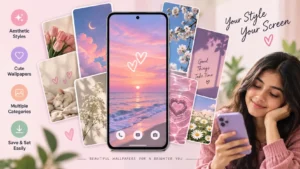
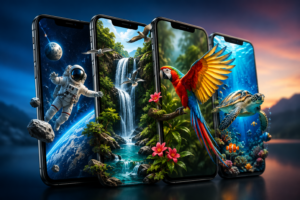
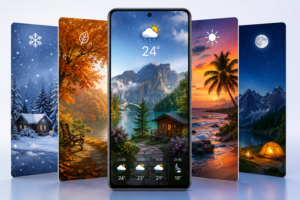
That means users searching for something such as:
“Make my screen edge blink whenever WhatsApp sends a message”
should not assume that a wallpaper app automatically provides the same system-level notification functionality.
The Google Play description for this app concentrates on live wallpaper customization, border effects, colors, shapes, animation and backgrounds rather than presenting it as a universal replacement for Android’s notification system.
That distinction can prevent users from installing the app with the wrong expectation.
What Makes the App More Useful Than a Normal RGB Wallpaper?
A regular RGB wallpaper is essentially a pre-designed image or animation.
Here, the more interesting feature is adjustability.
The border can be modified to better fit the phone rather than forcing every device to display exactly the same design. The listing specifically mentions controls for width, curve radius and animation speed.
That matters because Android displays are far from uniform.
Modern phones may have:
- Center punch-hole cameras
- Corner punch-hole cameras
- Wide or narrow notches
- Rounded display corners
- Nearly square corners
- Curved-edge displays
- Different navigation-bar arrangements
A border that looks balanced on one phone may appear awkward on another.
So the most useful feature may not actually be the number of colors available. It is the ability to adjust the border until it visually fits the physical display.
One Setting Users Often Overlook: Border Thickness
It can be tempting to make an RGB border as thick and bright as possible.
That is not always the best result.
A thick animated border can compete visually with app icons, widgets and text near the edges of the home screen. On smaller displays, it can also make the usable visual area feel more crowded.
A thinner border can create the RGB effect without dominating everything else on the screen.
Users with curved displays should pay particular attention to this setting because an effect designed for a flat display may appear different near curved glass.
There is no single ideal thickness. It depends on the screen, wallpaper and personal preference.
Notch and Camera Cutout Support Still Needs a Real-Device Check
The developer says the app works with screen types such as Notch and Infinity displays.
That is useful, but users should interpret this as a compatibility claim rather than a guarantee that every border will look perfect on every Android model.
There are thousands of combinations of screen resolution, aspect ratio, rounded corners and camera cutouts.
After applying an edge wallpaper, check:
- The area around the selfie camera.
- All four corners.
- The navigation area at the bottom.
- Portrait and landscape orientation where applicable.
- The lock screen after turning the display off and on.
If the animation appears uneven, changing border width or curve radius may produce a better result.
Custom Photos Could Be the More Interesting Use Case
The Google Play description says users can combine the lighting effect with personal photos and other wallpaper backgrounds.
This opens up a more practical customization option than simply selecting a neon wallpaper.
For example, someone could use a relatively dark family photo or personal background and add a subtle colored border rather than covering the screen with an extremely bright RGB design.
There is also a usability benefit to this approach.
Busy wallpaper + bright animated border + colorful app icons can quickly become visually crowded.
A simpler background with a controlled border animation may make icons and widgets easier to identify while preserving the edge-lighting appearance.
What About AMOLED and OLED Phones?
Users with OLED or AMOLED displays may want to experiment with darker backgrounds.
On OLED-family displays, black pixels can be switched off individually. Consequently, a predominantly black wallpaper with a smaller illuminated border can behave differently from a full-screen bright animated design.
However, this should not be interpreted as a guarantee that an edge-lighting live wallpaper will save battery.
Live wallpapers still involve animation and rendering activity, and actual power consumption depends on the phone, refresh rate, implementation, screen-on time and other factors.
The practical approach is simple:
Use the wallpaper for a normal day and compare your phone’s battery statistics with your previous wallpaper.
Real usage on your device is more useful than assuming every live wallpaper has the same battery impact.
Does Edge Lighting Run Over Every App?
The Play Store description contains wording suggesting the LED wallpaper can appear over apps.
Users should be cautious about interpreting marketing wording too literally.
Android distinguishes between a live wallpaper and an overlay that appears above other applications. Those are technically different behaviours and can involve different permissions and system restrictions.
If your main goal is to keep the RGB border permanently visible while using WhatsApp, YouTube, a browser or a game, verify that exact behaviour on your device rather than assuming a home-screen wallpaper will automatically remain visible over every application.
This is especially important because Android versions and manufacturer interfaces can handle background activity and overlays differently.
Home Screen and Lock Screen May Not Behave Identically
The developer advertises lighting effects for both home and lock screens.
Still, Android wallpaper behaviour can depend partly on the device manufacturer and software version.
Samsung One UI, Google Pixel Android, Xiaomi HyperOS and other Android interfaces do not necessarily handle live wallpapers, lock screens and background processes identically.
Therefore, users should test both locations after applying the effect.
If a design works on the home screen but behaves differently on the lock screen, that does not necessarily mean the entire app is malfunctioning; device-specific wallpaper handling may also be involved.
Battery and Performance: What Should You Expect?
An animated wallpaper has more work to do than a completely static JPEG.
That does not mean it will automatically cause serious battery drain.
The real impact depends on factors such as:
- Animation complexity
- Screen refresh rate
- How long the display stays on
- Phone hardware
- Android’s wallpaper rendering
- Background restrictions
- Brightness
- The chosen effect
Users with older or entry-level phones should pay particular attention to smoothness after applying a highly animated design.
If the launcher begins to feel less responsive, try reducing animation complexity or returning temporarily to a static wallpaper to compare performance.
Privacy: Check the Data Safety Section Before Installing
This is one area where users should read the current Google Play information instead of relying on an old article or screenshot.
At the time this article was checked, Google Play’s Data safety section states that the app may share Device or other IDs with third parties. The same section says no data is collected, data is encrypted in transit, and data cannot be deleted. These statements are developer-provided declarations and may change.
That combination may initially seem confusing.
“Data shared” and “data collected” are separate categories in Google Play’s Data safety framework, so users should open the detailed Data safety information rather than judging the app from one line alone.
Also check the permissions displayed on your device during installation or first use.
If an app asks for access that you do not understand, do not approve it automatically. First determine whether that permission is necessary for the feature you intend to use.
Is It Free?
Google Play currently labels Edge Lighting Color wallpapers as containing in-app purchases.
This means users should not assume that every effect or customization option is included without payment.
Before purchasing anything, check the current price displayed inside Google Play or the app. Prices, subscriptions, promotions and available premium options can change by country and over time.
Is There an iPhone Version?
The supplied and verified official listing is for Android through Google Play.
No official Apple App Store link has been confirmed for this article.
Therefore, IndShorts is not claiming that this specific app is available for iPhone.
iPhone users searching for similar effects should use the App Store and evaluate apps specifically designed for iOS rather than installing files from unofficial websites.
Who Should Consider This App?
Edge Lighting Color wallpapers makes the most sense for Android users who enjoy visual customization and want more control than a normal static wallpaper provides.
It may particularly appeal to people who:
- Like RGB or neon visual themes
- Frequently change wallpapers
- Want a border customized to their screen shape
- Prefer animated home-screen designs
- Want to combine personal photos with lighting effects
It is less compelling for someone who prioritizes maximum battery efficiency, dislikes animated interfaces or only wants functional notification alerts.
What Should You Check Before Installing?
Before deciding whether to keep the app, spend a few minutes checking the things that actually affect daily use.
Screen fit: Make sure the border follows your phone’s corners and camera cutout properly.
Animation smoothness: Look for visible stutter on the home screen.
Battery: Compare normal battery usage before and after enabling the live wallpaper.
Lock-screen behaviour: Confirm that the effect works where you actually want it.
Permissions: Review requested permissions rather than approving everything automatically.
Data safety: Read Google’s current Data safety information.
Purchases: Check which features require payment.
Always-on visibility: If you want the border visible inside other apps, verify that capability separately.
These checks provide more useful information than simply asking whether an edge-lighting wallpaper “works.”
Is Edge Lighting Color Wallpapers Worth Trying?
For the right user, yes—but mainly as a customization tool.
Its strongest idea is not simply putting rainbow colors around a display. The useful part is being able to modify the animation, color, thickness and shape to suit different phone screens.
There are also reasonable limitations.
Live wallpaper behaviour can differ by Android device. Animated backgrounds may use more resources than static wallpapers. Some functionality described broadly in promotional text may need to be tested on the user’s particular phone. And users should review the current privacy and in-app purchase information before committing to it.
Most importantly, do not install it expecting hardware LED lighting or assume it provides the same functionality as manufacturer-integrated notification edge lighting.
Official Download
For Android, use the verified official Google Play listing rather than third-party APK websites:
Edge Lighting Color wallpapers on Google Play
IndShorts does not recommend modified APKs, cracked versions or unofficial download sources.
Frequently Asked Questions
Is Edge Lighting Color wallpapers available for Android?
Yes. The app currently has an official Google Play listing for Android. Availability can vary by device or region.
Does the app create real LED lights around my phone?
No physical LEDs are added to your device. The edge-lighting appearance is produced on the display as a software-based visual effect.
Can I change the RGB border?
According to its Google Play listing, users can customize elements including colors, border width, curve radius, animation speed and effects.
Will edge lighting work around a notch or punch-hole camera?
The developer advertises support for different screen types, including notched displays. Because phone designs vary considerably, users should still check the alignment on their own device.
Will the wallpaper drain my battery?
Animated wallpapers can require more rendering than static wallpapers, but there is no responsible universal percentage that applies to every phone. Test your normal battery usage after enabling it and compare the results.
Is Edge Lighting Color wallpapers completely free?
The Google Play listing currently indicates in-app purchases, so some content or functionality may require payment. Check the current offer shown on your device before purchasing.
Is Edge Lighting Color wallpapers safe?
The app is available through Google Play, but users should still evaluate permissions and Data safety information themselves. Google Play currently says the app may share Device or other IDs with third parties while declaring no data collected. These declarations are supplied by the developer and can change.
Is this app available for iPhone?
An official iOS App Store listing for this specific app has not been confirmed for this article. The verified source discussed here is the Android Google Play listing.
Final Takeaway
Edge Lighting Color wallpapers is more interesting when viewed as a screen-personalization tool, not as a magical upgrade that gives a phone new LED hardware.
Its adjustable RGB borders can give Android home and lock screens a distinctive appearance, particularly when users tune the border thickness, speed, colors and corner shape for their actual display.
But those customization controls are only half of the decision.
Users should also check how the live wallpaper affects battery life and launcher performance on their own phone, whether the lock-screen behaviour meets their expectations, what functionality requires payment, and what the latest Google Play Data safety information says.
If you want visual RGB customization, it deserves a look.
If what you really need is notification-driven edge lighting that remains active in specific situations or across applications, verify that functionality first rather than assuming every app using the words “edge lighting” works the same way.
Editorial Disclosure
IndShorts.com publishes independent app news, update explainers, mobile technology guides, and informational content.
IndShorts.com is not affiliated with Google Play, the App Store, Google, Apple, Edge Lighting Color wallpapers, DictionaryAndTranslator, QUANTUM EDGE LTD, or any app developer unless clearly stated.
App names, logos, trademarks, and brand names belong to their respective owners.
Content is based on publicly available information, official sources where available, and independent editorial analysis.
App features, pricing, availability, permissions, data-safety declarations, and policies may change over time. Readers should verify important details through official app-store listings or developer sources before making decisions.
Related Apps & Guides
Wallpaper for Girls: Is a Dedicated Aesthetic Wallpaper App Actually Useful?
September 25, 2026 • Read MoreClock Vault Hide Photos, Video: What to Know Before Trusting It With Private Files
September 20, 2026 • Read MoreClone Space-Dual Space: What Android Users Should Know Before Running Two Accounts on One Phone
September 16, 2026 • Read MoreTech Launcher for Android: What Hi-tech Circuit Launcher Actually Changes
September 6, 2026 • Read MoreCloud Free Storage: What Android Users Should Know Before Moving Their Photos
September 1, 2026 • Read MoreLists+ App: More Than a Phonebook, but Check Sync Limits and Data Access Before You Install
August 27, 2026 • Read More✍️ About the Author – M Raj
Every website article I write is for the benefit of users (viewers). I focus on fully meeting the needs of article visitors and ensuring they are satisfied. All articles are created following Google’s article policy (Publisher Center guidelines). To get in touch, email M Raj at mraj@indshorts.com.
🧾 Editorial Standards
For corrections or clarifications, contact M Raj: keyboardtamil17@gmail.com