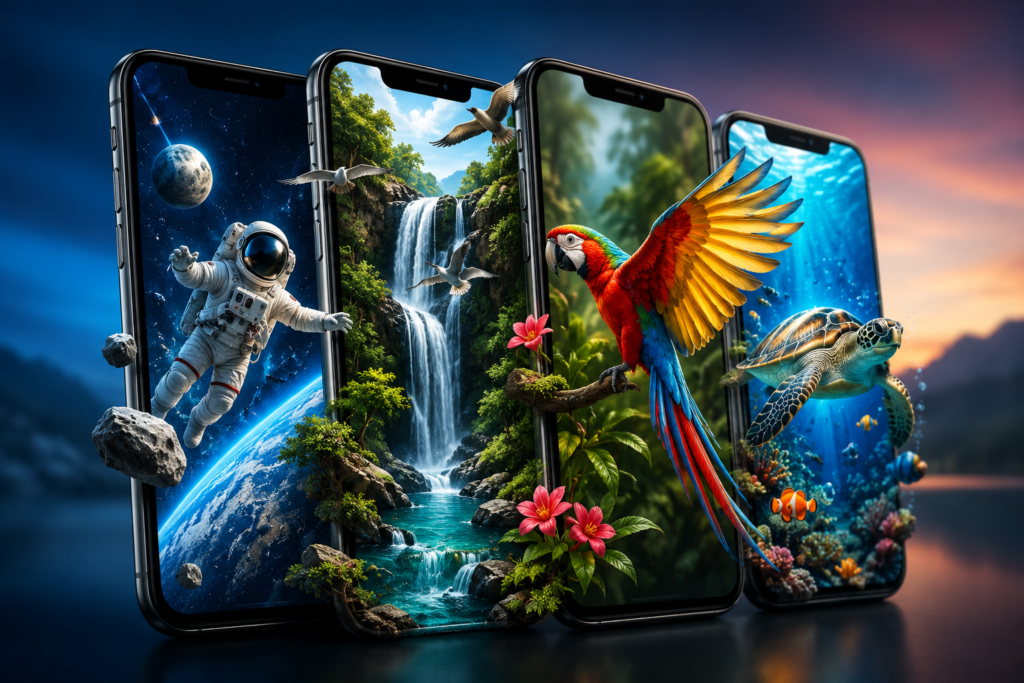
A normal phone wallpaper stays still. Parallax 3D Live Wallpapers takes a different approach: it uses layered movement and your phone’s motion sensors to create the impression that objects on the screen have depth.
The Android personalization app from TarrySoft is currently available through Google Play. The listing says it contains ads and in-app purchases and supports both phones and tablets. It also offers a collection of ready-made 3D wallpapers alongside tools for creating a parallax effect from images.
But the visual effect is only one part of the story. Before installing a live-wallpaper app, it is worth considering something that screenshots cannot tell you: how the wallpaper behaves on your particular phone during everyday use.
Quick Summary
15–30 second answer: Parallax 3D Live Wallpapers is an Android personalization app designed to make backgrounds appear deeper and more interactive as the phone moves. It can be interesting for users who regularly customize their home screen, particularly if their device has suitable motion sensors.
The important details to check are the free-versus-Premium experience, advertising, current subscription pricing, battery behaviour on your own device, and Google Play’s Data safety information.
The app is currently listed on Google Play with more than 5 million downloads, while the store says its latest update was released on July 22, 2026. The update notes themselves are unusually brief, stating only “Improvements.”
That means this should not be treated as a major feature-update story. The more useful question is whether this type of wallpaper makes sense for your phone.
Table of Contents
What Does “3D” Actually Mean Here?
This distinction is easy to overlook.
A 3D live wallpaper does not turn a conventional smartphone display into a true holographic or glasses-free 3D screen.
Instead, the app creates an illusion of depth.
When different visual layers move at different speeds or positions as the device moves, foreground objects can appear separated from the background. This is the parallax effect.
TarrySoft says its implementation can work with a phone’s gyroscope or accelerometer.
That detail matters more than the “3D” label.
Two users could install the same wallpaper and have somewhat different experiences because sensor responsiveness, display size, refresh behaviour and device performance can vary between phones.
Why Phone Sensors Matter More Than Wallpaper Resolution
Wallpaper apps often emphasize terms such as HD and 4K. Resolution matters, especially on a large or high-resolution screen, but it does not determine whether the parallax illusion feels convincing.
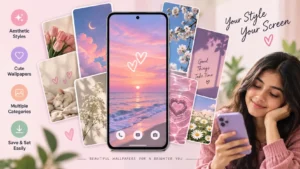
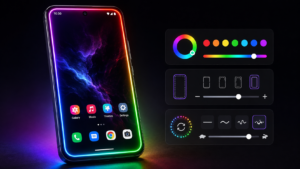
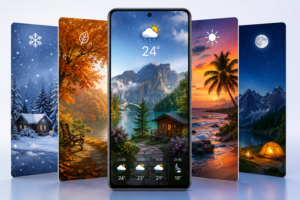
For this type of app, motion tracking can be just as important as image quality.
A beautifully detailed wallpaper that reacts poorly to movement may feel less impressive than a simpler background with smooth, restrained parallax.
There is another practical consideration: more movement is not automatically better.
If the effect strength is very high, icons can become visually harder to separate from the moving background. A moderate effect can therefore be more usable for an everyday home screen.
The app includes an option for adjusting the effect strength, according to its Google Play description.
That is a feature worth experimenting with rather than immediately choosing the strongest setting.
The Overlooked Test: Your App Icons
A wallpaper can look excellent in its full-screen preview and still make a poor home-screen background.
Why?
Your actual home screen contains icons, folders, widgets, notification indicators and text.
Highly detailed flowers, space scenes, bright objects or animated subjects may compete visually with those interface elements.
A useful test is therefore not simply:
“Does this wallpaper look impressive?”
Instead ask:
“Can I still find and read everything on my home screen quickly?”
For users with several widgets or many app icons, darker or less detailed areas behind the interface may provide better day-to-day usability.
This is especially relevant with animated wallpapers because the visual relationship between the background and icons changes as the phone moves.
Battery Claims Need Some Context
Live wallpapers perform work that a static JPEG or PNG background does not.
The developer promotes a battery-saving mode and makes specific efficiency claims on its website and Play Store description.
Those claims should not be interpreted as a guaranteed battery result for every device.
Actual power consumption can depend on factors including:
- the phone and Android version,
- display technology,
- screen-on time,
- animation complexity,
- sensor activity,
- effect settings,
- refresh behaviour,
- and how often the home screen is visible.
There is a simple way to make this more useful than debating a universal battery percentage: test the wallpaper on your own phone.
Use the device normally for a day with your usual static wallpaper, then try the live wallpaper under broadly similar usage. Android’s battery settings can help you spot an unusually large change.
The difference may be negligible for one user and more noticeable for another.
OLED Users Should Think About the Background Differently
If your phone uses an OLED or AMOLED display, predominantly dark wallpaper areas can have another advantage.
OLED pixels generate their own light, and black pixels can effectively remain off. Consequently, a mostly black wallpaper can require less display power than a very bright one under appropriate conditions.
This does not mean installing a dark 3D wallpaper automatically saves battery overall. Animation and sensor-related processing still exist.
It simply means wallpaper brightness is another variable worth considering, particularly for people whose screens remain on for long periods.
What You Can Do With Parallax 3D Live Wallpapers
The developer says the app includes more than 250 parallax wallpapers across areas such as nature, space, animals, abstract designs, sports and other themes. It also advertises support for turning your own images into parallax backgrounds.
Using your own image may actually be one of the more interesting capabilities.
Instead of treating the application solely as a wallpaper catalogue, users can potentially experiment with personal images and adjust the depth effect to suit their screen.
The developer also says wallpapers automatically adjust for different screen aspect ratios.
Even so, users should preview a wallpaper before settling on it. Automatic fitting cannot guarantee that every important subject will remain ideally positioned around a particular phone’s widgets, icons or screen cutout.
Ads, Free Access and Premium: Check Before Confirming
Google Play clearly identifies the app as containing ads and in-app purchases.
This deserves attention before installation because several Play Store reviews discuss the Premium offer and pricing. In response to one complaint, TarrySoft stated that the application has both free and paid options, with additional opportunities available through Premium.
Pricing can vary over time, by country and by offer. For that reason, IndShorts.com is not treating an amount mentioned in an individual review as the current price for every reader.
Instead, check the purchase screen shown on your device and Google Play account.
Before accepting a trial or subscription, look specifically for:
- the price after any trial period,
- whether the charge is weekly, monthly or annual,
- the renewal terms,
- what Premium unlocks,
- and how to cancel through Google Play if you no longer want it.
That 20-second check can be more important than comparing dozens of wallpaper screenshots.
What Does Google Play Say About Data Safety?
There is an important distinction between an app saying that no special permissions are required and an app collecting no data.
The Play Store description says “No special permissions are needed.” However, Google Play’s separate Data safety section currently says the app may collect app info and performance and device or other IDs, and may share those categories with third parties. Google Play also says data is encrypted in transit and that data cannot be deleted.
These statements are based on information supplied through Google Play’s developer disclosure process, and Google notes that privacy practices can differ according to use, region and age.
Users who care strongly about privacy should therefore read the current Data safety panel and linked privacy policy rather than judging the app solely from the permissions prompt shown during installation.
Who Should Pay Attention to This App?
Parallax 3D Live Wallpapers makes the most sense for Android users who enjoy frequently changing the appearance of their phone.
It may be particularly interesting if you:
- like animated or interactive home screens,
- want more depth than a conventional static wallpaper provides,
- have a phone with working motion sensors,
- enjoy experimenting with your own images,
- or want adjustable parallax rather than a simple looping video.
On the other hand, users who prioritize a completely distraction-free home screen, minimum background activity or a simple static interface may not gain much from a live-wallpaper application.
A Better Way to Evaluate It After Installation
Do not judge the app only during the first five minutes.
Try one wallpaper and use the phone normally.
Check whether movement remains smooth when returning to the home screen. Look at whether text and icons stay readable. Pay attention to whether the animation becomes distracting. Check battery statistics later rather than assuming that either “live wallpapers destroy battery” or “battery impact is zero” must be true.
Also lock and unlock the phone several times.
Wallpaper behaviour can interact with Android’s home-screen and lock-screen implementation, and manufacturer software differs. What works exactly as expected on one Android device may not behave identically on another.
This real-device test tells you considerably more than a promotional screenshot.
Limitations and Concerns
The biggest limitation is inherent to the product itself: parallax is a visual illusion rather than genuine three-dimensional display technology.
Its quality therefore depends partly on the wallpaper design and partly on the device.
Advertising may also matter to people who prefer an uninterrupted customization experience, while Premium pricing should be checked carefully before subscribing.
Another limitation for anyone looking specifically for update news is the lack of detailed release notes. Although Google Play shows a July 22, 2026 update, the public “What’s new” section simply says “Improvements.”
Without more detailed official notes, it would be misleading to claim that this release introduced a specific new feature.
Is Parallax 3D Live Wallpapers Worth Trying?
Potentially yes — but for the right type of user.
The interesting part is not simply that it provides moving wallpapers. Its combination of motion-sensor-based parallax, adjustable effect strength and the ability to work with personal images gives users more room to experiment than a basic collection of static backgrounds.
At the same time, “4K,” “3D” and large wallpaper collections should not be the only reasons to install it.
For everyday use, the more important questions are whether the effect runs smoothly on your phone, whether icons remain readable, whether you are comfortable with the advertising and current Premium terms, and whether its privacy disclosures meet your expectations.
FAQs
Is Parallax 3D Live Wallpapers available now?
Yes. The Android application is currently listed on Google Play under TarrySoft.
Is Parallax 3D Live Wallpapers free?
Google Play lists the app with ads and in-app purchases. The developer has also described free and Premium experiences. Check the current purchase screen before starting a paid offer because prices and terms can change.
Does it create real 3D images?
It creates a visual depth effect using parallax and movement. It does not turn a standard smartphone screen into a true three-dimensional display.
Does the app need a gyroscope?
The developer says its wallpapers can work with either a gyroscope or accelerometer. Actual responsiveness can still depend on the sensors available in a particular device.
Will 3D live wallpapers drain my battery?
A live wallpaper can involve more processing than a static image, but there is no single battery figure that applies to every phone. Display type, effect intensity, sensor use and screen-on time all matter. Test battery behaviour on your own device.
Can I use my own picture?
The developer says the app can turn users’ own images into parallax wallpapers and allows adjustment of the effect strength.
Is Parallax 3D Live Wallpapers safe to install?
It is distributed through Google Play, but “safe” should not be reduced to a single yes/no label. Review the current permissions, Data safety disclosure, privacy policy, advertising and purchase terms before installing. Google Play currently reports collection and possible sharing of certain device/performance-related data categories.
Is there an iPhone version?
This article covers the Android application identified by the supplied Google Play listing. We have not confirmed an equivalent current iOS listing for this specific app, so iPhone availability should not be assumed.
Final Takeaway
Parallax 3D Live Wallpapers shows why evaluating personalization apps requires more than looking at attractive screenshots.
The important question is not whether a 3D wallpaper looks impressive for ten seconds. It is whether the motion remains pleasant after hours of normal use, your icons remain readable, the battery impact is acceptable on your hardware, and the app’s advertising, Premium terms and privacy disclosures suit you.
For Android users who enjoy visual customization, it deserves consideration. For everyone else, a well-chosen static wallpaper may still provide the cleaner and simpler experience.
Editorial Disclosure
IndShorts.com publishes independent app news, update explainers, mobile technology guides, and informational content.
IndShorts.com is not affiliated with Google Play, the App Store, Google, Apple, TarrySoft, or the developer of this app unless clearly stated.
App names, logos, trademarks, and brand names belong to their respective owners. Content is based on publicly available information, official sources where available, and independent editorial analysis.
App features, pricing, availability, permissions, privacy practices, and policies may change over time. Readers should verify important details through official app-store listings or developer sources before making decisions.
Related Apps & Guides
Android Car Launcher: SuperCar Launcher Explained
September 30, 2026 • Read MoreWallpaper for Girls: Is a Dedicated Aesthetic Wallpaper App Actually Useful?
September 25, 2026 • Read MoreClock Vault Hide Photos, Video: What to Know Before Trusting It With Private Files
September 20, 2026 • Read MoreClone Space-Dual Space: What Android Users Should Know Before Running Two Accounts on One Phone
September 16, 2026 • Read MoreTech Launcher for Android: What Hi-tech Circuit Launcher Actually Changes
September 6, 2026 • Read MoreCloud Free Storage: What Android Users Should Know Before Moving Their Photos
September 1, 2026 • Read More✍️ About the Author – M Raj
Every website article I write is for the benefit of users (viewers). I focus on fully meeting the needs of article visitors and ensuring they are satisfied. All articles are created following Google’s article policy (Publisher Center guidelines). To get in touch, email M Raj at mraj@indshorts.com.
🧾 Editorial Standards
For corrections or clarifications, contact M Raj: keyboardtamil17@gmail.com