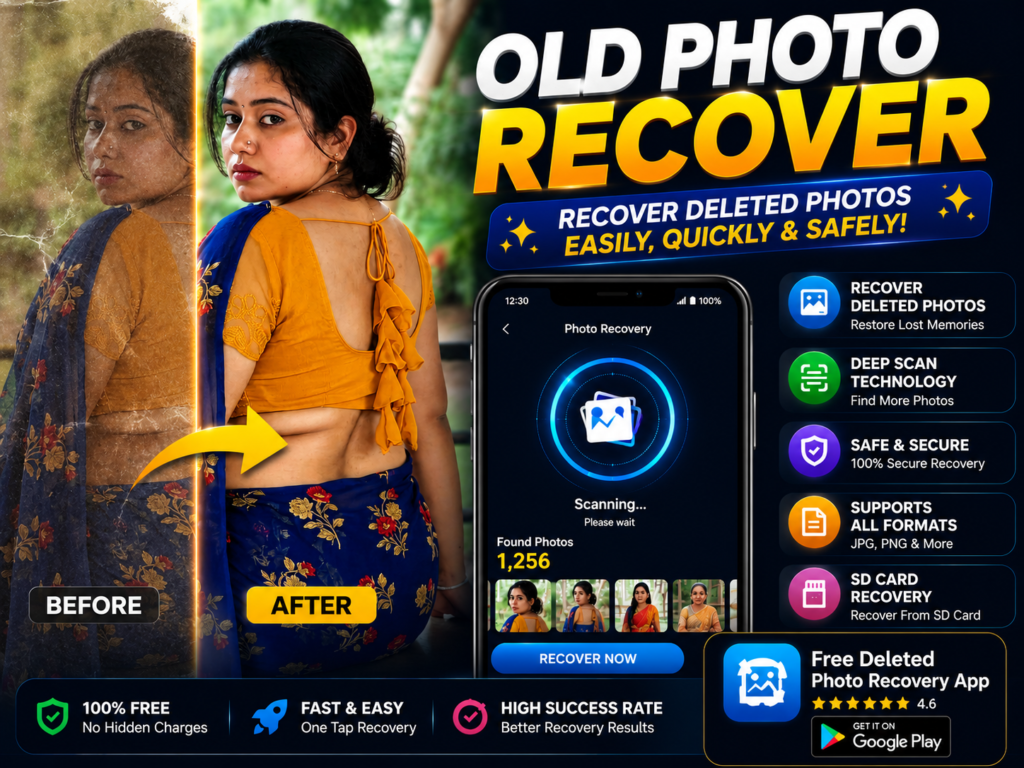
Free deleted photo recovery apps help Android users recover accidentally deleted photos, gallery images, screenshots, and SD card pictures. In 2026, many recovery apps offer deep scan technology and simple recovery tools, but understanding real recovery limits is important. This guide explains how deleted photo recovery really works and what users should expect.
Accidentally deleting photos is still one of the biggest Android problems in 2026. Many users immediately search for a “free deleted photo recovery app” hoping everything can be restored instantly.
The reality is more practical.
Some deleted photos can be recovered, especially if action is taken quickly. But not every photo can return successfully.
This guide explains how free deleted photo recovery apps really work, what affects recovery success, common mistakes users make, and one optional Play Store app you can try safely
What It Is
A deleted photo recovery app scans Android storage looking for:
- recently deleted images
- cached photo data
- hidden thumbnails
- recoverable storage fragments
Some apps also scan:
- internal phone storage
- SD cards
- gallery cache folders
These apps mainly help users recover photos deleted by mistake.
Why People Use It
Most users search for recovery apps because:
- gallery photos disappeared
- storage cleaner deleted images
- phone reset removed photos
- SD card data got lost
- WhatsApp or social media images vanished
Photos often contain personal memories, so users try recovery before giving up.
How It Works (Simple Explanation)
When a photo is deleted, Android usually marks the storage space as “available.”
The original data may still remain temporarily until new files overwrite it.
Recovery apps scan storage and try to find:
- leftover image data
- deleted photo records
- cached previews
- hidden copies
Some apps perform “deep scan” recovery to search more storage locations.
Important reality:

The longer you continue using the phone after deletion, the lower the recovery chance becomes.
Real Benefits
A good recovery app can help recover:
- recently deleted photos
- gallery images
- screenshots
- some SD card photos
Some apps also support:
- video recovery
- document recovery
- audio recovery
Many apps now work without root access on Android devices.
Important Limitations Most Articles Ignore
No app can promise full recovery.
This depends on:
- how long ago the photo was deleted
- whether storage got overwritten
- Android version
- phone storage type
- backup availability
Some apps may show:
- duplicate images
- thumbnails instead of originals
- photos that were never deleted
This is normal behavior in many recovery tools.
Safety and Privacy Notes
Always install recovery apps only from the official Google Play.
Avoid:
- modified APK recovery tools
- fake “100% recovery guaranteed” apps
- apps requesting suspicious permissions
Recovery apps usually require storage access because they scan device files.
Before installing:
- check reviews
- verify developer details
- read permissions carefully
Common Mistakes Users Make
The biggest mistake is continuing to use the phone heavily after deletion.
New photos, videos, or apps may overwrite recoverable data.
Another mistake is factory resetting the device before trying recovery.
Some users also ignore cloud backups like Google Photos trash recovery, which is often easier than deep recovery scanning.
Who Should Use This
This is useful for:
- users who deleted photos recently
- people using SD cards
- users with accidental gallery deletion
- people wanting quick recovery attempt before data overwrite
Who Should Avoid Unreal Expectations
Recovery chances become very low if:
- the phone was factory reset
- storage got heavily overwritten
- photos were deleted long ago
- physical storage damage happened
In these situations, even advanced recovery apps may fail.
Optional App to Try
You can try Free Deleted Photo Recovery App from the official Google Play.
Users try it for:
- recovering deleted gallery photos
- deep storage scanning
- restoring image files
- quick Android photo recovery

Official Play Store link:
One important tip most people miss:
Immediately stop recording videos or downloading files after accidental deletion. This gives recovery apps a much better chance to find recoverable photo data.
How to Uninstall
If you no longer need the app:
- Open Settings
- Go to Apps
- Select the recovery app
- Tap Uninstall
Before uninstalling, make sure recovered photos are safely saved to gallery, cloud storage, or SD card.
Quick Decision Summary
Use recovery apps if:
✔ photos were deleted recently
✔ phone storage was not heavily used afterward
✔ SD card recovery is needed
✔ backup may still exist
Avoid expecting:
✘ guaranteed recovery
✘ full restoration after overwrite
✘ magic recovery after factory reset
Final Advice
Free deleted photo recovery apps in 2026 can genuinely help in some situations—but timing matters more than the app itself.
The smartest users focus on prevention:
- enable cloud backup
- avoid accidental cleanup apps
- keep duplicate backups of important memories
Recovery should be the backup plan, not the main plan.
Related Apps & Guides
Wallpaper for Girls: Is a Dedicated Aesthetic Wallpaper App Actually Useful?
September 25, 2026 • Read MoreClock Vault Hide Photos, Video: What to Know Before Trusting It With Private Files
September 20, 2026 • Read MoreClone Space-Dual Space: What Android Users Should Know Before Running Two Accounts on One Phone
September 16, 2026 • Read MoreTech Launcher for Android: What Hi-tech Circuit Launcher Actually Changes
September 6, 2026 • Read MoreCloud Free Storage: What Android Users Should Know Before Moving Their Photos
September 1, 2026 • Read MoreLists+ App: More Than a Phonebook, but Check Sync Limits and Data Access Before You Install
August 27, 2026 • Read More✍️ About the Author – M Raj
Every website article I write is for the benefit of users (viewers). I focus on fully meeting the needs of article visitors and ensuring they are satisfied. All articles are created following Google’s article policy (Publisher Center guidelines). To get in touch, email M Raj at mraj@indshorts.com.
🧾 Editorial Standards
For corrections or clarifications, contact M Raj: keyboardtamil17@gmail.com