
Short Description
Delete photo recovery apps help Android users recover deleted gallery photos, screenshots, and image files from phone storage or SD cards. In 2026, recovery apps remain popular for users trying to restore accidentally deleted memories and files safely.
Accidentally deleting photos is still one of the most common Android problems in 2026. Many users immediately search for a delete photo recovery app free hoping they can bring back lost memories in seconds.
The good news: photo recovery can work in some situations.
The reality: not every deleted image can return.
This guide explains how deleted photo recovery apps work, real expectations, common mistakes, and useful information many websites skip.
What Is a Delete Photo Recovery App?
A photo recovery app scans Android storage to find deleted or recoverable image files.
These apps may search:
- gallery storage
- internal memory
- SD card files
- hidden image cache
- temporary storage data
Some apps also include:
- deep scanning
- file restore tools
- image preview features
- backup support
The goal is to help users recover deleted files before storage becomes overwritten.
Why People Use It
Users install photo recovery apps because:
- photos were deleted accidentally
- gallery images disappeared
- cleaning apps removed files
- SD card photos were lost
- screenshots vanished
- old images need recovery
Most users simply want their memories back.
How It Works (Simple Explanation)
When a photo gets deleted, Android often marks that space as available instead of instantly destroying data.
Recovery apps scan storage looking for:
- remaining image traces
- thumbnails
- deleted file fragments
- recoverable storage areas
Some apps perform deeper scans to improve results.
Important thing to understand:
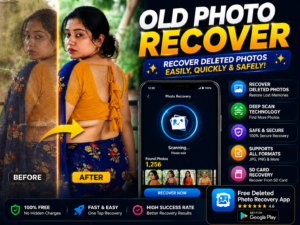


If new files overwrite old data, recovery becomes much harder.
Real Benefits
A good recovery app may help:
✔ recover recently deleted photos
✔ restore gallery images
✔ scan SD cards
✔ recover screenshots
✔ preview recoverable files
Some apps also support:
- videos
- audio files
- documents
Results depend on timing and storage conditions.
Things Most Users Miss
Recovery success depends heavily on what happens after deletion.
Using the phone heavily after accidental deletion can reduce recovery chances.
Downloading apps, recording videos, and taking new photos may overwrite old recoverable data.
The fastest action often gives the best chance.
Safety Notes
Always install recovery apps from the official Google Play.
Avoid:
- unofficial APK files
- fake “100% recovery guarantee” claims
- modified versions
- apps requesting suspicious permissions
Recovery apps need storage access, but unrelated permissions should be reviewed carefully.
Common Mistakes Users Make
Many users:
- continue using the phone heavily
- install multiple recovery apps at once
- expect guaranteed results
- forget cloud backup options
Sometimes photos already exist in cloud trash folders.
Always check backup services first.
Who Should Use This
This may help:
- users with recent accidental deletion
- people using SD cards
- users missing gallery photos
- people wanting quick recovery attempts
Who Should Avoid It
Recovery chances may be lower if:
- storage already got overwritten
- factory reset happened
- phone storage is damaged
- photos disappeared long ago
No app can fully guarantee results.
Optional App to Try
You can try Photo Recover Max-File Restore from the official Google Play.
Official Play Store:
Users use it for:
- deleted photo recovery
- storage scanning
- image restore attempts
- file recovery support
Useful tip most articles miss:
Before installing recovery apps, check:
Google Photos → Trash
Sometimes deleted photos stay there for a period and recovery becomes much easier.
How to Uninstall
- Open Settings
- Go to Apps
- Select the recovery app
- Tap Uninstall
Before removing it, save recovered files safely.
Quick Decision Summary
Use it if:
✔ photos were deleted recently
✔ storage was not heavily used
✔ SD card recovery is needed
Do not expect:
✘ guaranteed recovery
✘ full recovery after overwrite
✘ instant restoration of every file
Conclusion
Delete photo recovery apps in 2026 can help in the right situations.
But timing matters more than the app itself.
The best strategy is simple:
Recover quickly and always keep backup enabled.
Related Apps & Guides
Android Car Launcher: SuperCar Launcher Explained
September 30, 2026 • Read MoreWallpaper for Girls: Is a Dedicated Aesthetic Wallpaper App Actually Useful?
September 25, 2026 • Read MoreClock Vault Hide Photos, Video: What to Know Before Trusting It With Private Files
September 20, 2026 • Read MoreClone Space-Dual Space: What Android Users Should Know Before Running Two Accounts on One Phone
September 16, 2026 • Read MoreTech Launcher for Android: What Hi-tech Circuit Launcher Actually Changes
September 6, 2026 • Read MoreCloud Free Storage: What Android Users Should Know Before Moving Their Photos
September 1, 2026 • Read More✍️ About the Author – M Raj
Every website article I write is for the benefit of users (viewers). I focus on fully meeting the needs of article visitors and ensuring they are satisfied. All articles are created following Google’s article policy (Publisher Center guidelines). To get in touch, email M Raj at mraj@indshorts.com.
🧾 Editorial Standards
For corrections or clarifications, contact M Raj: keyboardtamil17@gmail.com