Quick Summary
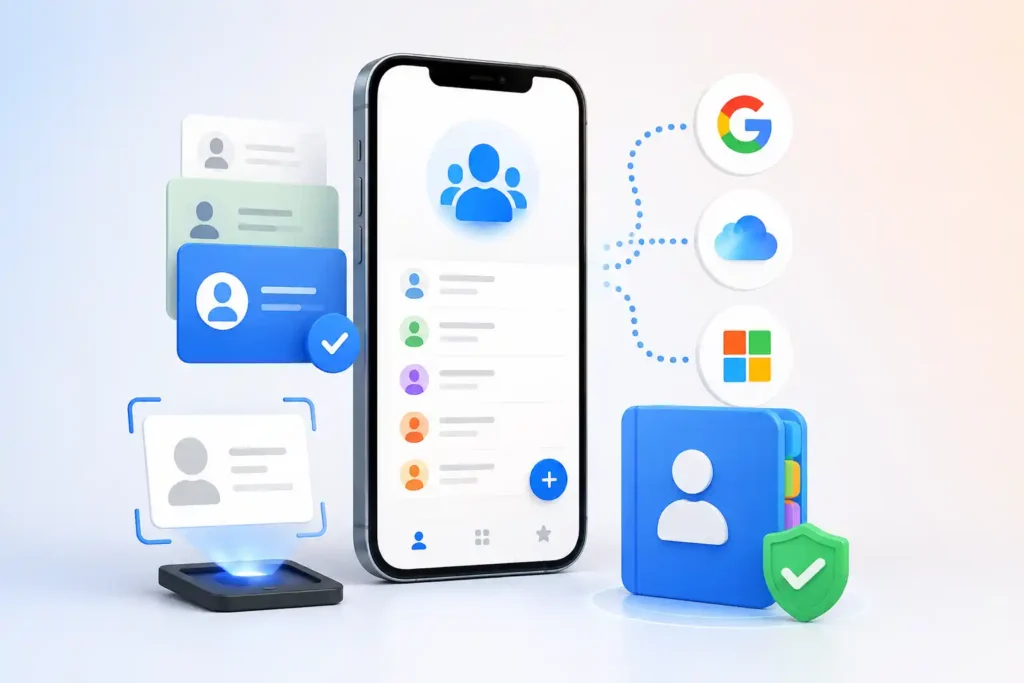
Contacts+ is worth looking at if your contacts are scattered across Google, iCloud, Microsoft accounts and multiple devices. Its real value is not simply replacing the phone’s Contacts app: it attempts to create a unified address book that can sync, clean up duplicates, enrich contact records and work across Android, iPhone and the web.
The important detail many users can easily miss is that “free” does not mean unrestricted multi-account syncing. ContactsPlus currently says its Free plan supports one connected account, up to 1,000 contacts and daily syncing. Premium expands this to five accounts and faster syncing, among other features.
There is also a privacy consideration that deserves more attention than the feature list. Google Play’s Data safety section says the Android app may collect personal information, contacts and other data types, and may share app activity, app information/performance and device or other IDs with third parties. Google Play also says data is encrypted in transit and that users can request deletion.
So the decision is less about whether Contacts+ has lots of features and more about a simpler question: Do you actually need a cloud-based contact-management layer between several address books?
Table of Contents
What Is Contacts+ Actually Trying to Solve?
Most phones already have a contacts application, so installing another one can initially seem unnecessary.
Contacts+ makes more sense when a person’s address book is no longer confined to one phone.
Imagine someone who has:
- personal contacts stored in Google,
- business contacts in Microsoft 365,
- older contacts in iCloud,
- hundreds of duplicate entries,
- contacts being edited from both a phone and computer,
- and business cards that need to become searchable digital contacts.
In that situation, the difficult problem is not displaying a person’s phone number. It is deciding which copy of that person’s information is current and keeping it consistent everywhere.
ContactsPlus says its service can sync contacts across Google, iCloud and Microsoft services, while also providing deduplication, enrichment and backup-related contact management.
That distinction is important because it explains why Contacts+ will be much more useful to some people than others.
The Overlooked Question: Where Is Your “Master” Contact List?
This is something users should decide before connecting several accounts.
Suppose the same person exists as:
Google account:
Raj — 98765xxxxx
Microsoft account:
Raj Kumar — work email + old phone number
iCloud:
R. Kumar — new mobile number
A synchronization service can help consolidate this mess, but connecting several address books also means changes can propagate between services.
Before doing a large cleanup, users should therefore know:
- Which account currently contains their most reliable contacts?
- Which account should ultimately become their primary address book?
- Are important contacts backed up before deduplication or synchronization begins?
This is especially important for someone with years of accumulated business contacts.
The biggest benefit of a synchronization tool — changing information across multiple locations — is also the reason users should approach the initial setup carefully.
Free Contacts+ Has a Limitation That Changes Its Usefulness
ContactsPlus currently describes its Free tier as supporting:
- one synced account,
- up to 1,000 contacts,
- daily synchronization,
- and access through web, iOS and Android apps.
Premium currently raises this to five accounts and up to 25,000 contacts, with faster syncing and additional tools such as enrichment and deduplication features. Pricing and plan conditions can change, so users should verify the current offer before subscribing.
This produces an interesting distinction.
If you simply want to keep one address book accessible on different devices, the Free tier may be enough.
If your actual problem is combining several Google, Apple and Microsoft address books, the features that make Contacts+ particularly attractive may push you toward a paid plan.
That is more useful to know before migrating thousands of contacts than after completing the setup.
Business Card Scanning Is More Useful Than It Sounds
A business-card scanner can look like a minor convenience until it is considered as part of the complete workflow.
For a salesperson, recruiter, consultant or real-estate professional, receiving a card can create several small jobs:
type the name, enter the phone number, enter the company, add the email address, save it to the correct account and later make the same contact available on another device.
Contacts+ attempts to turn those individual steps into one workflow.
The developer also positions contact enrichment as a way of completing or updating information associated with contacts.
For someone who receives one new contact every few months, this may be unnecessary.
For someone who meets dozens of new professional contacts, reducing repetitive contact entry could be considerably more valuable.
Caller ID and Spam Protection Change the Nature of the Android App
Another easily overlooked point is that Contacts+ has expanded beyond contact synchronization.
Google Play’s published change history says version 6.46 added SMS, Caller ID, spam blocking and a dialer. The listing also shows subsequent releases containing bug fixes.
That means Android users should no longer evaluate it purely as an address-book utility.
There are effectively two groups of functionality:
Contact-management features
Contact synchronization, cleanup, enrichment and business-card handling.
Phone-communication features
Dialer, caller identification, SMS and spam protection.
Some users may want both. Others may only want synchronization.
If your only goal is cleaning duplicate contacts, granting access for communication-related functionality you never intend to use deserves consideration.
Privacy: Read Beyond “We Don’t Sell Your Data”
Contact-management apps deserve additional scrutiny because an address book contains information about other people, not just the person installing the app.
Google Play currently states that Contacts+ may collect personal information, contacts and additional data categories. Its Data safety disclosure also says app activity, app information/performance and device or other IDs may be shared with third parties. Google Play says data is encrypted in transit and deletion can be requested.
The developer’s privacy policy provides considerably more detail about its handling of personal information and contact data. It also states that its use of information obtained through Google APIs is subject to Google’s Limited Use requirements and says Google Workspace API data is not used to train generalized AI or machine-learning models.
These statements are useful, but they do not remove the need for individual evaluation.
A sensible installation question is:
Am I comfortable allowing a third-party service to process my address book in exchange for synchronization, cleanup and enrichment?
There is no universal answer.
For someone maintaining several professional contact databases, the benefit could be substantial.
For someone with 150 personal contacts stored entirely in one Google account, the additional data-processing layer may provide little benefit.
What Users Should Check Before Installing
First, check which contact accounts you actually use. Someone using only Google Contacts on one Android phone may already have adequate synchronization without another service.
Second, back up important contacts before performing large merges or cleanup operations. This is particularly sensible when years of records are involved.
Third, review the permissions requested on your particular device. Features such as contacts, calling, caller identification and messaging can require different levels of access. Only enable functionality you intend to use.
Fourth, check the current plan limits rather than assuming every feature shown in promotional material is included for free. The official pricing page currently distinguishes significantly between Free and Premium capabilities.
Finally, read the current privacy information if the address book includes customer, employee or other professionally sensitive information.
A Hidden Professional Issue: Personal Contacts and Business Records Are Not the Same Thing
Contacts+ is promoted toward sales professionals, recruiters, real-estate agents and other network-heavy users.
Those are precisely the people who should think most carefully about account structure.
For example, an employee might have:
personal Google contacts, company Microsoft contacts and customer information accumulated through business cards.
Technically being able to combine them does not automatically mean they should all be combined.
Company policies, account ownership and data-retention requirements may apply.
A recruiter leaving an employer, for example, may not necessarily own every contact stored in a corporate account. Likewise, organizations may have rules restricting synchronization of company contact information with external services.
For professional users, therefore, the first question should sometimes be organizational rather than technical:
Does my employer permit this account or contact data to be connected to an external contact-management service?
That check can be more important than any individual app feature.
Android and iPhone Availability
Contacts+ is available through Google Play for Android.
An iPhone version is also listed on Apple’s App Store. Apple’s current listing says the iPhone app requires iOS 15.0 or later, although compatibility requirements can change with future releases.
Contacts+ on the Apple App Store
The cross-platform aspect matters because the service is most compelling when contacts need to follow the user between ecosystems rather than remaining inside Android or iOS alone.
Practical Use Cases
Sales professionals: A salesperson can centralize contacts accumulated across personal and company accounts and reduce duplicate records.
Recruiters: Recruiters who communicate with candidates across email, phone and multiple accounts may benefit from having a more consistent address book.
Real-estate professionals: Agents frequently accumulate contacts from inquiries, referrals and face-to-face meetings, making business-card capture and contact cleanup more relevant.
People switching ecosystems: Moving between Android, iPhone, Google and Microsoft environments is where a cross-platform contact layer can become particularly useful.
Heavy networkers: Anyone maintaining thousands of professional relationships may gain substantially more from enrichment and deduplication than an ordinary phone user.
Limitations and Concerns
Contacts+ is not automatically an upgrade for everyone.
The Free plan’s account and contact limits mean heavy users should examine Premium pricing before committing to the platform.
Synchronization also introduces complexity. Connecting several sources means users should understand where changes are being written and should maintain a backup before a major cleanup.
Privacy deserves consideration because contacts can contain names, numbers, email addresses and professional information belonging to other people.
And several Android functions may simply be unnecessary for users who already like their phone’s dialer, SMS app and spam protection.
There is another practical consideration: the more heavily you depend on cross-platform synchronization and enrichment, the harder it may become to return to a completely local, single-account workflow later. Users with long-term professional databases should therefore think about data portability and backups, not just today’s convenience.
Is Contacts+ Worth Trying?
Yes — for the right type of user.
Contacts+ deserves attention if you have contacts distributed across several services, routinely encounter duplicates, collect business cards or need your professional address book available across different platforms.
It is less compelling if all your contacts already live cleanly inside one Google or Apple account.
In that case, the default contact-management tools may already solve the primary problem without introducing another service.
So Contacts+’ strongest selling point is not that it can replace the Contacts icon on your phone.
It is that it can act as a coordination layer between contact ecosystems.
Whether that layer is valuable depends entirely on how fragmented your address book has become.
Alternatives: Don’t Automatically Install Another App
Before choosing a third-party contact manager, Android users should first examine Google Contacts if their address book exists almost entirely inside a Google account.
Likewise, users who remain entirely within Apple’s ecosystem may find Apple’s built-in contact synchronization sufficient.
Microsoft-centric business users should investigate what their organization’s Microsoft environment already provides before connecting an additional platform.
Contacts+ becomes more distinctive when those ecosystems overlap.
That is the trade-off users should evaluate rather than simply comparing which app has the longest feature list.
Final Takeaway
Contacts+ has evolved well beyond a simple phonebook. Its combination of cross-platform synchronization, duplicate management, contact enrichment, business-card processing and Android communication features makes it particularly relevant to people whose contact database has professional value.
But that same capability makes the pre-installation checks more important.
Know where your contacts currently live. Back them up. Check which features require payment. Review the permissions and privacy disclosures. And, for company contacts, verify that external synchronization is permitted.
For a user managing thousands of contacts across Google, Apple and Microsoft services, Contacts+ could solve a genuine organizational problem.
For a user with one clean address book on one ecosystem, it may solve a problem they simply do not have.
Frequently Asked Questions
Is Contacts+ available now?
Yes. Contacts+ currently has official listings on Google Play for Android and Apple’s App Store for iPhone.
Is Contacts+ free?
There is a Free plan, but it has limits. The official pricing page currently lists one synced account, up to 1,000 contacts and daily syncing for Free users. More extensive synchronization and advanced functionality are offered through paid plans.
Can Contacts+ synchronize Google, iCloud and Microsoft contacts?
The developer says the service supports contact synchronization involving Google, iCloud and Microsoft services. The number of accounts that can be connected depends on the plan.
Is Contacts+ safe to use?
There is no responsible way to label an app absolutely “safe” for every user. Google Play says data is encrypted in transit and users can request deletion, while its Data safety disclosure also identifies several categories of collected and potentially shared data. Users should review those disclosures and the developer’s privacy policy before connecting an address book.
Does Contacts+ have caller ID and spam blocking?
The Android Google Play release history says SMS, Caller ID, spam blocking and dialer functionality were introduced in version 6.46.
Should I use Contacts+ if I only have Google Contacts?
Possibly not. If one Google account already keeps your contacts synchronized correctly across your devices, the additional features may not justify adding another contact-management service. Contacts+ becomes more useful when several address books or ecosystems need to be coordinated.
Should I back up contacts before using duplicate merge or sync features?
Yes. Keeping a separate backup before large-scale synchronization, merging or cleanup is prudent because those operations can affect many records at once.
Is Contacts+ suitable for work contacts?
It can be technically useful for professional contact management, but employees should first check their organization’s data-handling rules. The ability to connect a company account does not necessarily mean an employer permits its contact information to be synchronized with an external service.
Editorial Disclosure
IndShorts.com publishes independent app news, update explainers, mobile technology guides, and informational content.
IndShorts.com is not affiliated with Google Play, the App Store, Google, Apple, Contacts+, Contacts Plus LLC, or any app developer unless clearly stated.
App names, logos, trademarks, and brand names belong to their respective owners.
This article is based on publicly available information, official app-store listings, developer documentation and independent editorial analysis. Features, pricing, availability, permissions and privacy policies may change over time. Readers should verify important details through official app-store listings or developer sources before installing, updating or purchasing an app.
Related Apps & Guides
Battery Charging Animation: 7 Checks for Android Users
October 9, 2026 • Read MoreWhat Are VoIP and SMS Services?
October 8, 2026 • Read MoreAndroid Car Launcher: SuperCar Launcher Explained
September 30, 2026 • Read MoreWallpaper for Girls: Is a Dedicated Aesthetic Wallpaper App Actually Useful?
September 25, 2026 • Read MoreClock Vault Hide Photos, Video: What to Know Before Trusting It With Private Files
September 20, 2026 • Read MoreClone Space-Dual Space: What Android Users Should Know Before Running Two Accounts on One Phone
September 16, 2026 • Read More✍️ About the Author – M Raj
Every website article I write is for the benefit of users (viewers). I focus on fully meeting the needs of article visitors and ensuring they are satisfied. All articles are created following Google’s article policy (Publisher Center guidelines). To get in touch, email M Raj at mraj@indshorts.com.
🧾 Editorial Standards
For corrections or clarifications, contact M Raj: keyboardtamil17@gmail.com