Quick Answer
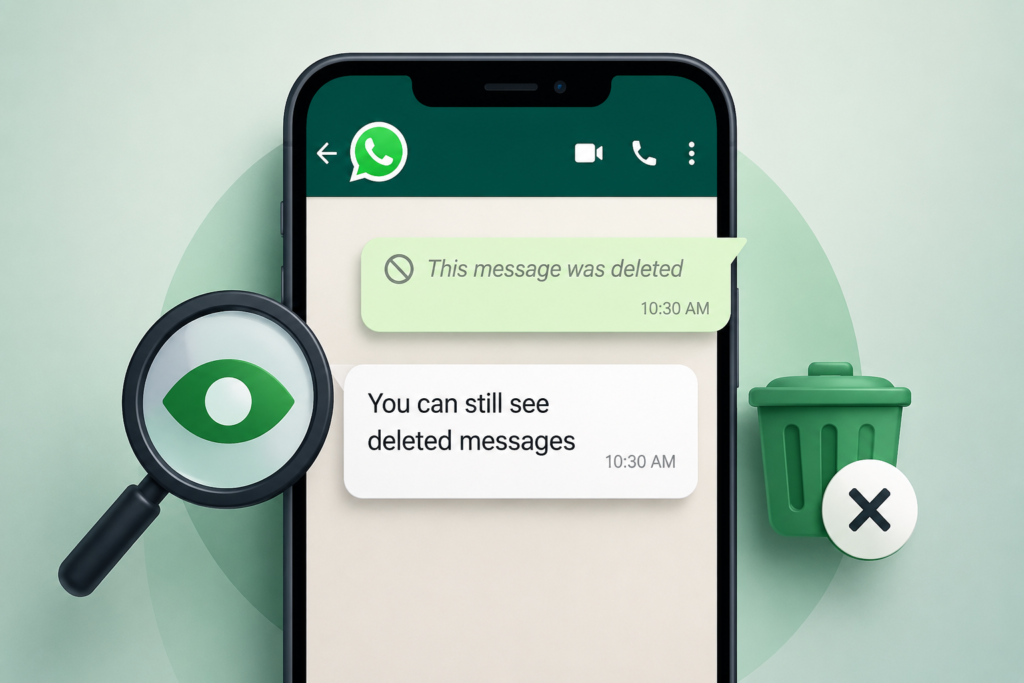
If you’re wondering how to view deleted messages on WhatsApp, the honest answer is: sometimes you can, but often you can’t.
Whether a deleted message can still be seen depends on what happened on your phone before the sender deleted it. If Android had already displayed or stored information about that message, there may be a way to recover part of it. If not, there is no hidden WhatsApp setting, secret code, or guaranteed app that can reveal it.
This is where many online guides go wrong. They focus on “apps that recover deleted messages” without explaining the conditions that make recovery possible in the first place.
Understanding those conditions will save you time, protect your privacy, and help you avoid installing unnecessary apps.
Table of Contents
The Biggest Myth About Deleted WhatsApp Messages
One of the most common misconceptions is that WhatsApp secretly keeps every deleted message somewhere on your phone.
It doesn’t.
When someone uses Delete for Everyone, WhatsApp instructs participating devices to remove that message from the conversation. If your device no longer has a readable copy, there isn’t a hidden folder where the full message can simply be revealed.
This is why no legitimate app can promise to recover every deleted WhatsApp message.
Whenever you see claims like:
- “Recover all deleted messages instantly”
- “Read every deleted WhatsApp message without limits”
- “One-click deleted message viewer”
treat them with caution. Recovery is governed by technical conditions, not marketing promises.
The Question Most Articles Never Ask
Instead of asking:
“How do I recover a deleted WhatsApp message?”
the better question is:
“Did my phone already save any information about that message before it was deleted?”
That single question determines nearly every recovery method available today.


This distinction is surprisingly important because most recovery techniques don’t retrieve deleted data from WhatsApp itself. They rely on information that Android or your device had already processed before the deletion occurred.
How a WhatsApp Message Travels to Your Phone
To understand deleted messages, imagine what happens in the few seconds after someone sends you a text.
The process is roughly like this:
- The sender taps Send.
- WhatsApp’s servers deliver the message to your device.
- Your phone receives it.
- Android decides whether to generate a notification.
- The notification appears on your screen.
- WhatsApp stores the message inside your chat database.
If the sender quickly deletes the message, WhatsApp sends another instruction telling your phone to remove it.
Notice something important:
There is a short window during which other parts of your phone may already have seen the message, even though WhatsApp later removes it.
That tiny window explains why some recovery methods occasionally work.
Why Two People Get Completely Different Results
One of the most overlooked facts is that WhatsApp behaves differently depending on the phone, not just the app.
Imagine two friends receive the same deleted message.
One uses a Samsung Galaxy.
The other uses a Google Pixel.
Both have the same WhatsApp version.
Yet only one can later view part of the deleted message.
Why?
Because Android is not identical across manufacturers.
Every company modifies notification handling, battery optimization, memory management, and background activity differently.
As a result:
- notifications may be stored differently,
- background services may be interrupted,
- deleted notification content may disappear sooner,
- some devices preserve more notification history than others.
Very few articles mention this, even though it explains many failed recovery attempts.
The Hidden Role of Notifications
Most people assume WhatsApp notifications simply alert them that a message arrived.
In reality, notifications often become the only surviving copy of a deleted message.
That doesn’t mean WhatsApp intended this.
It happens because Android treats notifications separately from the chat itself.
Think of the notification as a photograph.
Even if the original object disappears, the photograph may still exist.
But only if it was taken first.
No notification means no photograph.
No photograph means nothing to recover.
The “Notification Race” That Decides Everything
A useful way to think about deleted messages is what security researchers sometimes describe as a race between two events.
Scenario A
Message arrives.
↓
Android creates notification.
↓
Notification gets logged.
↓
Sender deletes message.
In this situation, some recovery methods may still reveal the notification text.
Scenario B
Message arrives.
↓
Sender immediately deletes it.
↓
Android never creates a notification.
Nothing was ever stored outside WhatsApp.
Recovery becomes extremely unlikely.
This explains why users often say:
“Yesterday I could read deleted messages.”
but later report:
“Today the same trick doesn’t work.”
The timing was different.
Why Long Messages Often Cannot Be Fully Recovered
Another detail rarely explained online is notification length.
Suppose someone sends:
“I’m arriving at the station around 8 PM. Please bring the documents and don’t forget…”
Your notification may only show:
“I’m arriving at the station around…”
If the message is later deleted, the notification may only preserve that shortened version.
Many people assume recovery failed.
Actually, Android only stored a preview.
The missing text never existed in the notification history.
Media Messages Follow Different Rules
People often expect the same recovery techniques to work for:
- photos
- videos
- voice notes
- GIFs
- stickers
- documents
In reality, these are handled very differently.
A text notification usually contains readable text.
A deleted photo notification often contains nothing more than:
“Photo”
or
“Image”
The actual file may never have been downloaded before deletion.
This is why text recovery is sometimes possible while media recovery is much less reliable.
Why Privacy Settings Matter More Than Most People Realize
Modern smartphones include privacy features that intentionally reduce the amount of information shown in notifications.
For example, many users enable:
- Hide sensitive notifications
- Show notification without content
- Lock-screen privacy mode
These settings improve security.
But they also reduce the information available to notification history.
Instead of recording:
“Meet me outside in 10 minutes.”
Android may only record:
“1 new WhatsApp message.”
That single setting can completely change whether deleted messages are recoverable.
Before You Try Any Recovery Method
Ask yourself these questions first:
- Did the message actually appear as a notification?
- Was your phone connected to the internet when it arrived?
- Were notifications enabled for WhatsApp?
- Had you muted that conversation?
- Was the message text, or was it media?
- Does your phone keep notification history?
- Did the sender delete it almost immediately?
Your answers are often more important than the recovery app you choose.
They determine whether recovery is technically possible.
Not Every Recovery Method Retrieves the Same Thing
One mistake many websites make is treating every recovery method as if it accesses the same data.
In reality, they don’t.
Some methods read notification previews.
Some restore old chat databases.
Some rely on information temporarily stored by Android.
Others don’t recover anything at all—they simply display data that was already visible elsewhere.
Understanding what each method actually accesses helps you choose the safest option instead of installing multiple apps hoping one will magically work.
Method 1: Android Notification History
If your phone supports Notification History and it was enabled before the message was deleted, this is generally the safest place to check.
The key point many articles miss is that Notification History does not recover deleted WhatsApp messages. It simply displays the notification Android had already recorded.
Think of it as reading yesterday’s notification log rather than restoring today’s deleted chat.
When it works well
Notification History has the best chance of helping when:
- the message was ordinary text,
- notifications were allowed,
- the sender didn’t delete it immediately,
- your device actually recorded the notification.
When it usually fails
It becomes much less useful when:
- chats are muted,
- notification previews are hidden,
- the message contains only media,
- Focus Mode or Do Not Disturb suppressed the alert.
Many readers blame WhatsApp, but the limiting factor is often Android’s own notification behavior.
Method 2: Notification Logger Apps
Notification logger apps work by asking Android for permission to observe notifications as they appear.
If granted access, they can save the notification text before it disappears.
This sounds convenient, but there’s an important distinction.
These apps are not recovering deleted WhatsApp messages.
They are preserving notification content that happened to pass through your phone.
That difference matters because if Android never generated a notification, these apps have nothing to save.
The Hidden Cost of Notification Logging
Most articles only discuss whether notification logger apps “work.”
A more important question is:
What else can they see?
If you grant notification access, an app may also receive previews from:
- email apps,
- banking alerts,
- OTP messages,
- shopping apps,
- calendar reminders,
- food delivery services,
- social media notifications.
Some apps process everything locally.
Others may transmit diagnostic or analytics data.
Before installing one, always review its privacy policy and permissions carefully.
Battery Optimization: The Silent Reason Many Apps Fail
Android aggressively manages background apps to improve battery life.
On many devices, especially those with customized Android versions, battery optimization may stop notification logging apps from running continuously.
The result?
A user believes the app is recording notifications, but Android quietly pauses it in the background.
Hours later, deleted messages appear to “stop working.”
The real cause isn’t WhatsApp—it is the phone’s power management system.
This behavior varies widely between manufacturers, which is why one person’s recommendation may not work on another device.
Method 3: Restoring a WhatsApp Backup
A backup works differently from notification-based methods.
Instead of relying on Android notifications, it restores an older copy of your conversations.
This can be useful if:
- the deleted message existed before the backup was created,
- the backup has not been overwritten,
- you’re willing to replace your current chat history with the older version.
However, this approach comes with trade-offs.
Restoring an older backup may remove newer messages that were received after that backup was created.
For many users, recovering one deleted message is not worth losing several days of recent conversations.
Local Backups vs Cloud Backups
Many users assume all backups are the same.
They aren’t.
Depending on your device and settings, WhatsApp may use:
- local device backups,
- cloud backups,
- encrypted backups,
- automatic scheduled backups.
Each has different recovery possibilities.
For example, a local backup created overnight may contain information that yesterday’s cloud backup does not—or vice versa.
This timing difference is one of the biggest reasons backup restoration succeeds for some people but fails for others.
Can Linked Devices Help?
Some users notice that a deleted message briefly appeared on WhatsApp Web or another linked device.
Does that mean it can still be recovered?
Usually not.
WhatsApp synchronizes deletions across linked devices.
If the deletion reaches every connected device successfully, the message is removed everywhere.
However, temporary synchronization delays can occasionally create short windows where a message remains visible on one device slightly longer than another.
This should be viewed as a timing coincidence rather than a reliable recovery strategy.
Why Media Is Much Harder to Recover
Recovering text messages and recovering media are two completely different challenges.
A notification can contain text.
It rarely contains the actual image, video, or voice recording.
For media recovery to be possible, several conditions must already have been met:
- the file started downloading,
- the download completed,
- the media wasn’t removed,
- local storage still contains it.
If the sender deletes the media before these steps finish, there may be nothing left to recover.
This is why “deleted photo recovery” apps often disappoint users.
Disappearing Messages Add Another Layer
WhatsApp’s disappearing messages feature is designed with privacy in mind.
Unlike Delete for Everyone, disappearing messages are expected to expire automatically after the chosen duration.
Once expired, the same recovery limitations generally apply.
Notification previews may still exist briefly in some cases, but relying on them defeats the purpose of disappearing messages and should not be considered a dependable archive.
The Problem With “100% Recovery” Claims
If you search online, you’ll quickly find apps claiming:
- “Recover every deleted message.”
- “View all deleted chats.”
- “Read deleted photos instantly.”
These promises ignore how Android actually works.
No application can recover data that never existed on your device.
If the notification wasn’t created, the message wasn’t backed up, and the sender deleted it before your phone processed it, there is simply nothing available for the app to recover.
This is a technical limitation, not a software feature.
How to Judge a Recovery App Before Installing It
Instead of looking only at screenshots or ratings, evaluate the app using questions that matter:
Does it explain how recovery works?
Transparent apps describe their method instead of making vague promises.
Does it request only the permissions it truly needs?
If a notification logger also asks for unrelated permissions, consider why.
Does it clearly state where your data is stored?
Apps that process everything locally generally expose less personal information than those that upload data to external servers.
Is the developer open about limitations?
An app that admits it cannot recover messages in every situation is usually more trustworthy than one promising guaranteed success.
Why Your Phone Brand Matters More Than You Think
Most articles simply say:
“This works on Android.”
That is technically true—but incomplete.
Android is an operating system used by many manufacturers, and each brand customizes it differently. Those customizations can influence whether notification-based recovery methods work reliably.
Samsung (One UI)
Samsung devices often provide robust notification management, but features such as Secure Folder, notification privacy, and battery optimization can affect whether notification content is retained.
Google Pixel
Pixel phones generally run a cleaner version of Android, making built-in features like Notification History easier to understand. Even so, notification previews can still be hidden if privacy settings are enabled.
Xiaomi (HyperOS / MIUI)
Xiaomi devices are known for aggressive background app management. Notification logging apps may stop working unless users manually allow background activity and disable certain battery restrictions.
OnePlus / OPPO / Realme
These brands include their own power-management systems. Apps that rely on running continuously in the background may require additional permissions to remain active.
Motorola and Nokia
Because these devices often stay closer to stock Android, notification behavior is usually more predictable, although individual software versions can still vary.
The important takeaway is that two people using the same version of WhatsApp may have very different results because their phones handle notifications differently.
Why Android Is Becoming More Privacy-Focused
Every major Android release places greater emphasis on user privacy.
That trend has two implications:
- Users gain more control over what apps can access.
- Apps that depend on broad background permissions may become less effective over time.
This means recovery methods that rely heavily on notification monitoring could face additional restrictions in future Android versions.
If you’re reading an older guide that promises permanent solutions, remember that Android’s privacy model evolves regularly.
The Difference Between “Seen” and “Stored”
One subtle but important distinction is that seeing a message is not the same as storing a message.
For example:
- You glance at a notification for one second.
- Your phone displays it.
- No notification history exists.
- No logger app is installed.
- The sender deletes the message.
Although you personally saw it, your device may never have stored a retrievable copy.
Many people assume that because they remember seeing the message, it must still exist somewhere. In reality, transient display and persistent storage are different things.
Common Myths That Deserve to Disappear
Myth: Every deleted message can be recovered.
Reality: Recovery depends on timing, notifications, backups, and device behavior. Many deleted messages cannot be recovered.
Myth: Secret WhatsApp codes unlock deleted chats.
Reality: No official WhatsApp code reveals deleted messages.
Myth: Rooting your phone guarantees recovery.
Reality: Root access does not recreate data that was never stored.
Myth: Paid recovery apps always perform better.
Reality: Price does not change Android’s technical limitations.
Myth: iPhone users can use the same tricks as Android users.
Reality: iOS and Android manage notifications differently, so methods are not interchangeable.
Before Installing Any Recovery App: A Practical Checklist
Instead of asking, “Does this app claim to recover deleted messages?”, ask:
- Does the developer explain how the app works?
- Is notification access the only sensitive permission requested?
- Does the privacy policy explain whether your data stays on your device?
- Is the app updated regularly?
- Does it avoid unrealistic promises like “100% recovery”?
- Are there clear explanations of what the app cannot do?
An app that openly discusses its limitations is often more trustworthy than one that promises perfect results.
Should You Really Try to Recover Every Deleted Message?
It’s worth considering why the message was deleted in the first place.
Sometimes a sender corrects a typo.
Sometimes they shared something by mistake.
Sometimes they changed their mind.
The ability to delete a message is part of modern digital communication. While it’s understandable to be curious, it’s also important to respect privacy and avoid tools that attempt to bypass security or access information without proper authorization.
A good recovery tool should help you understand what your own device has already stored—not attempt to access someone else’s data.
Is It Worth Installing a Notification Logger?
That depends on your priorities.
If you’re someone who frequently misses important notifications, a reputable notification history app may offer value beyond WhatsApp by helping you review alerts you accidentally dismissed.
However, if your only goal is to read the occasional deleted WhatsApp message, remember that these apps usually need ongoing access to all notifications. Carefully weigh that convenience against the additional privacy exposure.
Final Takeaway
The internet is full of guides that make deleted WhatsApp messages seem easy to recover. In practice, there is no universal method.
Recovery depends on whether your device processed and retained information before the message disappeared. Factors such as notification settings, phone manufacturer, battery optimization, backups, and privacy options all influence the outcome.
The safest approach is to rely on official Android features where available, understand the limitations of third-party apps, and be skeptical of promises that sound too good to be true. Knowing why a method works is far more useful than simply following a list of steps.
Frequently Asked Questions
Can I view deleted WhatsApp messages without installing an app?
Sometimes. If your Android device has Notification History enabled and the message generated a notification before deletion, you may be able to view the notification text without additional software.
Does WhatsApp keep a hidden copy of deleted messages?
No. WhatsApp does not provide an official feature that allows users to reveal messages deleted with Delete for Everyone.
Why do some recovery apps work for one person but not another?
Because success depends on many factors, including your phone model, Android version, notification settings, battery optimization, and whether the notification was stored before deletion.
Can deleted photos and videos be recovered the same way as text messages?
Usually not. Text notifications may contain message previews, while media files follow a different download and storage process.
Is Notification History available on every Android phone?
No. Availability and behavior vary by Android version and manufacturer. Some devices also require the feature to be enabled before the message is received.
Are notification logger apps safe?
Some are legitimate, but they often require access to all notifications. Review permissions, privacy policies, and developer transparency before installing any app.
Does this guide apply to iPhone?
Some general concepts—such as backups—apply, but iOS handles notifications differently from Android. As a result, notification-based recovery methods are generally more limited on iPhone.
Should I restore an old WhatsApp backup to recover one deleted message?
Only after considering the trade-off. Restoring an older backup may replace newer chat history, so it’s important to understand what data could be lost.
Editorial Disclosure
IndShorts.com publishes independent app news, update explainers, mobile technology guides, and informational content.
IndShorts.com is not affiliated with WhatsApp, Meta, Google, Apple, Google Play, the App Store, or any app developer unless explicitly stated.
App names, logos, trademarks, and brand names belong to their respective owners.
This article is based on publicly available information, official documentation where available, and independent editorial analysis. App features, privacy policies, permissions, and operating system behavior may change over time. Readers should verify important details through official sources before making decisions.
Related Apps & Guides
What Is a Mobile Vault App? How Photo & Video Vaults Really Work
October 15, 2026 • Read MoreNavratri Vibe: What to Check Before Installing
October 13, 2026 • Read MoreBattery Charging Animation: 7 Checks for Android Users
October 9, 2026 • Read MoreWhat Are VoIP and SMS Services?
October 8, 2026 • Read MoreAndroid Car Launcher: SuperCar Launcher Explained
September 30, 2026 • Read MoreWallpaper for Girls: Is a Dedicated Aesthetic Wallpaper App Actually Useful?
September 25, 2026 • Read More✍️ About the Author – M Raj
Every website article I write is for the benefit of users (viewers). I focus on fully meeting the needs of article visitors and ensuring they are satisfied. All articles are created following Google’s article policy (Publisher Center guidelines). To get in touch, email M Raj at mraj@indshorts.com.
🧾 Editorial Standards
For corrections or clarifications, contact M Raj: keyboardtamil17@gmail.com