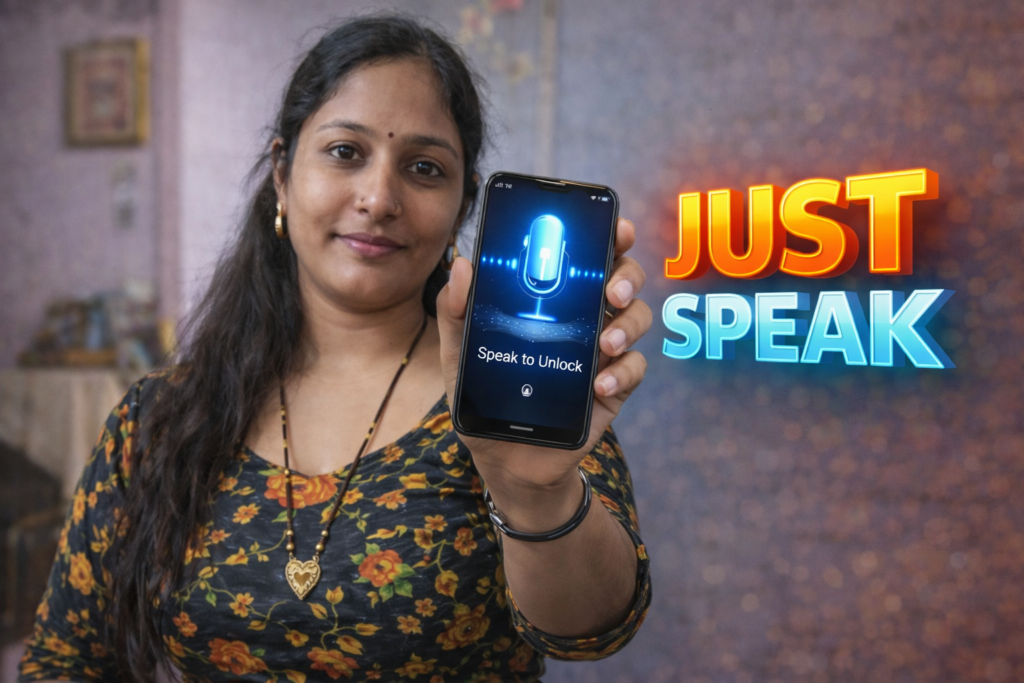
why people look beyond PINs and patterns
Locking a smartphone has become routine, but traditional methods like PINs, patterns, and fingerprints are not always convenient. Gloves, wet hands, accessibility needs, or simple preference often push users to explore alternatives. This is where Voice Screen Lock apps come into focus. In 2026, these apps promise hands-free unlocking using voice commands. However, many users are unsure how they actually work, how secure they are, and whether they should be trusted for daily use.
Understanding the real mechanism behind voice-based screen locks is essential before relying on them.
Table of Contents
Quick Overview
| Aspect | Summary |
|---|---|
| App type | Voice-based screen lock utility |
| Primary purpose | Unlock or control screen using voice |
| Works on | Android devices |
| Authentication method | Voice pattern or passphrase |
| Security level | Moderate (depends on usage) |
| Best use case | Convenience and accessibility |
What Voice Screen Lock apps are actually used for
Voice Screen Lock apps are designed mainly for convenience and accessibility, not high-security protection. They allow users to unlock their phone or perform basic screen actions using a spoken phrase.
Common real-life use cases include:
- Unlocking the phone when hands are busy
- Accessibility support for users with limited mobility
- Temporary lock alternatives for secondary devices
- Custom, personalized lock experiences
These apps are especially popular among users who want a hands-free interaction layer on top of standard locks.
How Voice Screen Lock apps work (step-by-step)
Step 1: Voice phrase setup
The user records a custom voice phrase or command inside the app. This phrase becomes the unlock trigger.
Step 2: Microphone access
The app requests microphone permission to listen for the voice input during unlock attempts.
Step 3: Voice matching
When the user speaks, the app compares the input with the saved voice pattern or phrase.
Step 4: Unlock trigger
If the voice input matches within the allowed threshold, the app unlocks the screen or bypasses the lock layer it controls.
Step 5: Fallback option
Most apps require a backup PIN, pattern, or fingerprint in case voice recognition fails.
Important: These apps usually sit on top of Android’s lock system, not inside it.
What Voice Screen Lock apps cannot do
There are important technical limits users should understand.
They cannot:
- Replace Android’s built-in system security
- Work when the phone is completely powered off
- Function without microphone access
- Provide biometric-level authentication accuracy
They can:
- Add an extra interaction layer
- Improve accessibility
- Offer convenience in controlled environments
Voice lock apps are assistive tools, not full replacements for system locks.
Accuracy and reliability in real use
Voice recognition in 2026 is better than before, but still imperfect.
Factors that affect performance:
- Background noise
- Voice changes due to illness or fatigue
- Microphone quality
- Similar voices nearby
Because of this, most apps allow tolerance ranges rather than exact matches.
Safety, privacy, and permission considerations
Privacy is a major concern with voice-based apps.
Common permissions required
- Microphone access
- Lock screen control
- App overlay permission (in some cases)
What to review carefully
- Whether voice data is stored locally
- If recordings are uploaded to servers
- Whether microphone access runs continuously
Red flags
- Mandatory cloud accounts
- No clear privacy explanation
- Continuous background listening without control
In 2026, transparent permission use is a key trust signal.
Daily-life usage scenarios
Voice Screen Lock apps make the most sense in situations such as:
- Users with accessibility needs
- Home environments with low noise
- Secondary or non-sensitive devices
- Temporary convenience use
They are less suitable for public or high-risk environments.
Pros and cons
Advantages
- Hands-free unlocking
- Customizable voice phrases
- Helpful for accessibility
- Easy to set up and remove
Disadvantages
- Lower security than PIN or biometrics
- Noise-sensitive
- Potential privacy concerns
- Not reliable in all environments
Balanced use is essential.
When you should avoid using Voice Screen Lock apps
You should avoid relying on these apps if:
- Your phone contains sensitive personal or work data
- You use your phone frequently in public places
- You require strong biometric security
- Background noise is unavoidable
In these cases, traditional locks are safer.
Who this is suitable for / not suitable for
Suitable for:
- Accessibility-focused users
- Secondary or family phones
- Users wanting hands-free control
- Non-critical security needs
Not suitable for:
- Primary work devices
- Privacy-sensitive users
- Phones without fallback security
- Noisy environments
Reader Recommendation (simple decision)
| Situation | Recommendation |
|---|---|
| Accessibility or convenience need | Voice screen lock can help |
| High security requirement | Avoid voice-only locks |
| Secondary phone use | Suitable |
| Want to explore a reference app | View example on Play Store |
Frequently Asked Questions
Are Voice Screen Lock apps secure?
They offer moderate security but should not replace system-level locks.
Can someone else unlock my phone using a similar voice?
In some cases, yes. This is why a backup lock method is important.
Do these apps work offline?
Most work offline after setup, as voice matching is done locally.
Can I remove the voice lock later?
Yes. You can disable it and return to the default lock anytime.
Practical conclusion
Voice Screen Lock apps in 2026 are best understood as convenience and accessibility tools, not high-security solutions. They work by matching spoken phrases to saved voice patterns and can be useful in controlled environments or on secondary devices. However, they should always be used alongside traditional locks like PINs or biometrics. Users should review permissions carefully and avoid relying on voice-only unlocking for sensitive data.
More Articles You May Like







✍️ About the Author – M Raj
Every website article I write is for the benefit of users (viewers). I focus on fully meeting the needs of article visitors and ensuring they are satisfied. All articles are created following Google’s article policy (Publisher Center guidelines). To get in touch, email M Raj at mraj@indshorts.com.
🧾 Editorial Standards
For corrections or clarifications, contact M Raj: keyboardtamil17@gmail.com