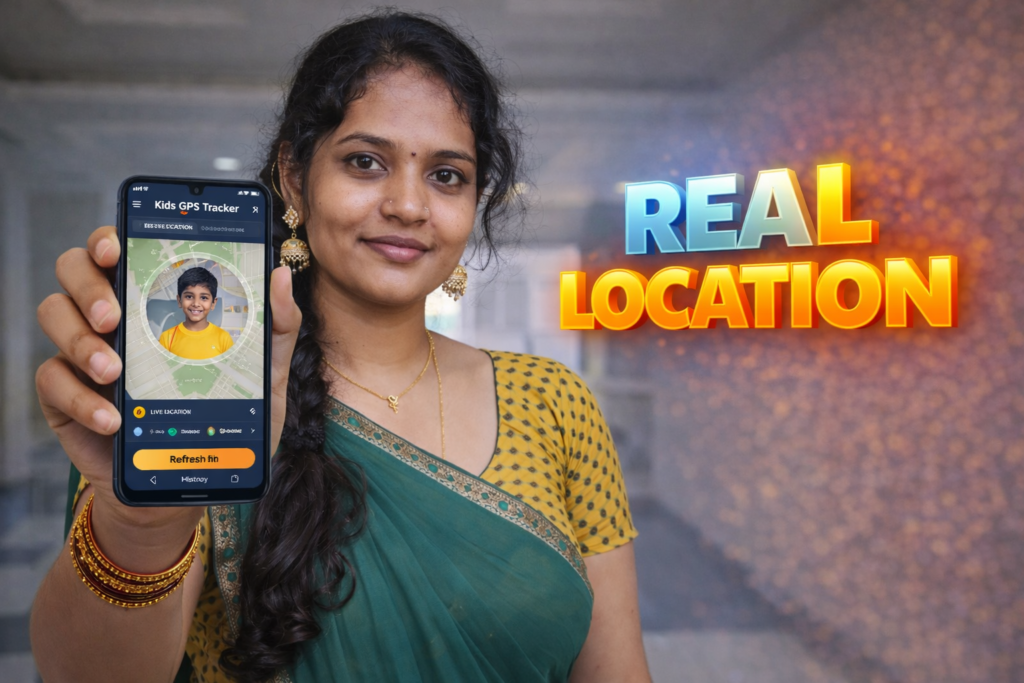
In 2026, parents are increasingly using GPS Location Tracker apps for kids to stay informed about their child’s safety, daily movement, and location—especially when children travel to school, tuition classes, playgrounds, or relatives’ homes.
A GPS Location Tracker for Kids is an Android app that allows parents or guardians to view a child’s real-time or recent location using GPS, mobile networks, or Wi-Fi signals. These apps are designed to offer peace of mind, not surveillance, and usually work only with proper permissions and family consent.
This article explains what a GPS Location Tracker for Kids is, how it works in 2026, what it can and cannot do, and who should actually use it.
What is a GPS Location Tracker for Kids?
A GPS Location Tracker for Kids is a mobile application that helps parents:
- Check their child’s current location
- View location history
- Receive alerts when a child enters or leaves a specific area
- Ensure safety during daily routines
These apps are mainly used for young children, school-going kids, and teenagers, especially in urban or travel-heavy environments.
Unlike general tracking apps, kids-focused GPS trackers usually avoid unnecessary features and focus on simple, safety-oriented location tracking.
How GPS Location Tracker Apps Work in 2026
Modern GPS tracker apps for kids use a combination of:
- GPS satellites (for outdoor accuracy)
- Mobile network data (when GPS is weak)
- Wi-Fi positioning (indoors or urban areas)
In 2026, Android location services are more accurate and battery-efficient than before. Most apps now:
- Use optimized background tracking
- Respect Android privacy permissions
- Allow tracking only after explicit user consent
Parents typically install the app on the child’s phone and link it with their own device using an account or secure pairing.
Common Features You’ll See in Kids GPS Tracker Apps
While features vary, most GPS location tracker apps for kids include:
- 📍 Live Location View
- 🕒 Location History (last few hours or days)
- 🚸 Safe Zone / Geofence Alerts
- 🔋 Battery-friendly tracking
- 📱 Simple interface for parents
Importantly, many apps do not record calls, messages, or audio, keeping the focus strictly on location safety.
Note for Readers (Official App Reference)
| Item | Details |
|---|---|
| App Category | GPS Location Tracker for Kids |
| Platform | Android |
| Purpose | Child safety & location awareness |
| Official Play Store App | GPS Location Tracker for Kids |
| Developer Link | Google Play Store |
| Reader Recommendation | Simple, safety-focused tracking app |
| Download Link | View on Google Play |
Note: This article is for informational purposes. Always review app permissions, privacy policy, and local laws before use.
Is GPS Location Tracking Safe for Children?
Yes—when used responsibly.
In 2026, responsible usage means:
- Informing the child (age-appropriate)
- Using the app only for safety, not control
- Avoiding constant monitoring unless necessary
- Choosing apps with clear privacy policies
Google Play now enforces stricter rules for child-related apps, making many GPS tracker apps safer than earlier years.
What GPS Location Tracker Apps Cannot Do
It’s important to understand the limitations:
- ❌ Cannot track a phone that is switched off
- ❌ Cannot work without internet or GPS access
- ❌ Cannot track someone without installation and permission
- ❌ Cannot guarantee 100% accuracy indoors
These apps are support tools, not replacements for parental care or communication.
Who Should Use a GPS Location Tracker for Kids?
This type of app is useful for:
- Parents of school-going children
- Families in busy cities
- Children who travel alone by bus or auto
- Guardians of kids with special needs
- Parents who want occasional reassurance, not constant control
If a child is old enough to manage privacy independently, open discussion is recommended before using any tracker.
Things to Check Before Installing Any Kids GPS App
Before installing, always check:
- ✔ App privacy policy
- ✔ Permissions requested
- ✔ User reviews (recent ones)
- ✔ Frequency of updates
- ✔ Whether data is stored securely
Avoid apps that ask for unrelated permissions like microphone or SMS unless clearly justified.
Frequently Asked Questions (PAA-Optimized)
What is a GPS location tracker for kids?
A GPS location tracker for kids is an Android app that helps parents view their child’s location using GPS and network signals for safety purposes.
Is GPS tracking legal for children?
Yes, tracking your own child’s location is generally legal, but parents should respect privacy laws and inform the child whenever possible.
Does a GPS tracker work without internet?
No. Most GPS tracker apps need mobile data or Wi-Fi to send location updates to parents.
Can GPS tracker apps drain battery?
Modern apps in 2026 are optimized, but continuous live tracking may slightly increase battery usage.
Is GPS tracking accurate indoors?
Accuracy may reduce indoors, but apps often switch to Wi-Fi or network-based location to improve results.
Final Thoughts
In 2026, GPS Location Tracker apps for kids are no longer about control—they are about peace of mind and safety awareness.
When chosen carefully and used ethically, these apps can help parents stay connected with their children’s whereabouts while respecting privacy and independence.
If you’re considering one, start with a simple, transparent app that focuses only on location tracking and safety.
👉 Reader Recommendation:
GPS Location Tracker for Kids – View on Google Play
More Articles You May Like











✍️ About the Author – M Raj
Every website article I write is for the benefit of users (viewers). I focus on fully meeting the needs of article visitors and ensuring they are satisfied. All articles are created following Google’s article policy (Publisher Center guidelines). To get in touch, email M Raj at mraj@indshorts.com.
🧾 Editorial Standards
For corrections or clarifications, contact M Raj: keyboardtamil17@gmail.com