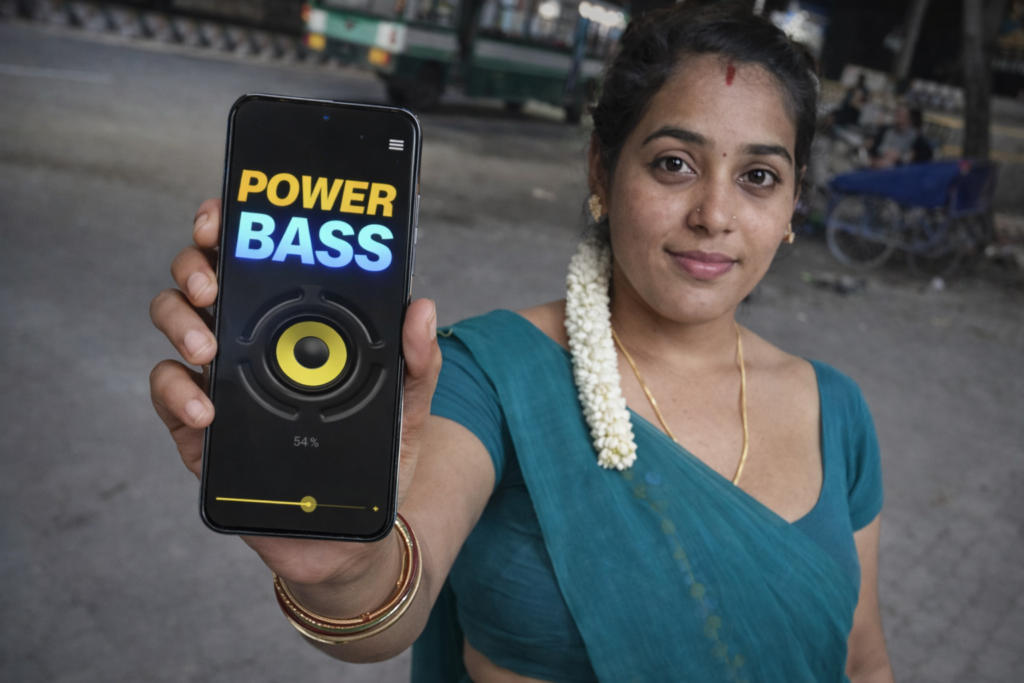
Mobile volume often feels limited—especially when watching videos, attending online meetings, or playing games in noisy environments. In 2026, many users search for a mobile volume booster to make their phone louder without buying external speakers.
This guide explains what mobile volume booster apps actually do, how safe they are, and how you can boost sound without damaging your phone speakers. If you’re looking for a phone volume booster or speaker volume booster, this article covers everything step by step.
Table of Contents
What Is a Mobile Volume Booster?
A mobile volume booster is a software tool or app that enhances your phone’s audio output beyond the default system limit using digital amplification and audio processing.
Instead of physically changing hardware, these tools:
- Optimize audio gain
- Enhance frequency balance
- Improve perceived loudness
- Adjust equalizer curves intelligently
They are commonly used for:
- Loudspeaker output
- Earphones & headphones
- Bluetooth speakers
- Video and music playback
📊 Quick Overview: Mobile Volume Booster Explained
Mobile Volume Booster – Quick Facts
| Aspect | Details |
|---|---|
| Purpose | Increase perceived sound loudness using software amplification |
| Works on | Speaker, earphones, headphones, Bluetooth audio |
| Safe usage | Yes, if used below distortion limits |
| Root required | No (most modern apps) |
| Best use cases | Videos, calls, music, gaming |
How Does a Phone Volume Booster Work?
A phone volume booster does not magically add power to your speaker. Instead, it works by:
- Digital Gain Adjustment
Increases audio signal strength before it reaches the speaker. - Equalizer Optimization
Boosts mid and high frequencies that human ears perceive as “louder.” - Dynamic Range Compression
Reduces quiet-loud gaps so overall sound feels stronger. - Psychoacoustic Enhancement
Improves clarity so sound cuts through noise.
This is why volume feels louder even without hardware changes.
Is Using a Speaker Volume Booster Safe?
Yes—when used correctly.
However, misuse can cause:
- Audio distortion
- Speaker vibration
- Long-term wear if constantly maxed
Safe Usage Guidelines
- Avoid boosting above 120–130%
- Use EQ instead of extreme gain
- Reduce boost for long listening sessions
- Avoid maximum boost on cheap earphones
Used responsibly, a speaker volume booster is safe for daily use.
📊 Phone Methods vs Volume Booster Apps
Volume Increase: Built-in Settings vs Apps
| Method | Effectiveness | Control Level | Risk |
|---|---|---|---|
| System volume buttons | Low | Very limited | None |
| Built-in EQ | Medium | Basic | Low |
| Volume booster app | High | Advanced | Low (if used correctly) |
Best Situations to Use a Mobile Volume Booster
A mobile volume booster 2026 solution is ideal when:
- Watching videos on low-speaker phones
- Attending Zoom / Meet calls
- Playing games with weak sound
- Using budget earphones
- Listening to podcasts while traveling
- Using Bluetooth speakers outdoors
Common Myths About Volume Booster Apps
❌ “They damage phones instantly”
False. Damage only occurs with constant max boost.
❌ “They need root access”
False. Most modern apps work without root.
❌ “They increase hardware power”
False. They optimize audio processing, not hardware voltage.
How to Choose the Right Volume Booster App (2026)
When selecting a speaker volume booster, look for:
- Clean UI (no forced ads)
- Separate speaker & headphone controls
- EQ presets
- Distortion warning indicators
- Android 7+ compatibility
- No fake “500% volume” claims
Practical Recommendation (Expert Tip)
Instead of pushing raw volume:
- Use EQ + mild boost
- Increase mid frequencies (1–4kHz)
- Keep bass moderate to avoid distortion
- Test sound using voice audio first
This delivers louder sound without damaging clarity.
When Should You Avoid Volume Booster Apps?
Avoid using a phone volume booster if:
- Your speaker already crackles
- Water damage exists
- Phone overheats during audio playback
- Earphones distort even at normal levels
In such cases, hardware repair is safer.
Future of Mobile Volume Booster Apps (2026 Outlook)
In 2026, volume booster apps are evolving with:
- AI-based sound profiling
- Automatic distortion prevention
- Device-specific tuning
- Hearing-safe loudness balancing
- Smart ambient noise detection
This makes modern mobile volume booster apps safer and more effective than older versions.
Bonus App Card: Subwoofer Bass – Bass Booster (ZipoApps)
Subwoofer Bass – Bass Booster (Volume Enhancement)
- Bass booster for speakers and headphones
- Enhances low-frequency audio output
- Works in the background
- Supports popular music and streaming apps
- Compatible with most audio formats
- User-friendly and lightweight interface
| Feature | Volume Booster | Bass Booster |
|---|---|---|
| Main Purpose | Increase overall audio loudness | Enhance low-frequency (bass) sound |
| Best For | Louder videos, calls, music | Richer bass in songs, movies |
| Audio Range Affected | Full range (mid + high + low) | Low frequencies (bass) only |
| Effect on Distortion | Possible if boosted too high | Possible if bass boosted excessively |
| Recommended For | General loudness needs | Music lovers & media with deep bass |
| Typical Implementation | Digital gain + EQ | Low-frequency EQ boost |
| Example Apps | Volume booster apps | Subwoofer Bass – Bass Booster |
Final Verdict: Should You Use a Mobile Volume Booster?
Yes—if used wisely.
A mobile volume booster is a practical solution when your phone’s sound feels weak. With proper settings, you can safely enjoy louder audio for videos, music, and calls without harming your device.
If your goal is a reliable phone volume booster or speaker volume booster in 2026, choose a clean, well-reviewed app and avoid extreme amplification.
More Articles You May Like







✍️ About the Author – M Raj
Every website article I write is for the benefit of users (viewers). I focus on fully meeting the needs of article visitors and ensuring they are satisfied. All articles are created following Google’s article policy (Publisher Center guidelines). To get in touch, email M Raj at mraj@indshorts.com.
🧾 Editorial Standards
For corrections or clarifications, contact M Raj: keyboardtamil17@gmail.com