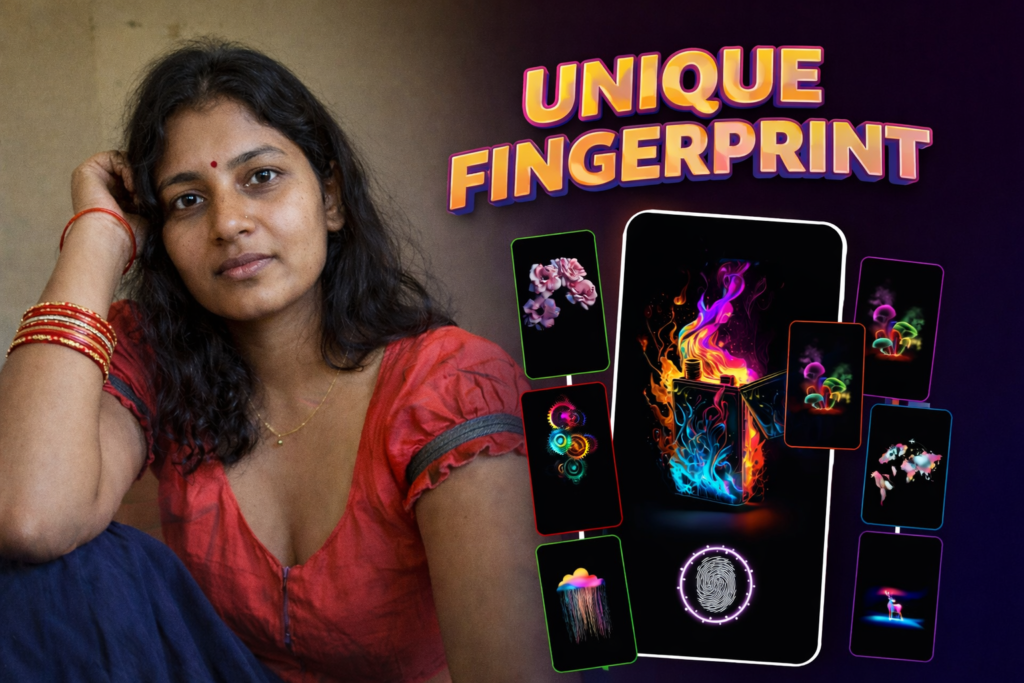
Under-display fingerprint sensors have become standard across Android devices, and with them, display fingerprint lock animation effects have evolved from simple visual cues into a form of personalization. In 2026, users increasingly search for fingerprint animations not just for security feedback, but for visual style, brand identity, and customization options.
This guide explains what display fingerprint animations are, how different Android brands handle them, what can be customized safely, and what limitations users should understand before downloading third-party animations.
Table of Contents
Reader Overview
| Topic | What This Guide Covers |
|---|---|
| Fingerprint animation basics | Why animations exist and how they work |
| Brand comparisons | Nothing OS, Realme UI, and other Android skins |
| Customization options | Built-in vs third-party animation choices |
| Downloads | What “fingerprint animation download” really means |
| Limitations | What animations cannot change |
| Safety | Permissions, battery, and display considerations |
What Is a Display Fingerprint Lock Animation?
A display fingerprint animation is a visual effect shown on the screen when a user places their finger on an in-display fingerprint sensor. The animation serves three main purposes:
- Guidance – shows where to place the finger
- Feedback – confirms sensor interaction
- Brand styling – reflects the phone’s UI design
These animations do not affect fingerprint accuracy or security. They are purely a visual layer on top of biometric authentication.
How Display Fingerprint Animations Work (Simple Explanation)
When you touch the fingerprint area:
- The display lights up the sensor zone
- The system overlays an animation
- The fingerprint scan runs in parallel
- Authentication completes independently of the animation
Even if the animation is changed or disabled, the fingerprint sensor behaves the same.
Fingerprint Animation Comparison: Nothing OS vs Other Android Skins
Nothing OS Fingerprint Animation
Nothing OS is known for:
- Minimalist dot-matrix style
- Subtle glow effects
- Consistent visual language across UI
The fingerprint animation aligns with the brand’s transparent, understated design.
Realme Display Fingerprint Lock Animation
Realme UI typically offers:
- Multiple built-in animation styles
- Color-based and pulse effects
- Customization options in system settings
Realme allows users to switch between styles without external apps.
Other Android Skins (General)
- Some brands allow limited animation switching
- Some lock animations to the system theme
- Stock Android keeps animations minimal
Customization depth varies by manufacturer and model.
Built-In vs Downloaded Fingerprint Animations
This distinction is important for user expectations.
Built-In Animations
✔ Optimized for the device
✔ No extra permissions
✔ Minimal battery impact
✔ Fully supported by system
Fingerprint Animation Download (Third-Party)
Often misunderstood. These apps:
- Do not replace the real system animation
- Overlay visuals on the lock screen
- May simulate effects around the sensor area
They add visual flair, not system-level changes.
What Fingerprint Animation Download Apps Can and Cannot Do
What They Can Do
- Show animated rings or effects near sensor area
- Sync animations with screen-on events
- Offer color and style customization
What They Cannot Do
- Change biometric security
- Improve fingerprint accuracy
- Modify hardware sensor behavior
- Replace OEM system animations
Understanding this prevents disappointment.
Realme Display Fingerprint Lock Animation: Customization Scope
On supported Realme devices:
- Animations can be changed in settings
- No external apps required
- Animations are optimized for OLED displays
Not all models support the same level of customization.
Battery & Display Considerations (2026 Reality)
Fingerprint animations:
- Consume negligible battery when built-in
- Can increase drain if third-party overlays run constantly
- Are safest on OLED displays where pixels turn off fully
Excessive animation overlays may affect:
- Lock screen responsiveness
- Always-on display behavior
Common User Misconceptions
“Animations improve fingerprint speed”
They do not. Speed depends on sensor hardware and software tuning.
“Downloaded animations replace system UI”
They only add visual overlays.
“More effects mean better security”
Security is unchanged.
Decision Micro-Table: What Makes Sense?
| User Goal | Best Option |
|---|---|
| Clean, reliable experience | Use built-in system animations |
| Visual customization | Use overlays cautiously |
| Nothing OS style | Stick with default OS animation |
| Realme device | Use Realme UI animation settings |
Fingerprint Live Animation HD — Quick Overview
- HD wallpapers combined with live fingerprint-style animations
- Option to adjust animation position, scale, and speed
- Preview animations before applying
- Support for lock screen and home screen visuals
- Date and time display customization
Display Fingerprint Lock Animation – Common Questions (2026)
What is a display fingerprint lock animation?
A display fingerprint lock animation is a visual effect shown on the screen when you place your finger on an in-display fingerprint sensor. It provides visual feedback and style but does not affect fingerprint accuracy or security.
Can fingerprint animations improve fingerprint unlock speed?
No. Unlock speed depends on the fingerprint sensor hardware and system optimization. Animations only change the visual appearance and do not influence authentication performance.
What is the difference between built-in and downloaded fingerprint animations?
Built-in animations are part of the phone’s system UI and are fully optimized. Downloaded fingerprint animation apps usually add visual overlays and do not replace the original system fingerprint animation.
Are fingerprint animation download apps safe to use?
Most fingerprint animation apps are cosmetic tools. However, users should review permissions carefully, as such apps do not require access to personal data or biometric information to function.
Can fingerprint animation apps change biometric security?
No. Fingerprint animation apps cannot access or modify biometric data. Fingerprint authentication remains fully controlled by the operating system and device hardware.
Does using fingerprint animations affect battery life?
Built-in animations have minimal battery impact. Third-party overlay animations may use slightly more power if they run continuously, especially on lock screens or always-on displays.
Can I use fingerprint animations on any Android phone?
Built-in fingerprint animations depend on the phone brand and model. Downloaded animation apps may work on many devices, but alignment and visual accuracy can vary depending on screen size and fingerprint sensor placement.
Practical Recommendation (User-First)
In 2026, the safest and smoothest fingerprint animation experience comes from built-in system options. Third-party fingerprint animation downloads should be treated as cosmetic enhancements only, not functional upgrades.
More Articles You May Like




✍️ About the Author – M Raj
Every website article I write is for the benefit of users (viewers). I focus on fully meeting the needs of article visitors and ensuring they are satisfied. All articles are created following Google’s article policy (Publisher Center guidelines). To get in touch, email M Raj at mraj@indshorts.com.
🧾 Editorial Standards
For corrections or clarifications, contact M Raj: keyboardtamil17@gmail.com