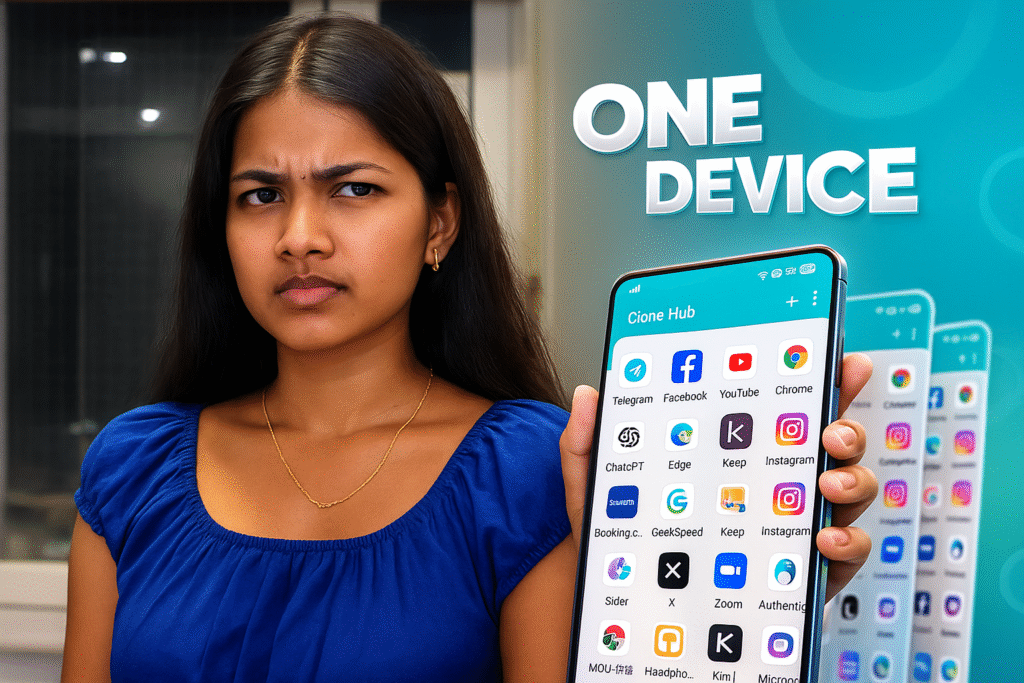
Running multiple instances of the same Android application is no longer a niche requirement. As devices become more powerful, users expect better multitasking, cleaner work–personal separation, and parallel account support. Clone Hub, released in 2025, stands out by offering a stable multi-instance engine while keeping things light at only 5MB. The app’s core strength lies in its virtualized sandbox architecture, efficient resource sharing, and strong compatibility with modern Android versions.
This professional analysis explains how Clone Hub works internally, what its multi-instance engine does, how it isolates data, and what you should consider before using it daily.
Table of Contents
What Clone Hub Does at a Technical Level
Clone Hub is an application virtualization layer that creates duplicate environments for installed apps. Instead of modifying APK files, the app builds a parallel runtime inside Android. Cloned apps operate inside this space with separate:
- Data folders
- Cache
- Permission states
- Account sessions
- Notification channels
This results in two (or more) independent versions of a single app, each behaving as if installed separately.
Clone Hub’s Multi-Instance Architecture
Clone Hub uses a three-layer architecture to enable smooth multi-account usage:
1. Virtual Environment Layer (VE Layer)
This layer replicates key Android components such as:
- Package manager
- Activity manager
- Content providers
- Shared libraries
Instead of launching an app directly, Clone Hub redirects the call through its VE Layer, which then loads the app’s code inside a controlled runtime.
2. Resource Mirroring and Redirection
This layer manages how cloned apps access data. Clone Hub creates virtual equivalents of:
/data/data//cache/- Storage paths
- Account tokens
This ensures no cross-contamination between original and cloned versions.
3. Process Management Layer
Clone Hub tracks cloned app processes and manages:
- Memory allocation
- CPU scheduling
- Lifecycle events
- Background execution
- Notification forwarding
This is how cloned apps remain stable and responsive, even on devices with limited resources.
Clone Hub 2026 – Technical Highlights
Wide Compatibility Through Smart API Handling
Clone Hub maintains high compatibility by intercepting Android API calls and routing them through abstraction layers. It translates file-system and permission requests so cloned apps behave like they are running natively.
This technique ensures compatibility with:
- Social media apps
- Messaging apps
- Browsers
- Games (non-anticheat)
- Productivity tools
Clone Hub avoids modifying APKs and instead mirrors system calls, reducing the risk of crashes or app instability.
Performance Characteristics in Daily Use
Lightweight Footprint
With a 5MB installation size, Clone Hub is extremely lightweight. Its multi-instance engine loads libraries and runtime components on demand, minimizing RAM use.
Smooth Operation
Cloned apps show:
- Short startup times
- Smooth UI responsiveness
- Good background activity retention
- Stable notifications
The virtualization process adds minimal overhead due to efficient caching.
Battery Efficiency
Clone Hub reduces unnecessary wake-locks by letting Android manage most of the background processing. This helps cloned apps behave consistently without draining the battery.
Privacy and Data Protection Mechanisms
One of Clone Hub’s strongest technical features is sandbox-based isolation.
1. Separate Data Containers
Each cloned instance receives its own:
- App data directory
- Shared preferences
- Temporary files
Nothing leaks between original and cloned apps.
2. Isolated Permission States
Clone Hub never assumes permissions from the original app. Each instance handles its own permission dialog, giving users full control.
3. Anti-Tracking Isolation
Cloned apps cannot access identifiers from original apps.
This protection helps avoid:
- Account linking
- Cross-session behavior tracking
- Unintended data sharing
4. No Root Required
Running without root reduces security risks while maintaining deep virtual access.
When Clone Hub Should Be Used (Professional Context)
Use Clone Hub if you need:
- Multiple accounts for messaging or work platforms
- Strict separation of personal and professional apps
- Parallel testing environments for developers
- Safe experimental spaces for APK builds
- A clean secondary workspace without installing new user profiles
Clone Hub is particularly valuable for:
- QA testers
- Developers
- Digital marketers
- Freelancers
- Corporate users managing multiple accounts
When to Avoid or Limit Use
Clone Hub is not ideal for:
- High-security banking apps (due to sensitive APIs)
- Games with aggressive anti-cheat detection
- Large apps that demand heavy GPU acceleration
- Apps requiring deep system permissions
Cloning may also affect push notification delivery if the device has strict battery optimization settings.
Strengths and Limitations (Neutral Technical View)
Strengths
- Lightweight engine
- Strong app compatibility
- Reliable multi-instance performance
- Clear sandbox isolation
- Stable notifications
- Clean, simple interface
Limitations
- Some apps may block cloning
- Requires good RAM to run multiple heavy apps
- May behave differently on highly customized Android ROMs
- Does not bypass app-level restrictions
Final Technical Assessment
Clone Hub positions itself as a stable, well-optimized multi-instance framework for Android. With its lightweight footprint, structured sandboxing, smooth performance, and broad compatibility, it is well suited for users who need multiple app environments without switching devices or accounts.
Its virtualization approach strikes a good balance between efficiency, privacy, and usability. Clone Hub avoids complex modification of APK files and instead provides a controlled runtime environment that keeps cloned apps isolated and secure.
For 2026, Clone Hub is one of the more technically mature cloning solutions for Android users who want professional-level separation between different app sessions.
More Articles You May Like











✍️ About the Author – M Raj
Every website article I write is for the benefit of users (viewers). I focus on fully meeting the needs of article visitors and ensuring they are satisfied. All articles are created following Google’s article policy (Publisher Center guidelines). To get in touch, email M Raj at mraj@indshorts.com.
🧾 Editorial Standards
For corrections or clarifications, contact M Raj: keyboardtamil17@gmail.com