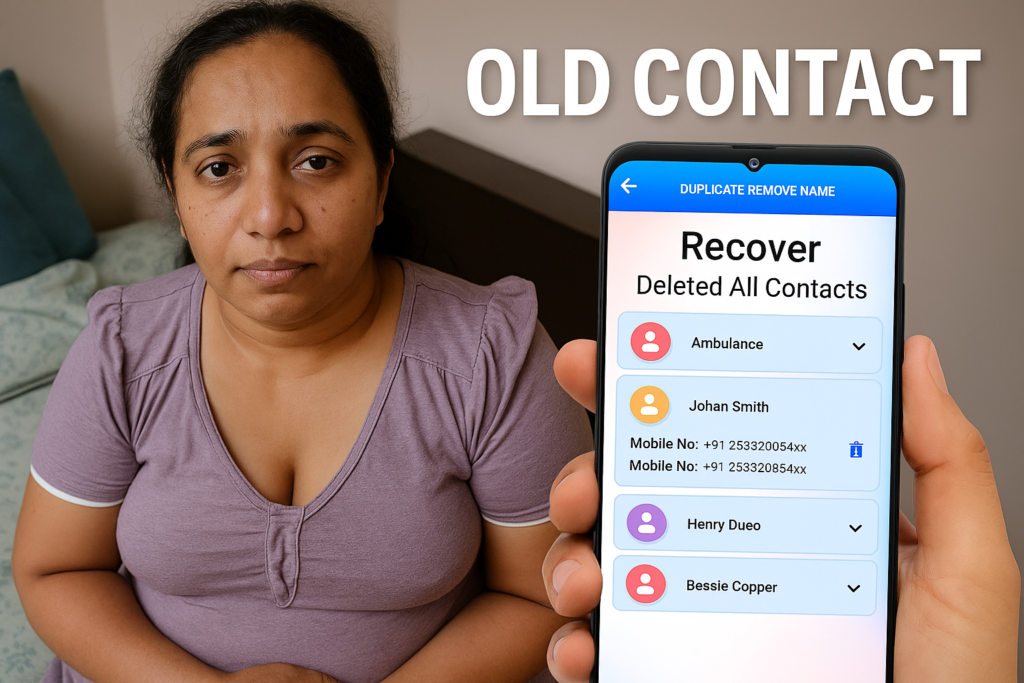
Losing phone contacts can be stressful, especially when important personal or work numbers disappear suddenly. In 2026, most smartphones offer multiple safe ways to recover deleted contacts from phone storage or cloud backups. This guide explains how to recover deleted contacts from phone step by step, covering Android and iPhone methods, cloud backups, and trusted recovery options — without confusing or risky steps.
This article focuses only on what really works, when recovery is possible, and when it is not.
Table of Contents
What Happens When Contacts Are Deleted?
When you delete a contact, it is usually not erased immediately. In most cases:
- The contact is moved to a temporary trash or recycle section
- Or it remains stored in a cloud backup (Google, iCloud, or account sync)
- Permanent deletion happens only after a fixed time or backup overwrite
This delay is what makes recovery possible in many cases.
Quick Summary Table: Where to Start Contact Recovery
| Situation | Best First Step | Second Option | Chance of Success |
|---|---|---|---|
| Deleted recently | Contacts Trash / Undo | Google or iCloud restore | Very High |
| Deleted days ago | Account sync restore | Backup restore | High |
| Phone reset | Cloud backup restore | Recovery app | Medium |
| No backup | SIM / account sync check | Recovery app | Low–Medium |
How to Recover Deleted Contacts From Android Phone
Most Android phones sync contacts automatically. Follow these steps carefully.
Method 1: Restore From Google Contacts Trash
Best if contacts were deleted within the last 30 days.
- Open Google Contacts
- Tap Fix & Manage
- Select Trash
- Choose the deleted contacts
- Tap Restore
This is the fastest and safest way.
Method 2: Restore Using Google Account Sync
If contacts were synced with your Google account:
- Go to Settings → Google
- Tap Set up & restore
- Select Restore contacts
- Choose the Google account
- Restore to your device
This method works even after accidental deletions.
Method 3: Recover From SIM Card
Some contacts are saved on the SIM card.
- Open Contacts app
- Tap Settings
- Select Import contacts
- Choose SIM card
This only works if contacts were saved to SIM originally.
How to Retrieve Deleted Contacts From Phone Without Backup
If no backup exists, recovery becomes harder but still possible.
- Check if contacts were synced with email, WhatsApp, or other accounts
- Look for contacts in other Google accounts
- Use a trusted contact recovery app (only if permissions are clear)
Important note: Recovery success depends on whether contact data was overwritten.
How to Recover Deleted Contacts From iPhone (2026)
Apple devices use iCloud heavily, which improves recovery chances.
Method 1: Restore From iCloud Contacts
- Go to iCloud.com
- Sign in with Apple ID
- Open Account Settings
- Choose Restore Contacts
- Select a restore date
This does not erase photos or apps.
Method 2: Restore From iCloud Backup
Use this only if contacts were backed up earlier.
- Go to Settings → General → Transfer or Reset
- Choose Erase All Content
- Restore from iCloud backup
This restores the entire phone, not just contacts.
Can You Recover Permanently Deleted Contacts?
Recovery may still be possible if:
- Contacts existed in cloud backup
- Sync was enabled earlier
- Device storage has not been overwritten
Recovery is not possible if:
- No backup exists
- Device was overwritten multiple times
- Account sync was disabled permanently
When Should You Avoid Recovery Apps?
Avoid recovery apps if:
- They demand unnecessary permissions
- They promise guaranteed recovery
- They ask for payment before scanning
- They upload contacts to external servers
Always prefer official account restore methods first.
Valuable Recommendation (Important)
To prevent future contact loss:
- Enable automatic contact sync
- Use multiple backups
- Export contacts monthly as a
.vcffile - Keep contacts synced with one main account
These steps reduce recovery stress completely.
Is Contact Recovery Necessary?
Contact recovery is necessary when:
- Business or family numbers are lost
- Phone reset occurred accidentally
- Contacts were deleted by mistake
It may not be necessary if:
- Contacts are easily available from chat apps
- Numbers were saved elsewhere
Recover Deleted All Contacts — Quick Overview
- Contact recovery list and restore to Phone Book
- Backup contacts in PDF / VCF / Text
- Restore contacts from saved VCF files
- Duplicate contacts finder (by name / number)
Final Words
Knowing how to recover deleted contacts from phone in 2026 gives peace of mind. Most contact losses are reversible if acted on early. Always start with account-based recovery, then move to advanced options only when needed. Smart backup habits make contact recovery almost unnecessary.



✍️ About the Author – M Raj
Every website article I write is for the benefit of users (viewers). I focus on fully meeting the needs of article visitors and ensuring they are satisfied. All articles are created following Google’s article policy (Publisher Center guidelines). To get in touch, email M Raj at mraj@indshorts.com.
🧾 Editorial Standards
For corrections or clarifications, contact M Raj: keyboardtamil17@gmail.com