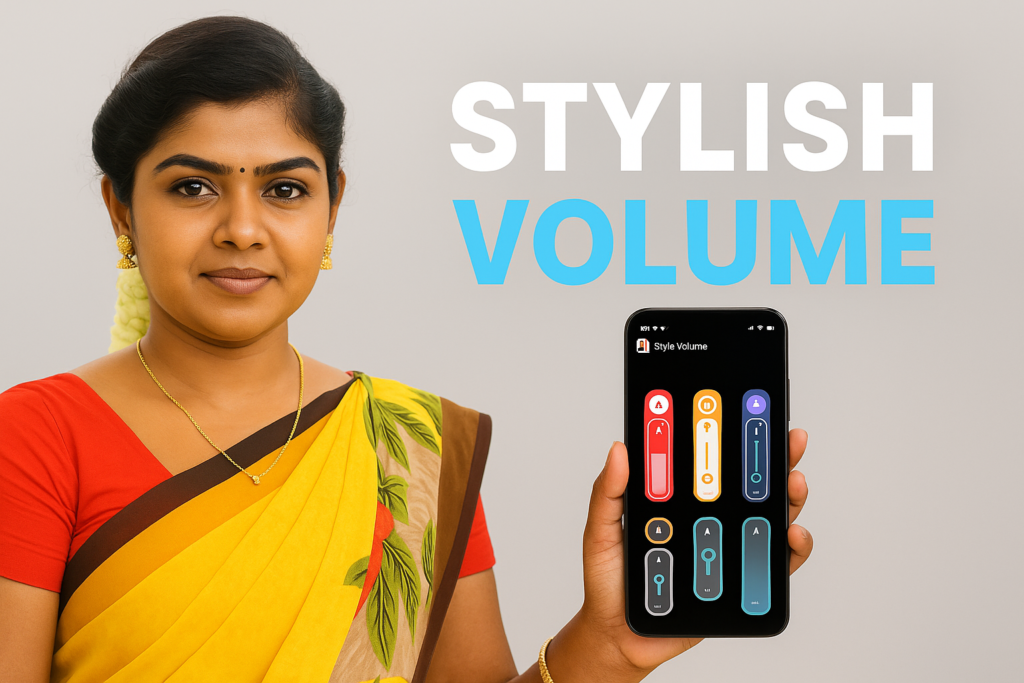
Volume control on Android has changed significantly in 2026. Instead of using the default system slider, many people now prefer customizable volume panel styles that match their phone’s theme, improve accessibility, or simplify daily use. Volume control styles have become a personalization trend, helping users adjust sound in a way that looks cleaner, responds faster, and suits their layout preference.
This guide explains how volume control styles work in 2026, the most popular customization features, what users expect from modern volume panels, and how related tools—such as cleaning sound technology—improve audio clarity.
| Feature | What It Means | Why It Matters | Who Uses It |
|---|---|---|---|
| Custom Volume Panels | User-chosen themes & layouts | Makes sound control more intuitive | Personalization lovers |
| Panel Position Control | Move volume bar anywhere on screen | Comfort & accessibility | One-hand users |
| Extended Volume Controls | More sliders for media, call, alarm | Saves time adjusting multiple levels | Power users |
| Panel Size Adjustment | Resize panel for visibility | Better readability | Elderly users / visually sensitive |
| Quick Trigger Shortcut | Tap app icon to open volume bar | Faster access than pressing keys | Heavy multimedia users |
Why Volume Control Styles Are Popular in 2026
Android users want more control over how their phone looks and feels. The stock volume panel may be simple, but it lacks flexibility. In 2026, customizable volume styles offer:
- Cleaner visual designs
- Faster sound adjustments
- Better placement for different phone sizes
- Full personalization with themes and colors
- Improved accessibility for one-hand operation
With large-screen devices becoming common, repositioning the volume panel higher or lower on the screen makes everyday use easier.
Key Features Found in Modern Volume Control Styles
Modern apps offer a wide set of functions that turn a basic slider into a personalized sound panel.
1. Multiple Theme Panels
Users can choose from different panel looks such as minimal, neon, transparent, curved, or floating designs.
2. Customizable Panel Position
You can drag the volume slider to any part of the screen using long-press options.
Helpful for:
- Left-handed users
- Large-screen phones
- One-hand accessibility
3. Adjustable Panel Size
You can increase or decrease panel height to improve visibility.
4. Extended Volume Panel
More sliders appear when needed, such as:
- Media
- Notifications
- Alarm
- System sounds
5. Custom Display Duration
Users control how long the volume panel remains visible before disappearing.
6. Shortcut Trigger
A single tap opens the volume panel instantly—useful when hardware buttons are not reachable.
7. Accessibility Service Support
Helps override volume keys for smoother operation.
What Is Phone Speaker Cleaner Sound?
(Added for ranking relevance & user intent)
Phone speaker cleaner sound is a high-frequency audio tone used to push out dust or moisture from the speaker grill. Many users adjust volume while testing sound clarity, so speaker cleaning tools often complement volume control apps.
Speaker cleaner sound works by:
- Vibrating the speaker membrane
- Removing water droplets
- Shifting trapped dust
- Improving loudness and clarity
Although not a built-in function of volume style apps, many users search for both tools together because clean speakers allow accurate volume adjustment.

How Volume Style Apps Improve Daily Phone Use
Volume control styles in 2026 help users:
- Reduce accidental volume jumps
- Adjust sound without pressing physical keys
- Match panel color with their home/lock-screen theme
- Improve sound visibility during bright outdoors
- Get consistent placement across all apps
These features turn everyday volume control into a smart, personalized experience.
Bonus Section: App Overview – Volume control Styles (Informational Only)
Below is a clean, factual overview of the app using your data.
Volume control Styles – App Overview (2026)
More Articles You May Like









✍️ About the Author – M Raj
Every website article I write is for the benefit of users (viewers). I focus on fully meeting the needs of article visitors and ensuring they are satisfied. All articles are created following Google’s article policy (Publisher Center guidelines). To get in touch, email M Raj at mraj@indshorts.com.
🧾 Editorial Standards
For corrections or clarifications, contact M Raj: keyboardtamil17@gmail.com