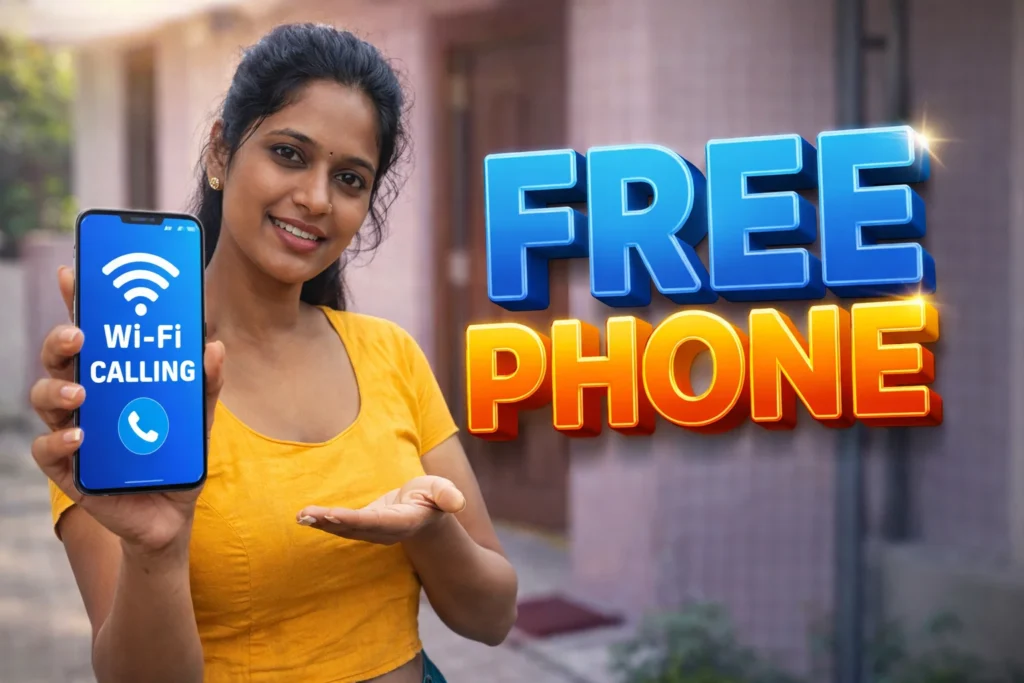
Mobile phone calls and text messaging have been around for decades, but they often still come with limits: carrier charges, roaming fees, and restricted minutes. In many regions, users want alternatives that let them call or message without using traditional voice plans. This is where Free Phone Call & Wi-Fi Calling apps for Android come in. In 2026, these apps allow users to make voice calls and messages over the internet—using Wi-Fi or mobile data—without relying on costly carrier minutes. But they work differently than native telephony, and it’s important to understand their capabilities and limitations.
Quick Overview
| Feature | Explanation |
|---|---|
| Main purpose | Voice calls and messaging over Wi-Fi/data |
| Works with | Internet connections (Wi-Fi, mobile data) |
| Typical benefit | Free or low-cost calls |
| Common limits | Dependent on internet quality |
| Skill level | Easy for everyday users |
What free phone call & Wi-Fi calling apps are actually used for
These apps let users make voice calls, video calls, and messages using an internet connection rather than a traditional carrier voice plan.
People commonly use them to:
- Call friends and family without using carrier minutes
- Make international calls at lower cost
- Stay connected over Wi-Fi in places with poor cellular reception
- Combine calling and messaging in a single app
- Send voice calls instead of SMS without extra carrier charges
In 2026, with ubiquitous internet speeds and broader global Wi-Fi coverage, these apps are widely used by people who travel frequently, have limited cellular plans, or simply prefer internet calling.
How free phone call & Wi-Fi calling apps work (step-by-step)
1. Internet connection
These apps require a stable internet connection—Wi-Fi or mobile data.
2. Account setup
Most apps ask users to create an account using an email address, phone number, or social login.
3. Contacts and sync
Apps often sync your contact list to show who else uses the service.
4. Call or message initiation
When you place a call or message through the app, the voice data travels over the internet using Voice over IP (VoIP) rather than traditional cellular voice channels.
5. Connectivity & features
Some apps include video calling, group calls, file sharing, and chat functions—all in a single interface.
Safety, privacy, and permission considerations
Required permissions
- Microphone (for voice calls)
- Camera (for video calls, optional)
- Contacts (optional, to show who’s in your list)
- Notifications
Privacy considerations
- Most reputable apps encrypt calls and messages
- Some apps log call metadata (call times, recipient IDs)
- Never grant unnecessary permissions (location, SMS) unless clearly needed
- Avoid apps that require unrelated access (camera access without video calling)
Security reality
- Encryption (end-to-end or TLS) varies by app
- Not all free calling apps protect data equally
- Check privacy policies before granting sensitive permissions
Pros and cons (balanced view)
Advantages
- Free or low-cost calling
- Works anywhere with Wi-Fi or data
- Often includes messaging and video calling
- Helps in areas with poor cellular coverage
Disadvantages
- Dependent on internet quality
- May use significant data on mobile networks
- Potential privacy concerns with untrusted apps
- Not a full replacement for emergency calling (carrier services needed)
These tools are best seen as complementary to carrier services, not direct replacements.
When you should avoid using them
Avoid relying on these apps if:
- Your internet connection is unstable or slow
- You need guaranteed call quality (business or emergency)
- You have strict privacy requirements
- You are traveling where public Wi-Fi might be insecure
In these situations, traditional carrier voice calling may be more reliable.
Who these apps are suitable for / not suitable for
Suitable for
- Users with strong Wi-Fi access
- Travelers or remote workers
- People with limited carrier plans
- Social callers and messaging users
Not suitable for
- Emergency calling requirements
- Areas with limited or no internet access
- Users sensitive to privacy risks
- Situations requiring guaranteed call quality
Practical everyday tips (Android usage in 2026)
- Use Wi-Fi instead of mobile data to save data charges
- Test call quality before important calls
- Keep microphone and camera permissions limited to what you need
- Join Wi-Fi calling communities to learn best features
- Update the app regularly for security patches
Modern Android OS in 2026 manages internet calling well, but app choice still matters.
FAQ
Will these apps replace my carrier voice service?
No, they supplement it. You may still need a carrier voice plan for emergency calling.
Do calls use mobile data?
Yes, if Wi-Fi is unavailable.
Are these calls secure?
Depends on app encryption; reputable ones use strong encryption.
Can I call any phone number?
Some apps allow calling regular phone numbers (with limitations or credits); others work only between app users.
Decision / Recommendation Table
| Need | Recommendation |
|---|---|
| Free calls over Wi-Fi | Good choice |
| Emergency or guaranteed service | Stay with carrier |
| Poor cellular coverage | Highly useful |
| Strict privacy concerns | Use with caution |
| Reader Recommendation (simple decision) | Play.google.com |
Conclusion: smart calling, with realistic expectations
Free Phone Call & Wi-Fi Calling apps for Android offer users a flexible way to stay connected in 2026. They help people make calls and send messages without relying solely on carrier voice minutes. While they can save money and improve connectivity where cellular coverage is poor, they depend on internet quality and thoughtful permission management. Used wisely, these apps enhance your communication options—just remember they have different strengths and limitations compared to traditional phone services.
More Articles You May Like







✍️ About the Author – M Raj
Every website article I write is for the benefit of users (viewers). I focus on fully meeting the needs of article visitors and ensuring they are satisfied. All articles are created following Google’s article policy (Publisher Center guidelines). To get in touch, email M Raj at mraj@indshorts.com.
🧾 Editorial Standards
For corrections or clarifications, contact M Raj: keyboardtamil17@gmail.com