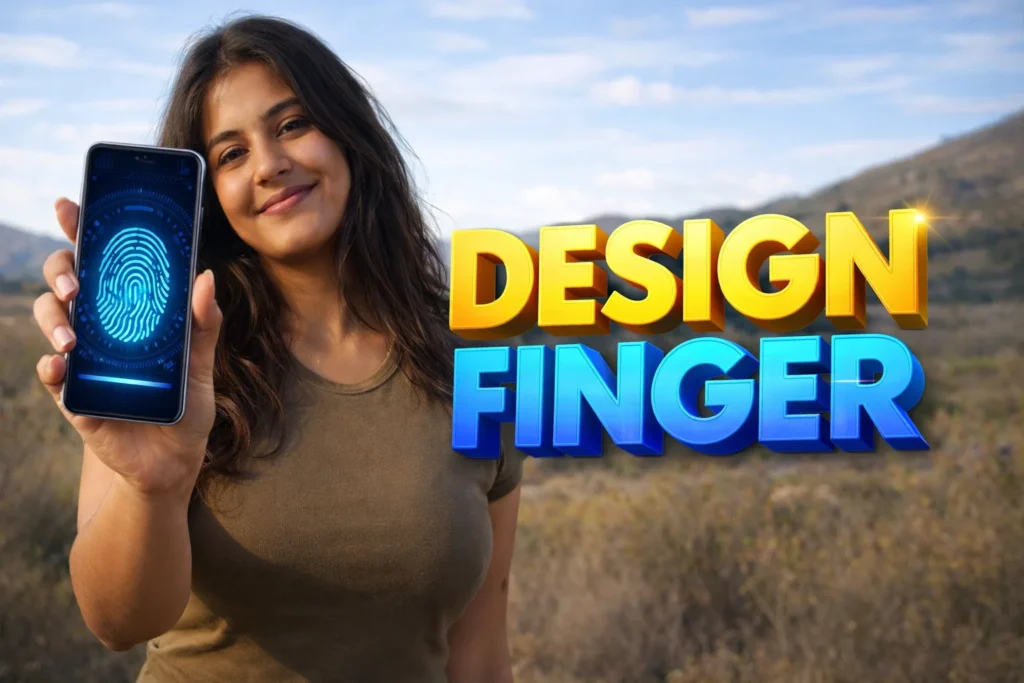
Modern Android smartphones often include fingerprint sensors for unlocking devices quickly and securely. While the security system itself is handled by the phone’s operating system and hardware, many users want to make the unlocking experience more visually appealing. This is where 3D Fingerprint Animation Apps Android 2026 come in.
These apps do not replace the real fingerprint scanner. Instead, they add animated visual effects around the fingerprint area on the lock screen or wallpaper, making the unlocking moment look futuristic or stylish. Understanding how these apps work helps users know their real purpose, limitations, and safety considerations.
Quick Overview
| Feature | Details |
|---|---|
| Main Purpose | Add animated fingerprint effects on lock screen |
| Technology Used | Live wallpaper & animation overlays |
| Works With | Phones that support fingerprint unlock |
| Internet Needed | Usually not required |
| Customization | Animation style, glow effects, position |
| Security Function | Uses existing Android fingerprint security |
| Battery Impact | Slightly higher than static wallpapers |
What 3D Fingerprint Animation Apps Are Used For
Fingerprint animation apps belong to the Android personalization category. Their goal is to enhance the visual appearance of the fingerprint unlocking area.
Common features include:
- 3D glowing fingerprint animations
- Neon or futuristic scanning effects
- Animated lock-screen wallpapers
- Touch-responsive fingerprint visuals
- Custom fingerprint themes and styles
These apps allow users to personalize their lock screen with animated fingerprint effects, making the phone look more modern and visually interesting.
Instead of the default fingerprint animation provided by the phone manufacturer, users can apply custom themes and animation styles.
How 3D Fingerprint Animation Apps Work (Step-by-Step)
Although these apps look like they modify the fingerprint scanner itself, they mainly work through visual overlays and live wallpapers.
Step 1: Installation and Setup
After installing the app:
- Open the fingerprint animation app
- Browse available animation styles
- Select a fingerprint animation theme
- Apply it to the lock screen or wallpaper
Many apps include neon animations, glowing effects, and interactive themes to customize the fingerprint area.
Step 2: Live Wallpaper or Lock-Screen Overlay
Most apps use one of two Android systems:
Live Wallpaper System
- Animated wallpaper runs behind the lock screen
- Animation appears near the fingerprint sensor
Overlay Animation
- The app places a visual animation exactly where the fingerprint scanner is located
This creates the illusion that the fingerprint scanner itself has a custom animation.
Step 3: Fingerprint Sensor Integration
The actual fingerprint recognition is still handled by the Android system.
When you place your finger on the sensor:
- The system reads your fingerprint
- The animation plays simultaneously
- The phone unlocks normally
The animation is simply synchronized with the unlocking process.
Step 4: Customization Options
Many apps allow users to change:
- Fingerprint animation style
- Glow colors
- Animation speed
- Position of the fingerprint circle
- Background wallpaper
Some apps offer dozens of animation styles and themes to personalize the device’s lock screen appearance.
Step 5: Applying to Lock Screen
Once configured, the animation appears when:
- the phone screen turns on
- the fingerprint sensor area becomes active
- the user touches the sensor
This creates a dynamic unlocking effect every time the phone is used.
Safety, Privacy & Permission Considerations
Although these apps are mainly visual tools, users should still check permissions.
1. Overlay Permissions
Some apps request display-over-other-apps permission to place animations on the lock screen.
2. Wallpaper Access
Apps may need permission to set live wallpapers.
3. Advertising
Free personalization apps often display ads in their settings screens.
4. Fingerprint Data Security
These apps do not access your fingerprint data.
The fingerprint information remains protected by the Android system and device hardware.
Advantages of 3D Fingerprint Animation Apps
1. Visual Customization
They allow users to personalize their lock screen beyond default animations.
2. Futuristic Appearance
Glowing and animated fingerprint effects give the phone a modern look.
3. Easy Setup
Most apps require only a few taps to apply animations.
4. Large Theme Collections
Many apps include dozens of animation styles and background combinations.
Limitations and Disadvantages
1. No Real Security Improvement
These apps only change the appearance of the fingerprint area.
2. Slight Battery Usage
Animated wallpapers may use slightly more battery.
3. Device Compatibility
Some phones may not perfectly align animations with the fingerprint sensor.
4. Advertisements
Free apps usually include ads in the interface.
When You Should Avoid Using It
You may want to avoid fingerprint animation apps if:
- you want the longest possible battery life
- your phone has limited performance resources
- you prefer simple or minimal lock screens
- your device already has a built-in animation customization feature
For example, some phone brands already allow fingerprint animation customization directly in system settings.
Who This Is Suitable For
Suitable For
- Users who enjoy customizing their phone appearance
- People who like futuristic lock-screen effects
- Android users with modern devices
- Anyone who wants animated unlock visuals
Not Suitable For
- Users who prefer minimal or distraction-free screens
- devices with low performance or battery limitations
- people expecting enhanced security features
Real-World Example
Imagine unlocking your phone and seeing a glowing fingerprint circle appear under your finger.
As you touch the screen:
- a neon scanning effect appears
- the fingerprint animation lights up
- the phone unlocks with a futuristic animation
The security process remains the same, but the unlocking experience becomes more visually interesting.
Frequently Asked Questions (FAQ)
1. Do fingerprint animation apps change the real fingerprint scanner?
No. They only add visual effects around the scanner area.
2. Do these apps make fingerprint unlocking faster?
No. Unlock speed depends on the phone’s hardware and system software.
3. Are fingerprint animation apps safe?
Most are safe personalization apps, but users should always review permissions.
4. Can I remove the animation later?
Yes. You can switch back to the default lock screen animation anytime.
5. Do these apps work on all Android phones?
They work best on phones with fingerprint sensors, especially those with in-display scanners.
Decision / Recommendation Table
| Situation | Recommended? | Reason |
|---|---|---|
| You enjoy phone customization | Yes | Adds stylish unlock animation |
| Modern phone with fingerprint sensor | Yes | Works smoothly with live wallpapers |
| Minimal battery usage required | Not ideal | Animation uses extra power |
| Older phone with limited performance | No | May slow down device |
| Want real security improvement | No | Visual customization only |
Reader Recommendation (Simple Decision)
If you want to customize your lock screen with animated fingerprint effects and stylish unlocking visuals, you can explore:
Always review permissions and settings before applying lock-screen customization.
Final Thoughts
3D Fingerprint Animation Apps Android 2026 are designed primarily for personalization rather than security. They enhance the visual experience of unlocking a smartphone by adding animated effects around the fingerprint scanner. While they do not change how fingerprint authentication works, they allow users to customize their device with futuristic animations and themes.
For users who enjoy personalization and modern interface styles, these apps offer a simple way to make the phone feel more unique and visually engaging.
More Articles You May Like


✍️ About the Author – M Raj
Every website article I write is for the benefit of users (viewers). I focus on fully meeting the needs of article visitors and ensuring they are satisfied. All articles are created following Google’s article policy (Publisher Center guidelines). To get in touch, email M Raj at mraj@indshorts.com.
🧾 Editorial Standards
For corrections or clarifications, contact M Raj: keyboardtamil17@gmail.com